> Documentation index: https://roxyapi.com/llms.txt. Building an integration? Read https://roxyapi.com/AGENTS.md first.
# Webasyst astrology widget on Shop-Script and Site pages
> Add a natal chart, a daily horoscope, a tarot reading or a transits table to any [Webasyst](https://www.webasyst.com) site or Shop-Script store. Paste a widget into a page, or serve every widget file and reading from your own domain with one PHP file. Only a publishable key ever sits on the site.
Webasyst runs PHP on your own hosting, so it supports both widget paths. This page covers where the key goes, the plain widget snippet, and the self-hosted setup that serves the widget, the city search and every reading from your domain. The [widgets guide](/docs/widgets) covers every delivery mode for every platform.
## What you can build
- Natal chart page: the visitor enters birth date, time and city, and the wheel renders
- Daily horoscope card bound to a zodiac sign on the store front page
- Tarot reading or card of the day beside your tarot decks and crystals
- Transits table that shows the planets right now with one click
- Life Path and numerology calculator as a gift for every buyer
- Vedic kundli page with nakshatra, Vimshottari Dasha and panchang
## Step 1: mint a publishable key
A publishable key (`pk_`) is built for the browser. It cannot read your account, and you lock it to your own domain so no one else can spend your quota with it.
1. Open your [account API keys](/account?tab=keys).
2. Click **New key**. Choose **Publishable** and **Live**.
3. Under **Allowed origins**, add your store host, for example `yourstore.com`, and on a second line `www.yourstore.com`. Origins are matched by exact host with no wildcards, so list every host the store opens on.
4. Copy the `pk_live_...` value.
**Warning: Never paste a secret key**
Only a publishable `pk_` key belongs on a Webasyst site: in a page, in a theme template, or in `roxy.php`. Page HTML and template code reach every visitor. A secret `sk_` key is refused in the browser and stays on a server you control.
## Step 2: paste a widget into a page
Start at the [widgets gallery](/widgets): paste your key there once, pick a widget, and copy the snippet. Then, in the Webasyst backend:
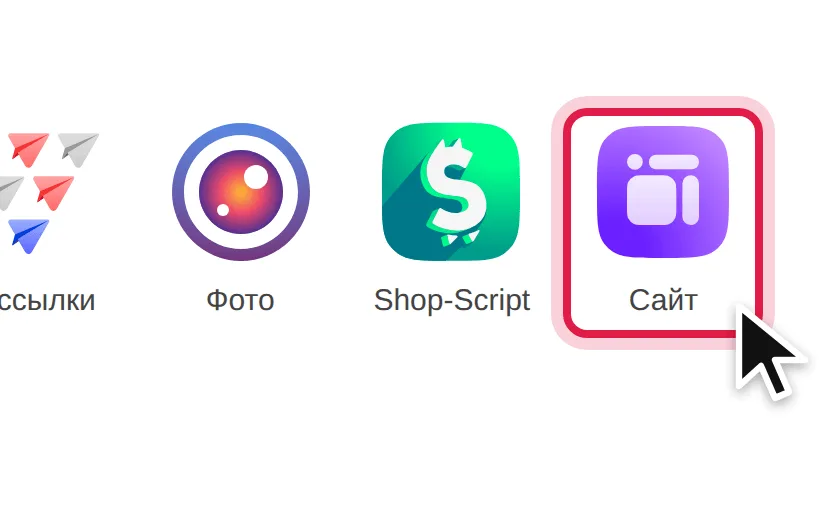
1. Open the **Сайт** (Site) app.
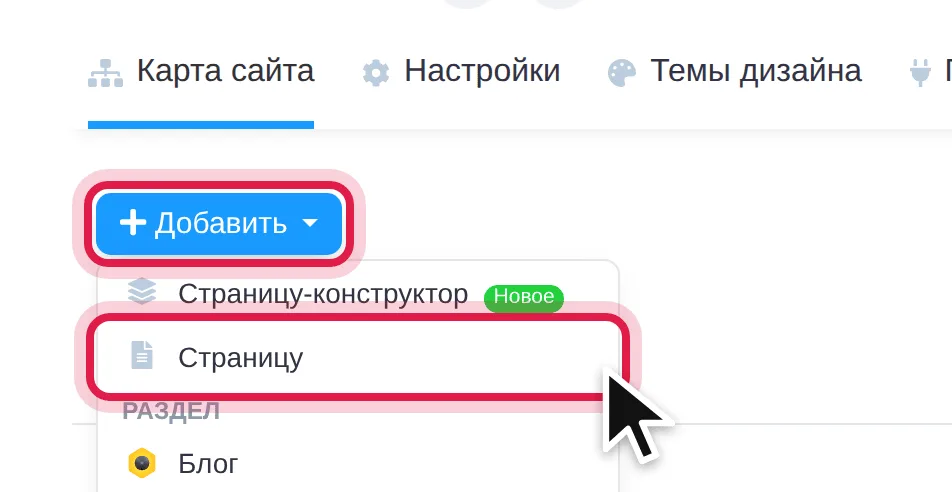
2. On **Карта сайта** (Site map), click **Добавить** (Add) → **Страницу** (Page).
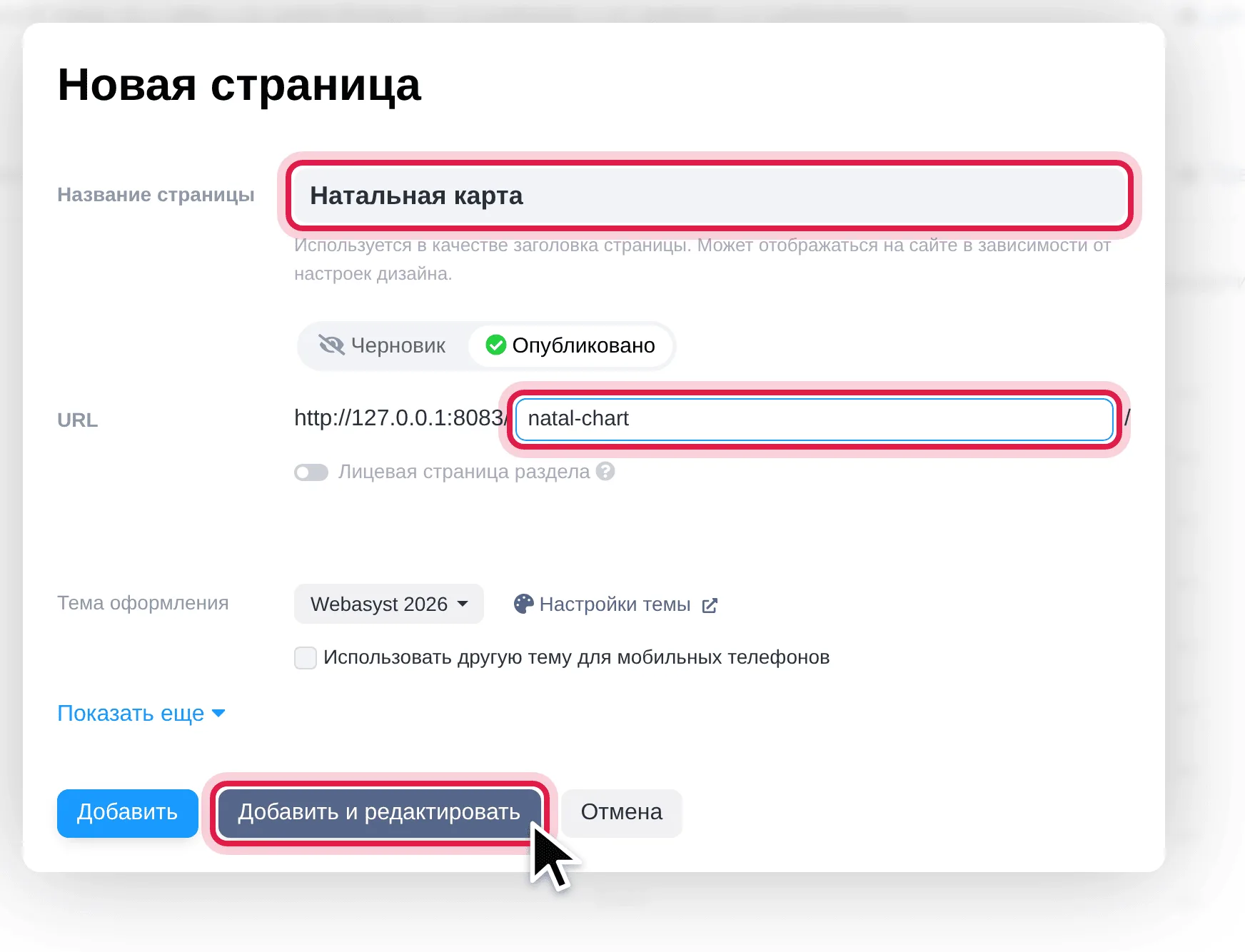
3. Type a page name and an address such as `natal-chart`, keep **Опубликовано** (Published), and click **Добавить и редактировать** (Add and edit).
4. Switch to the **HTML** tab, paste the snippet, and click **Сохранить** (Save).
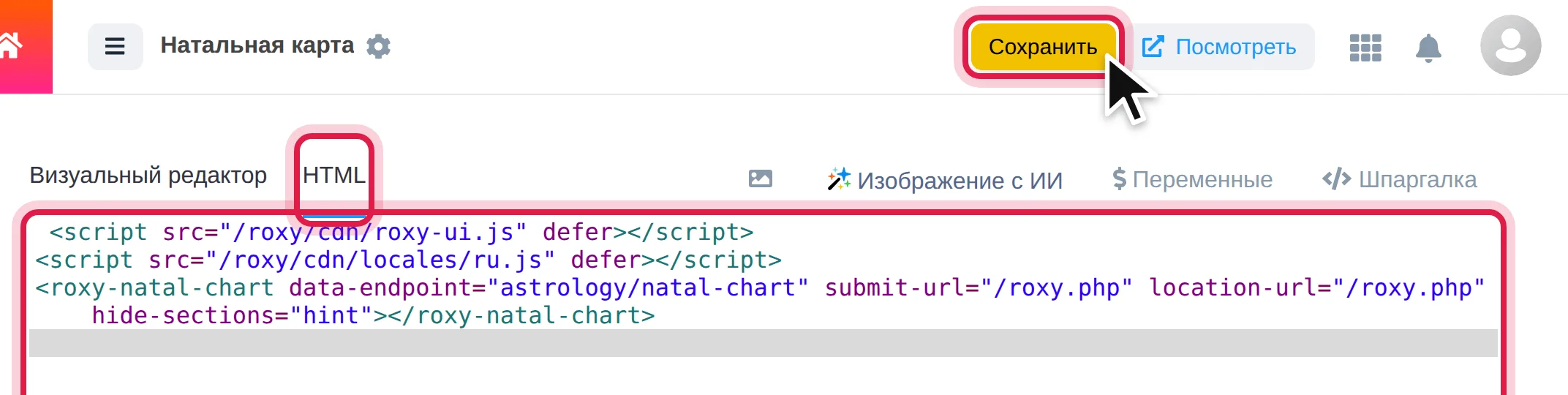
```html
```
Swap `natal-chart` for any slug on the gallery: `horoscope-card`, `tarot-spread`, `transits-table`, `numerology-card`, `vedic-kundli` and more. Paste the snippet into the theme template instead of a page to show a widget across the whole store.
## Step 3: serve everything from your own domain
For a store whose visitors should load nothing from other hosts, the open source [Self-Hosted Widgets for PHP](https://github.com/RoxyAPI/self-hosted-widgets-php) file does it. `roxy.php` sits next to `index.php`, keeps a copy of the widget files in a `roxy` folder on your server, and relays every reading and city search to RoxyAPI from the server. Visitors load the widget, the city search and every reading from your domain alone. New widgets and new releases arrive on their own, with nothing to update by hand.
1. Download [roxy.php](https://raw.githubusercontent.com/RoxyAPI/self-hosted-widgets-php/main/roxy.php), open it in a text editor, paste your publishable key between the quotes on the `$ROXY_KEY` line, and save.
2. Upload it to the site root, the folder with `index.php`, `wa-apps` and `wa-config` in it, through the hosting file manager or SFTP. Nothing to register in the backend.
3. Open `https://yourstore.com/roxy.php?check`. Every line is green; a red line says what to fix under it.
4. Add a page as in Step 2 and paste this snippet on the **HTML** tab:
```html
```
Any other widget works the same way: copy its tag from the [widgets gallery](/widgets) and replace `publishable-key="pk_live_YOUR_KEY"` with `submit-url="/roxy.php" location-url="/roxy.php"`. The two script lines go on a page once. Swap `ru` in the second line for `de`, `es`, `fr`, `hi`, `pt` or `tr`, or drop it for English. The repository README walks every step with screenshots, in English and Russian.
## Caching
Widget files are served by your web server from the `roxy` folder as plain static files, and `roxy.php` checks for a new widget release every few hours. Readings are never cached on the store: each one comes fresh from RoxyAPI.
## Troubleshooting
- **The check page shows code starting with `