
AI Spiritual Companion
An open source, MIT licensed template for an AI spiritual companion that remembers each of its users. It is an AI astrology companion with long term memory: semantic recall through pgvector finds the moment a feeling was first described, the chat history grows with every conversation, and the natal chart is computed once and kept, all stored in a Supabase project the operator owns. The conversation is grounded in live calculations pulled over Remote MCP from 14+ insight domains on one API key, verified against NASA JPL Horizons. Personal content never leaves the operator database: only birth data is ever sent to be calculated. Built with Next.js, TypeScript, Supabase, and the Vercel AI SDK.







Features
Everything in this list is in the repository and runs locally on your machine.
- Persistent per user memory. Every reading the companion shows is appended to a
readingstable with the calculations it was grounded in. Nothing is held in a conversation buffer. - Semantic recall with pgvector. Past turns are embedded at 768 dimensions and searched under cosine distance through an HNSW index, so asking about a feeling finds the turn where that feeling was described rather than the most recent one.
- Exactly once chart caching. The natal chart is computed one time per account and stored as structured JSON. The primary key on the table makes a second row impossible, and the tool that would recompute it is deliberately withheld from the model.
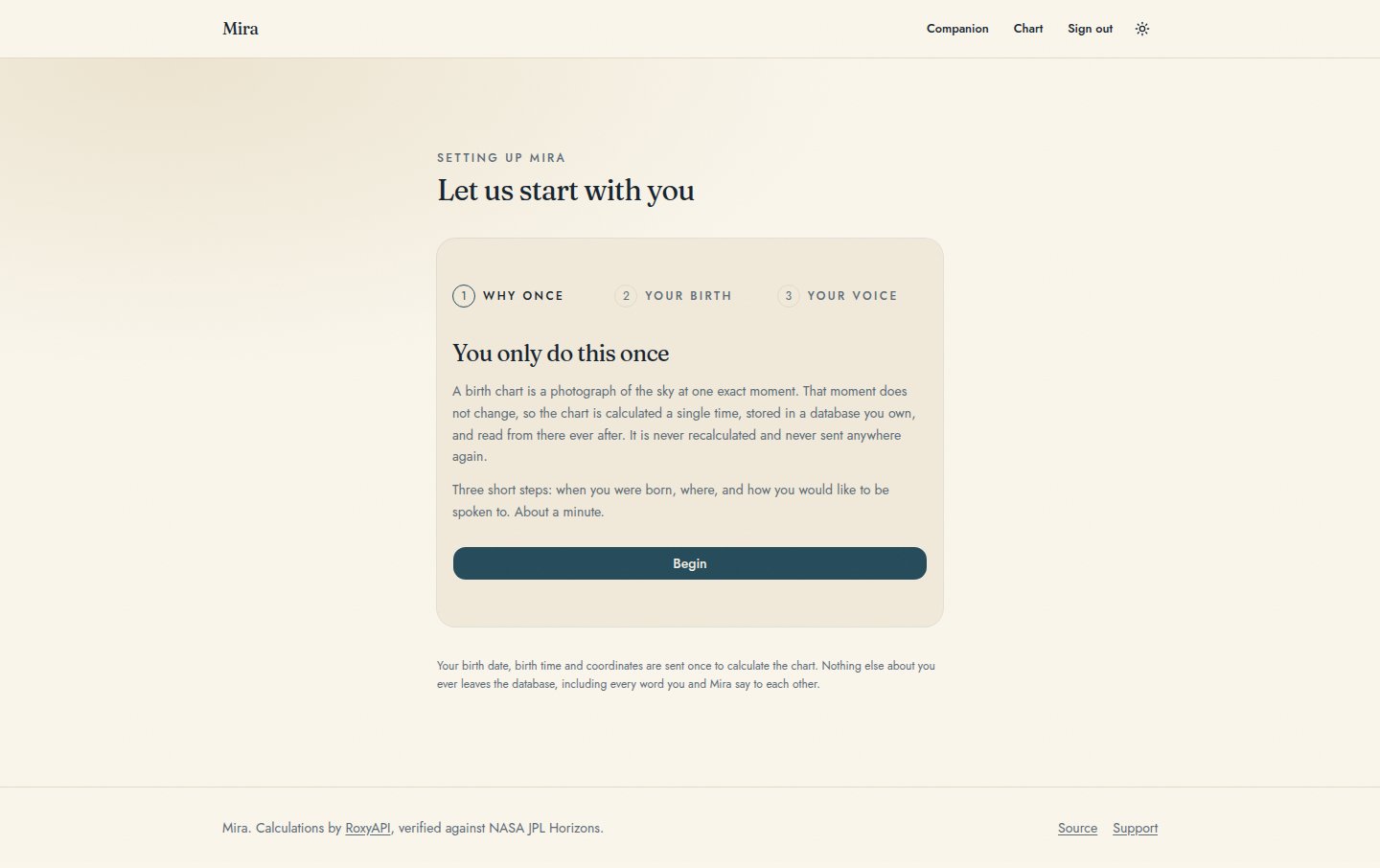
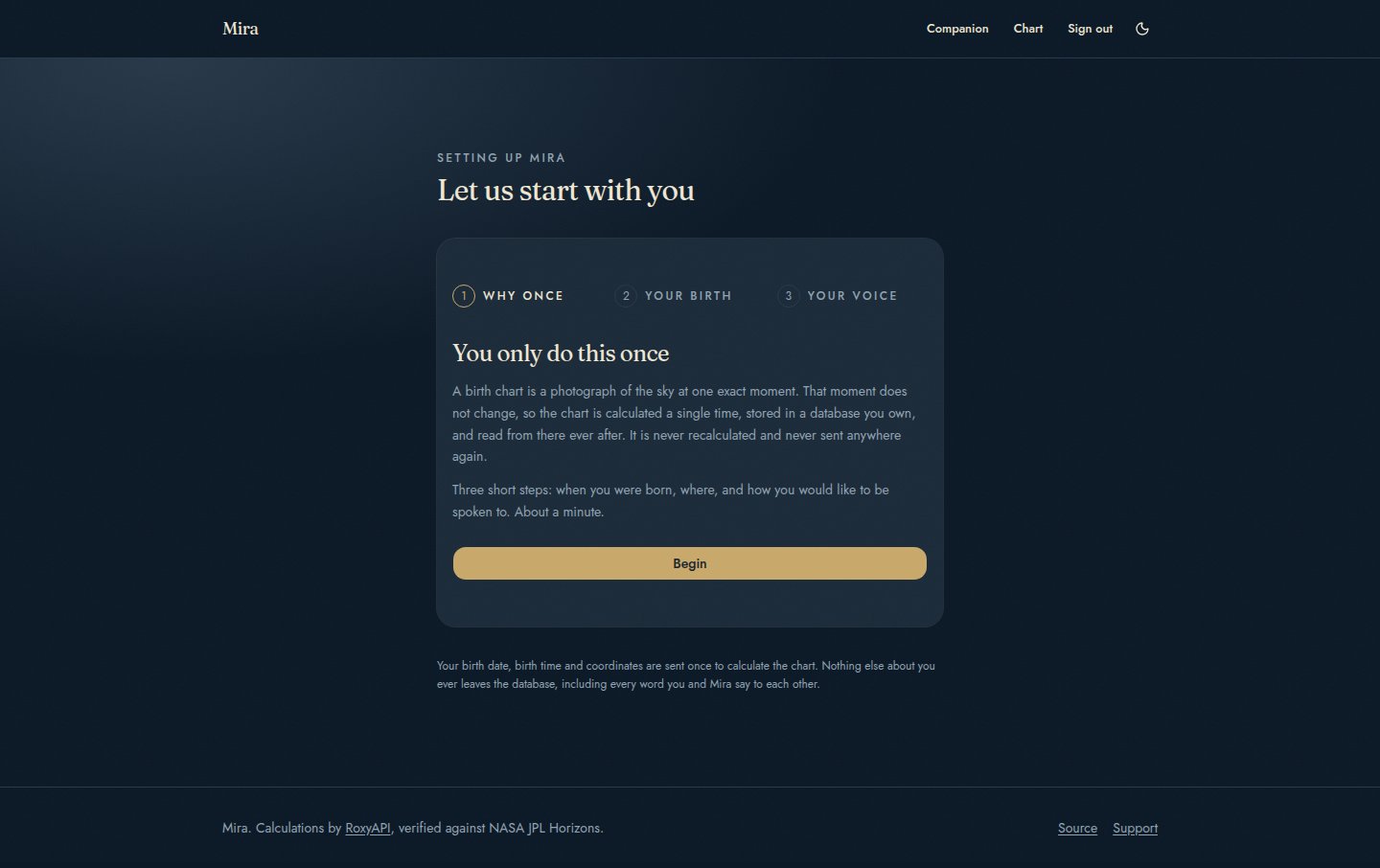
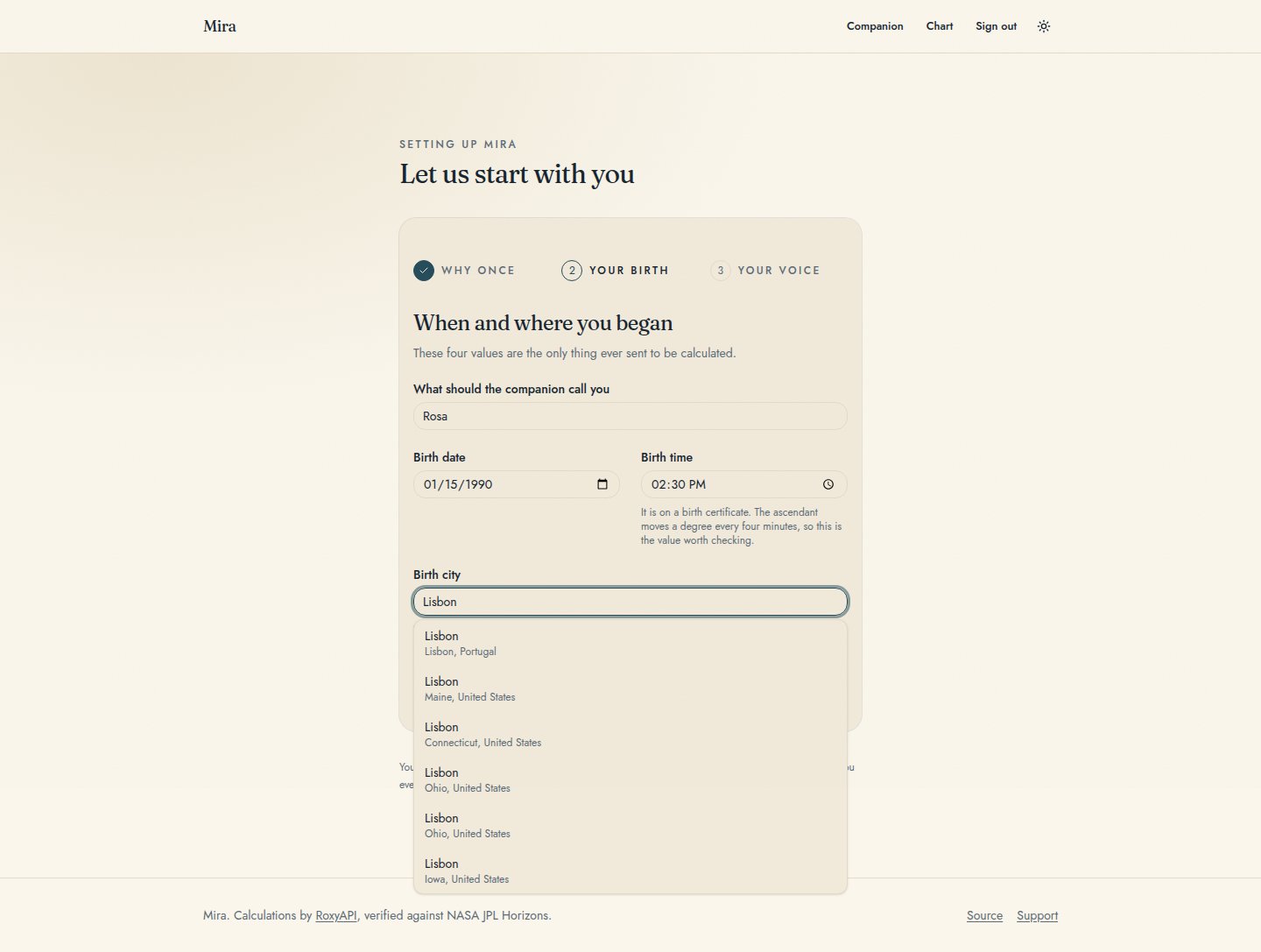
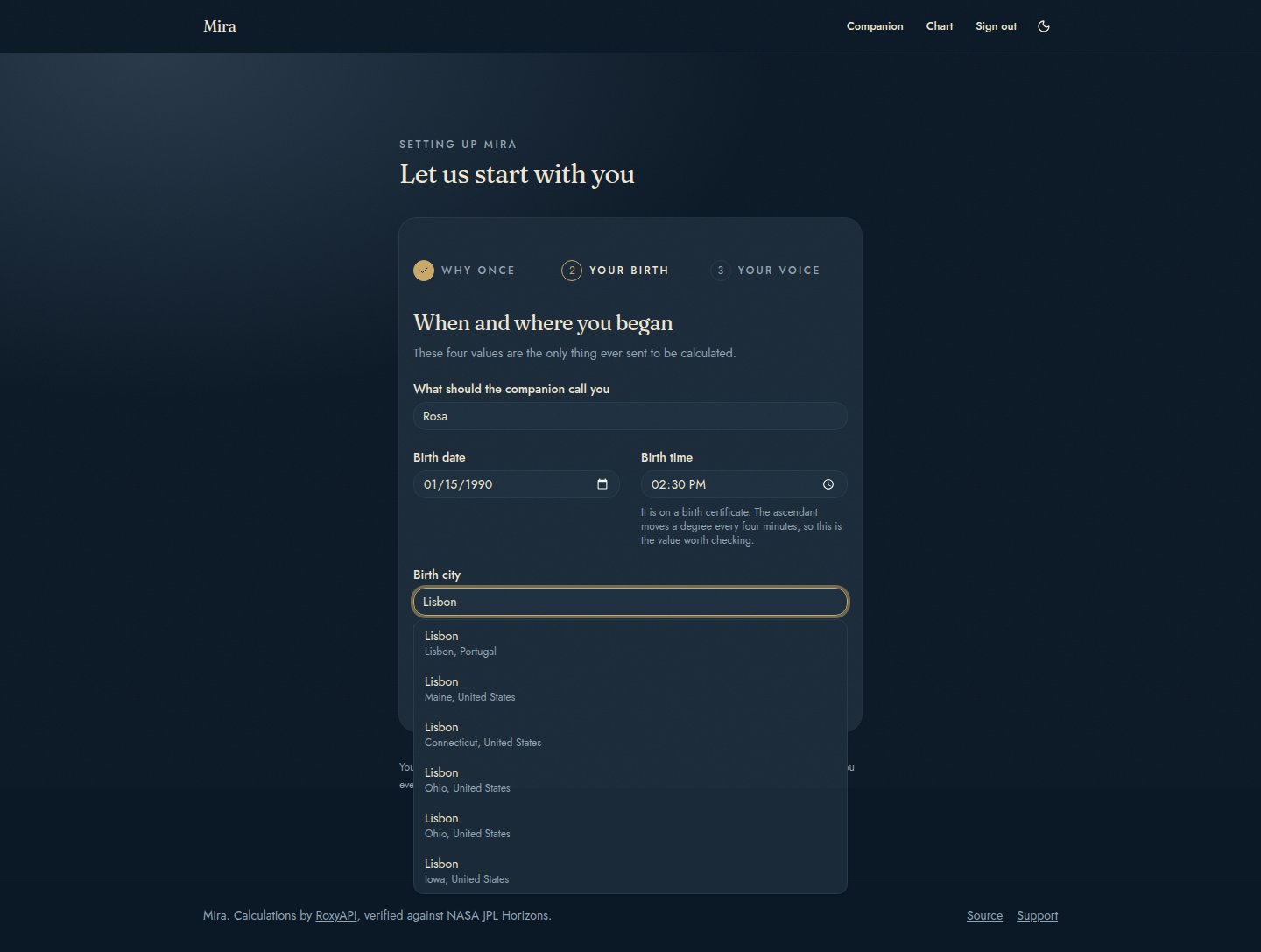
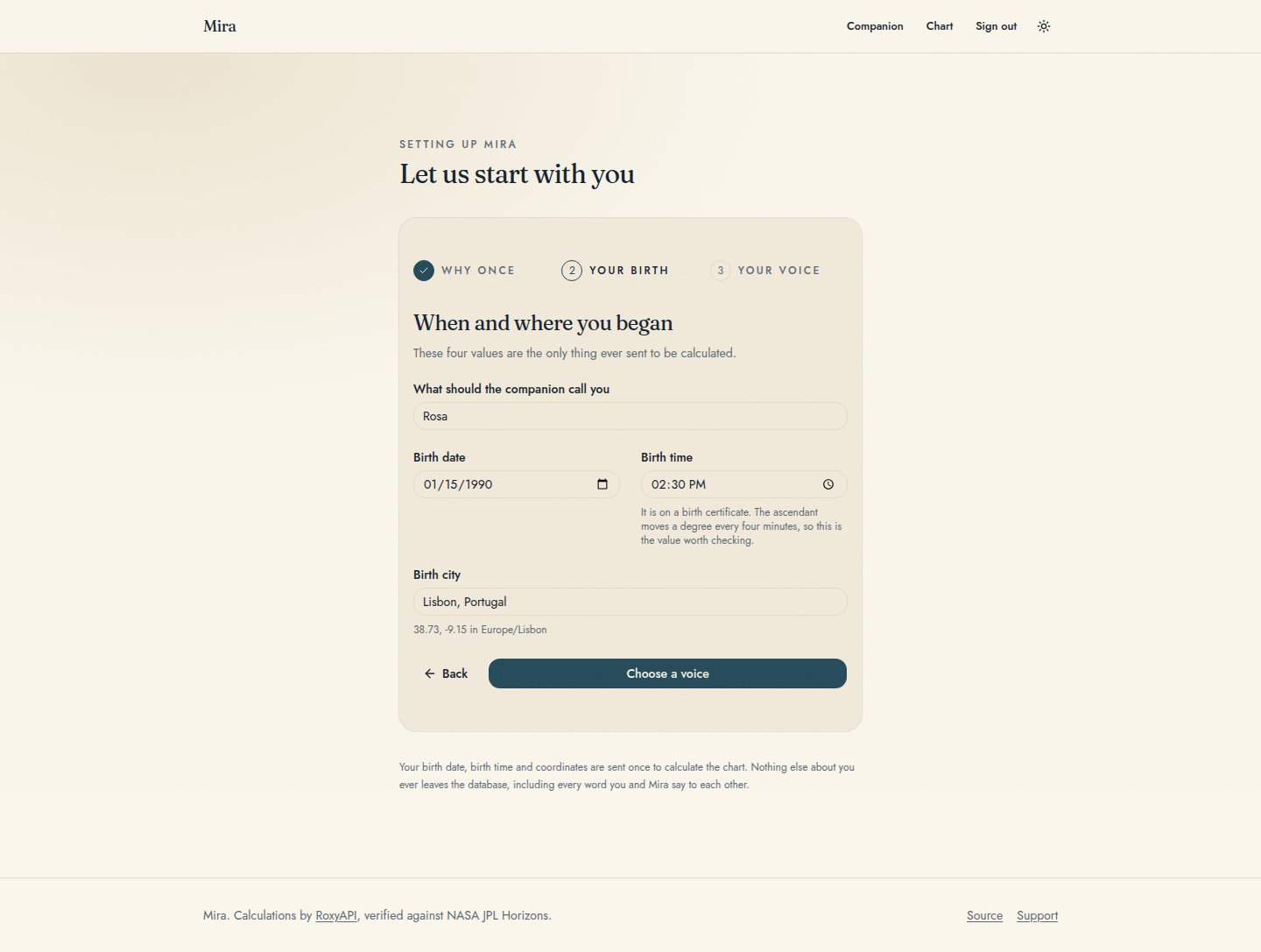
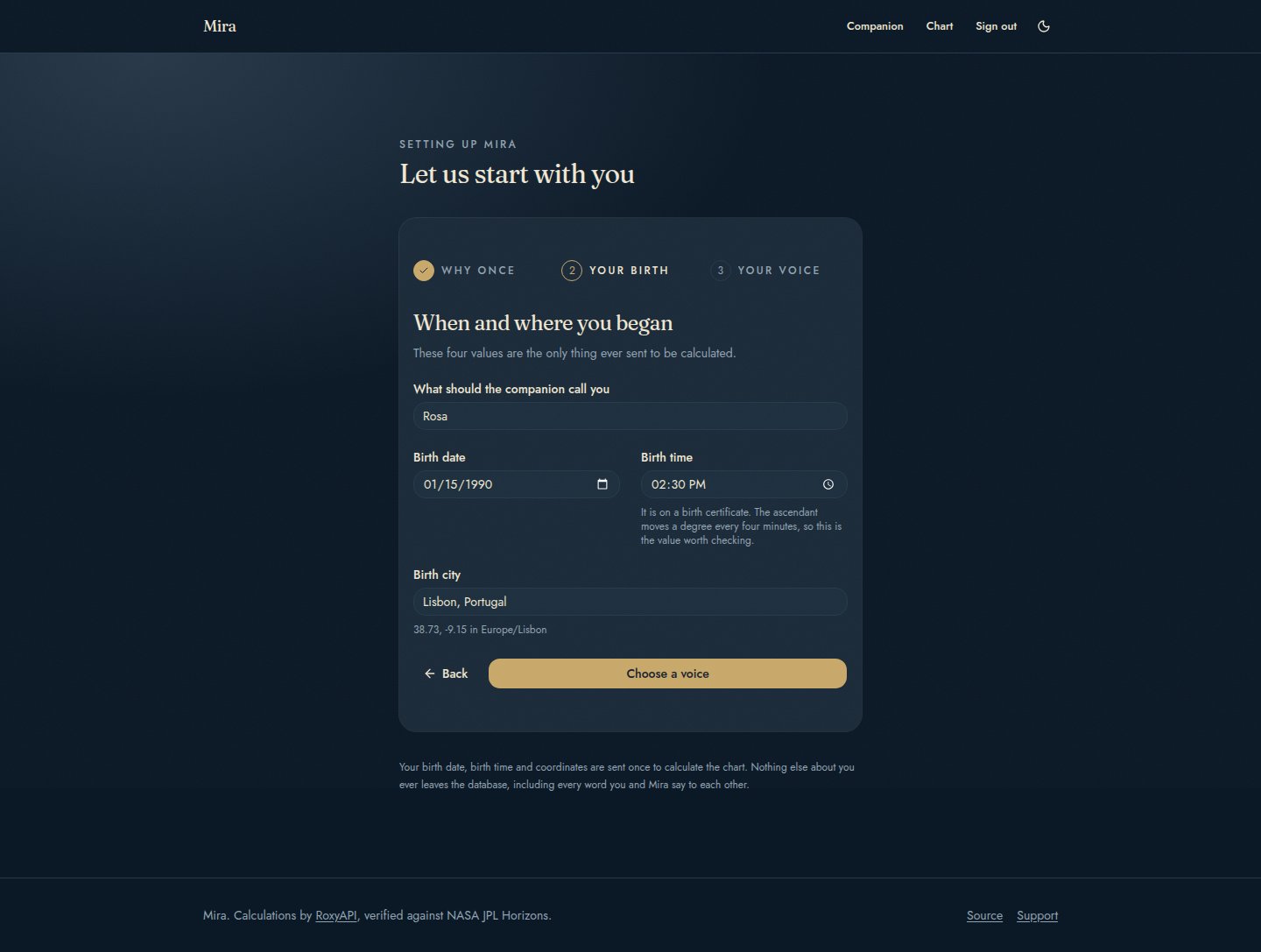
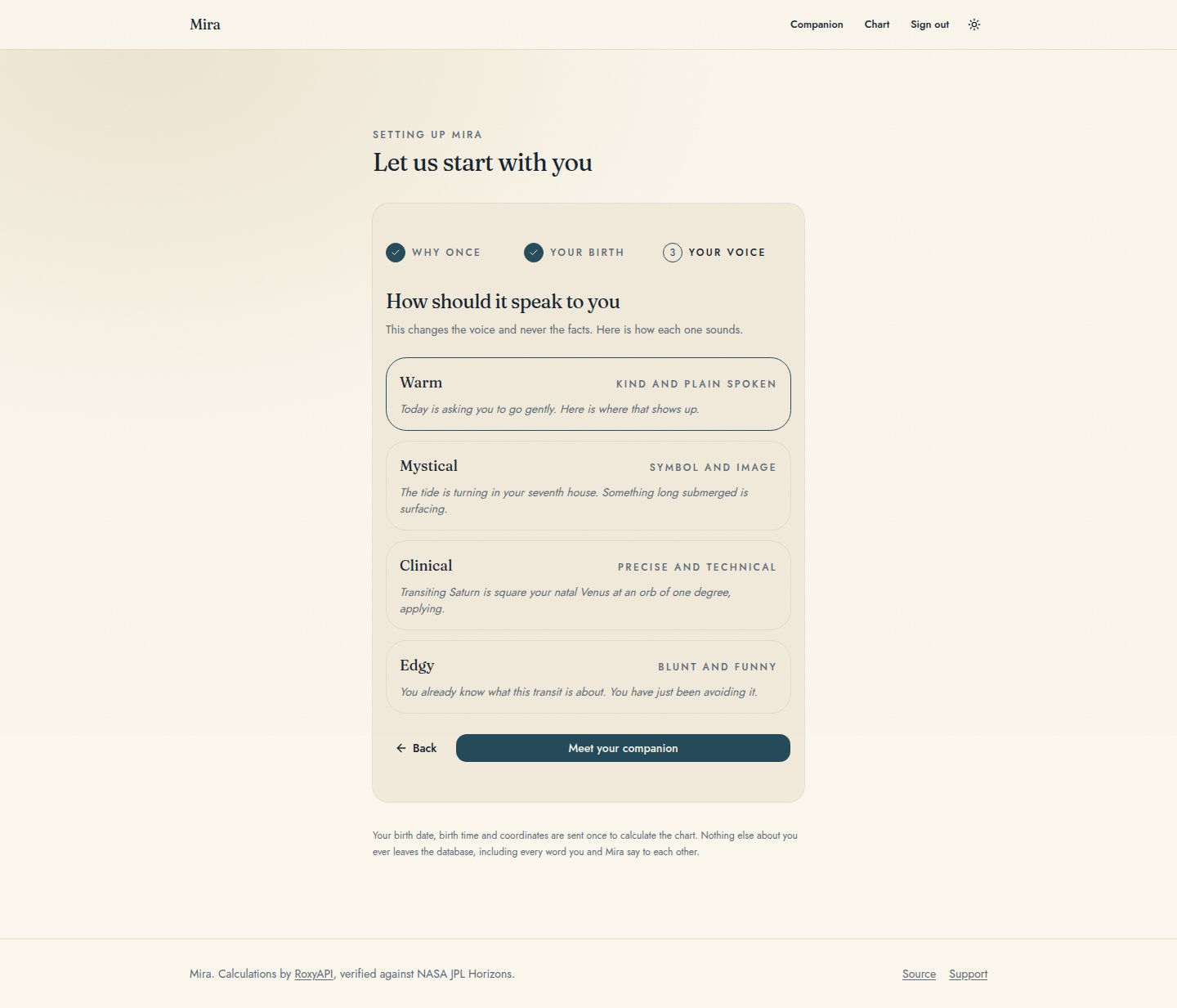
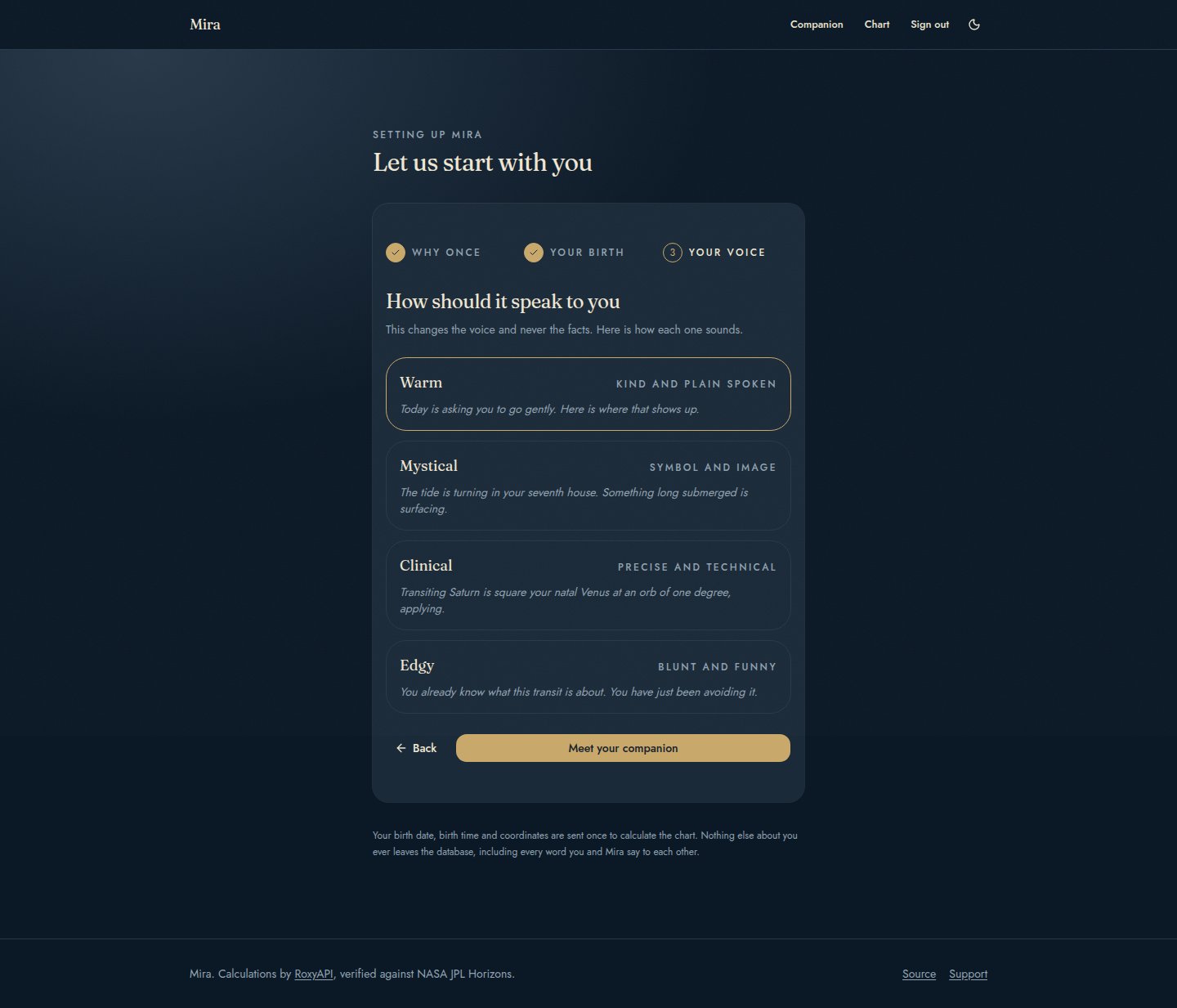
- Guided onboarding. Three steps with a stated reason for each: why it happens once, birth date and time and city, then the voice. City is an autocomplete that resolves coordinates and the IANA timezone silently, so nobody is ever asked for a latitude.
- Passwordless accounts. Supabase Auth magic links. No password to store, no reset flow to build, and the same link both creates the account and signs the person in.
- Row level security on every table. Four tables, every policy keyed to the signed in user, verified by a test suite that reads the migrations and fails if a future table ships open.
- Multi provider model switch. Google, Anthropic, or OpenAI through one environment variable. Two of the three cover embeddings with the same key.
- Remote MCP with tool auto discovery. Live calculations reach the model as MCP tools over Streamable HTTP. Tools inside a connected domain are discovered automatically, and a domain added to the platform later needs one slug in an environment variable, never a code change.
- Compact tool responses. Every calculation is requested in a lossless columnar shape that sends each field name once for a whole array instead of once per row. Measured on a real transits response while building this: 56,662 bytes down to 33,338, a 41 percent reduction, inside the published 40 to 52 percent range. Lower inference cost per turn.
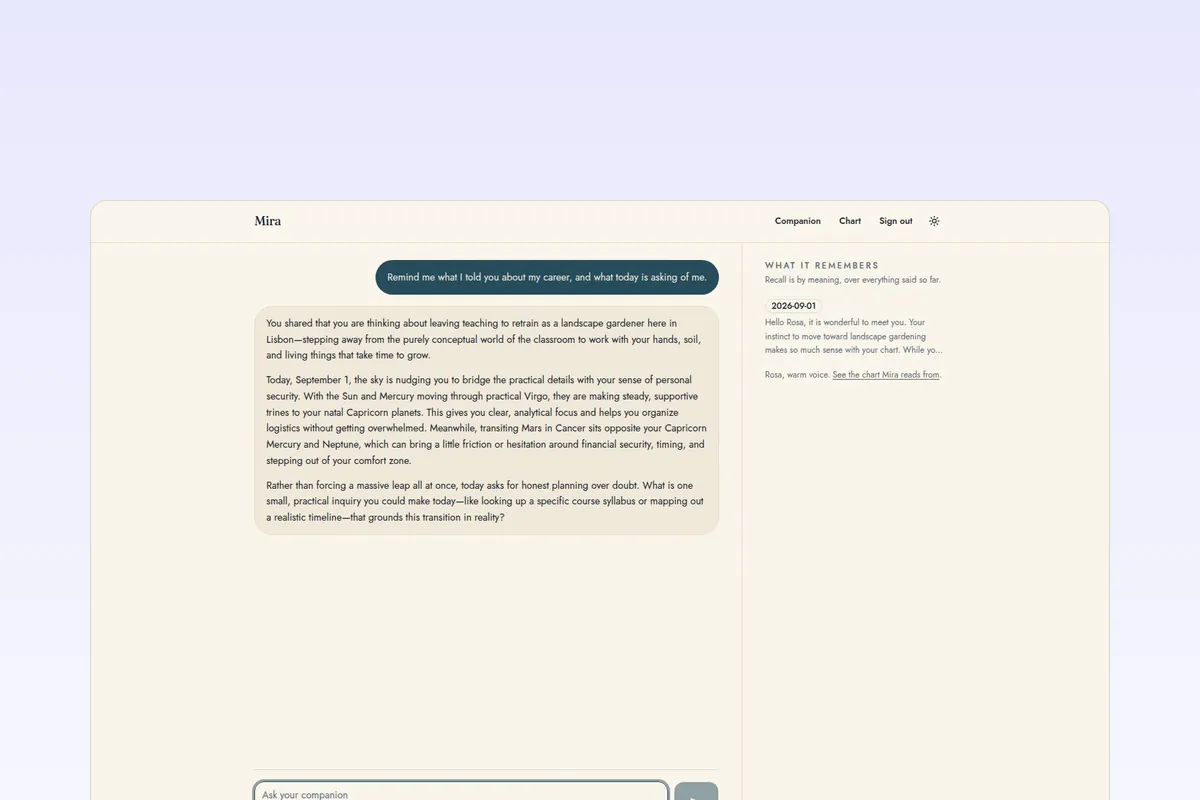
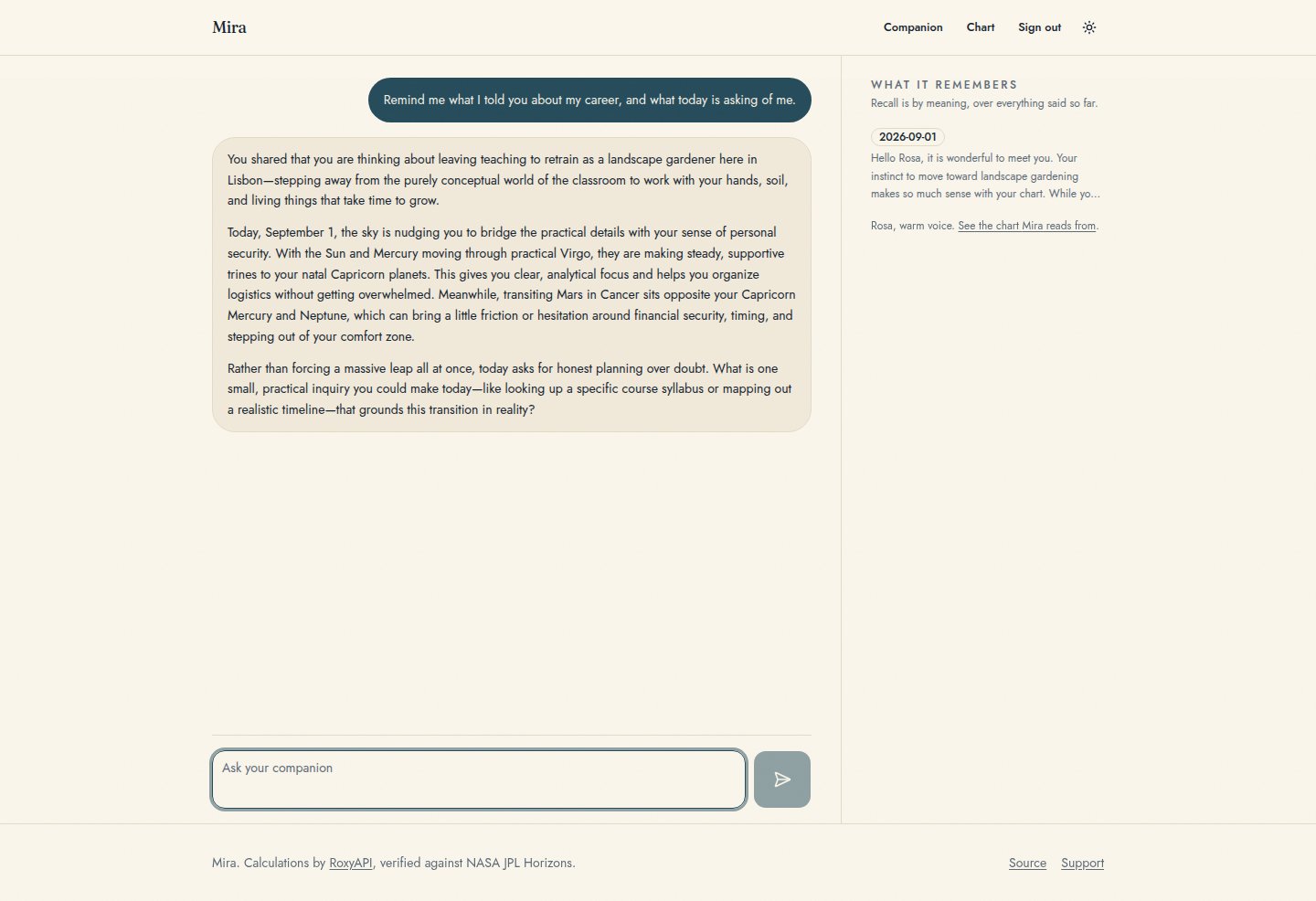
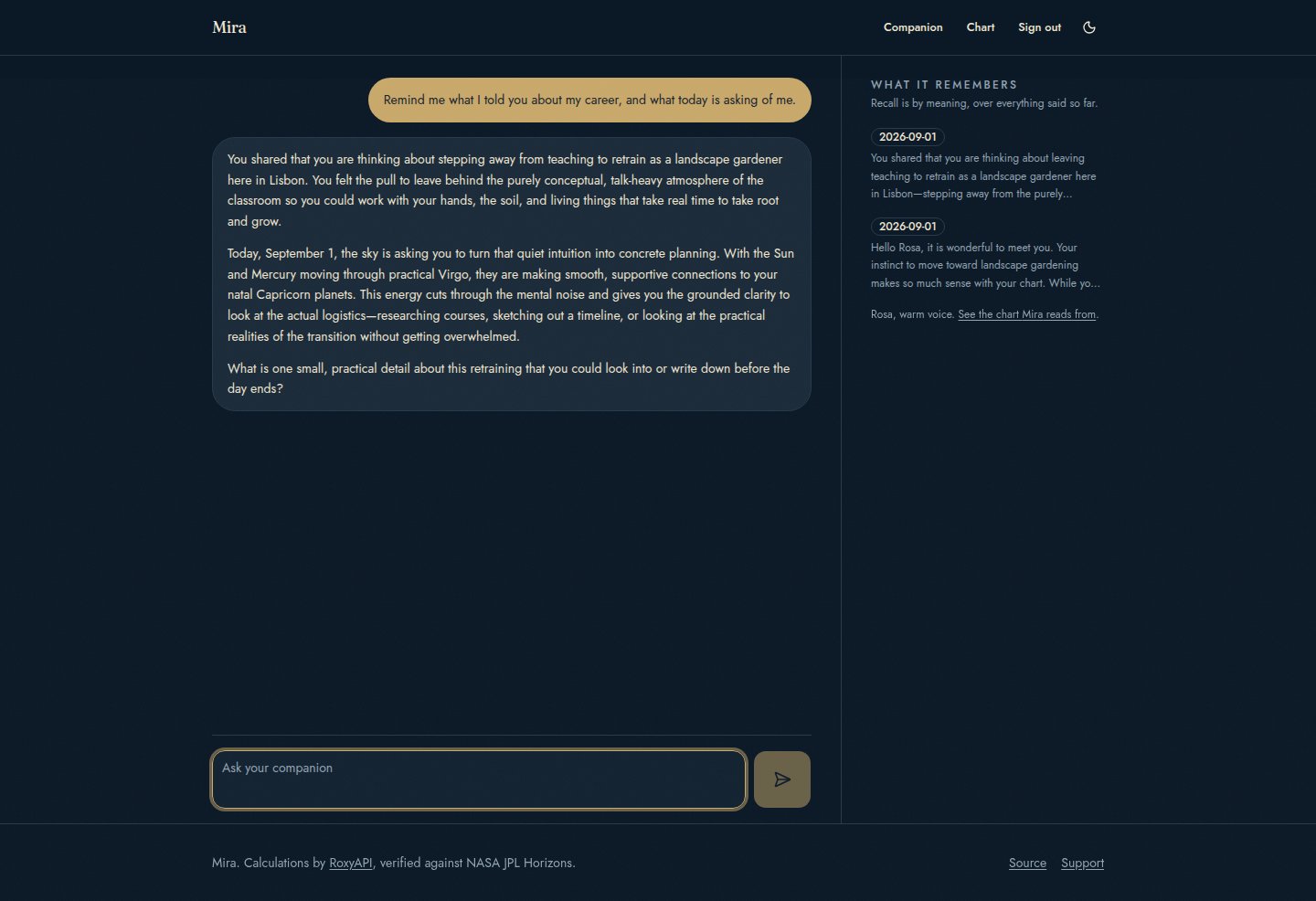
- A visible memory. A panel beside the conversation lists what has been stored, with dates, and states whether recall is currently running by meaning or by recency.
- A privacy split you can audit. Birth date, birth time and coordinates are the only things ever sent to be calculated. Journal entries, moods and every word of every conversation stay in the operator database.
- Per user spend limits. Chat turns are capped per minute and per day, counted against the readings table itself, so the caps hold on serverless hosts where an in memory counter resets per instance. Two environment variables tune them, and the check runs before any model or calculation call, so a blocked turn costs nothing.
- MIT, with paid plans welcome. Memory is the natural premium feature in a companion product, and the seam for gating it is already in the right place.
Screenshots
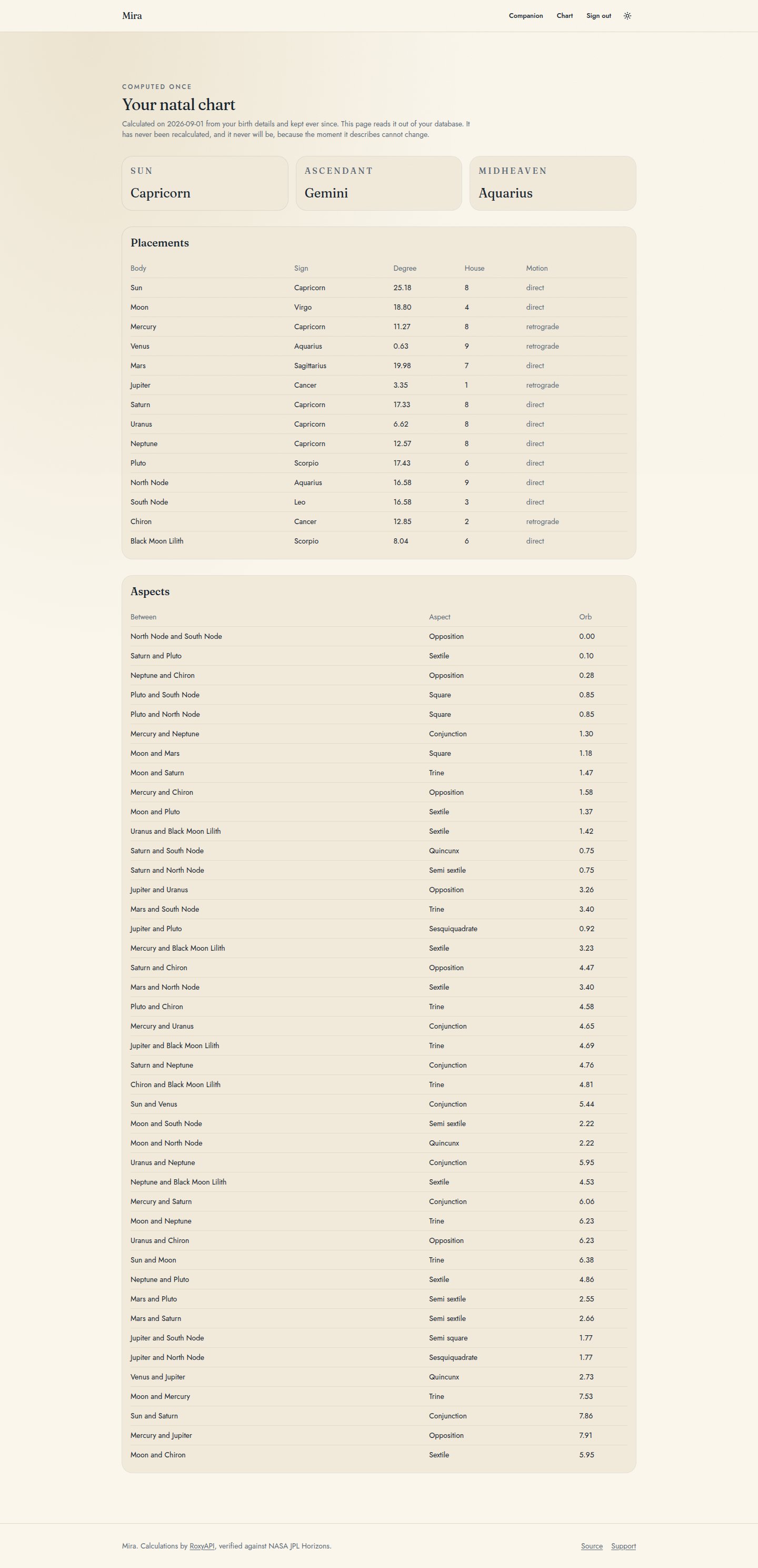
In the order somebody actually meets them: the three onboarding steps, the conversation, the chart it reads from, and the landing page last. Both themes ship.
| Light | Dark |
|---|---|
 |  |
 |  |
 |  |
 |  |
 |  |
 | 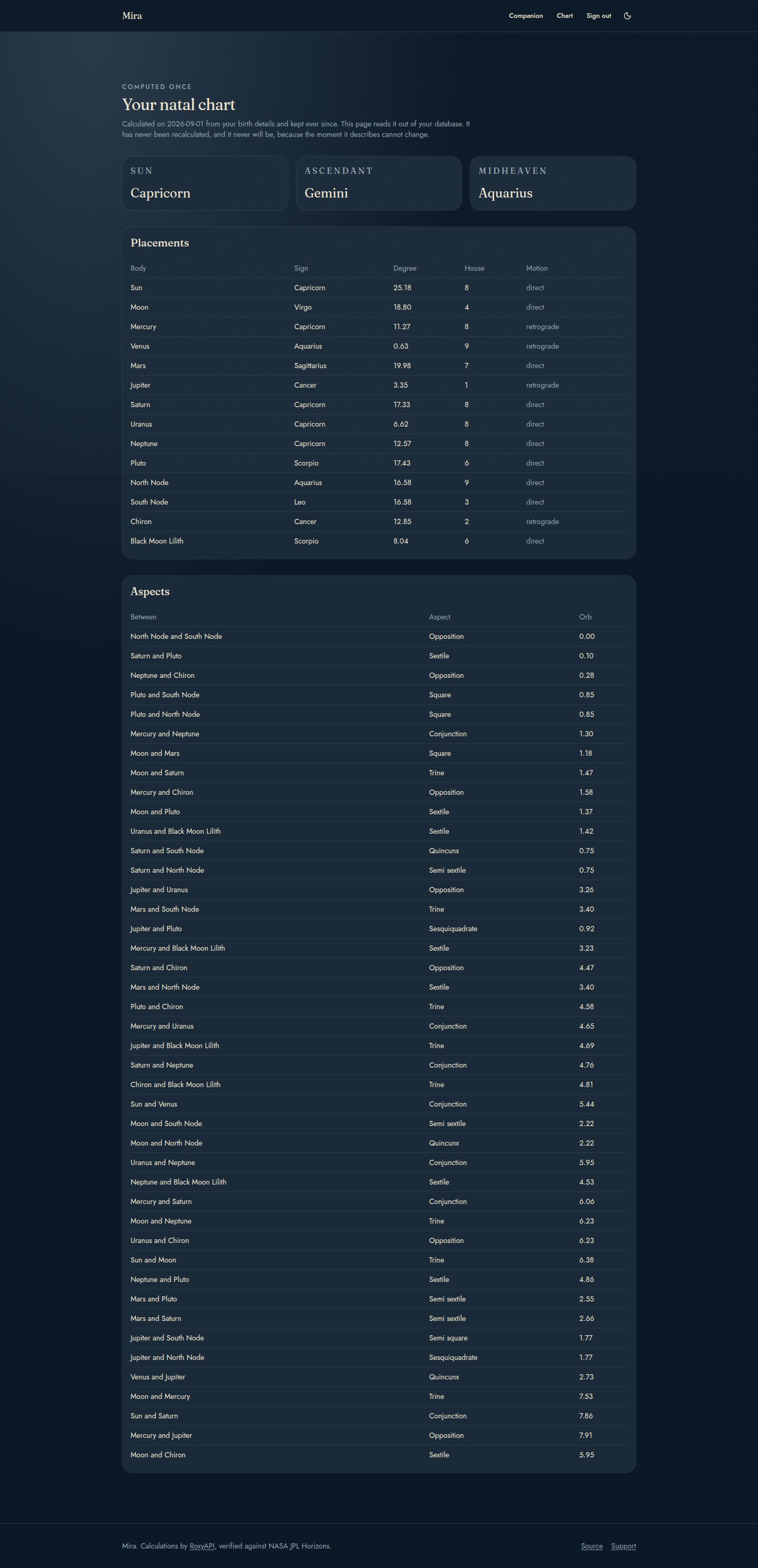 |
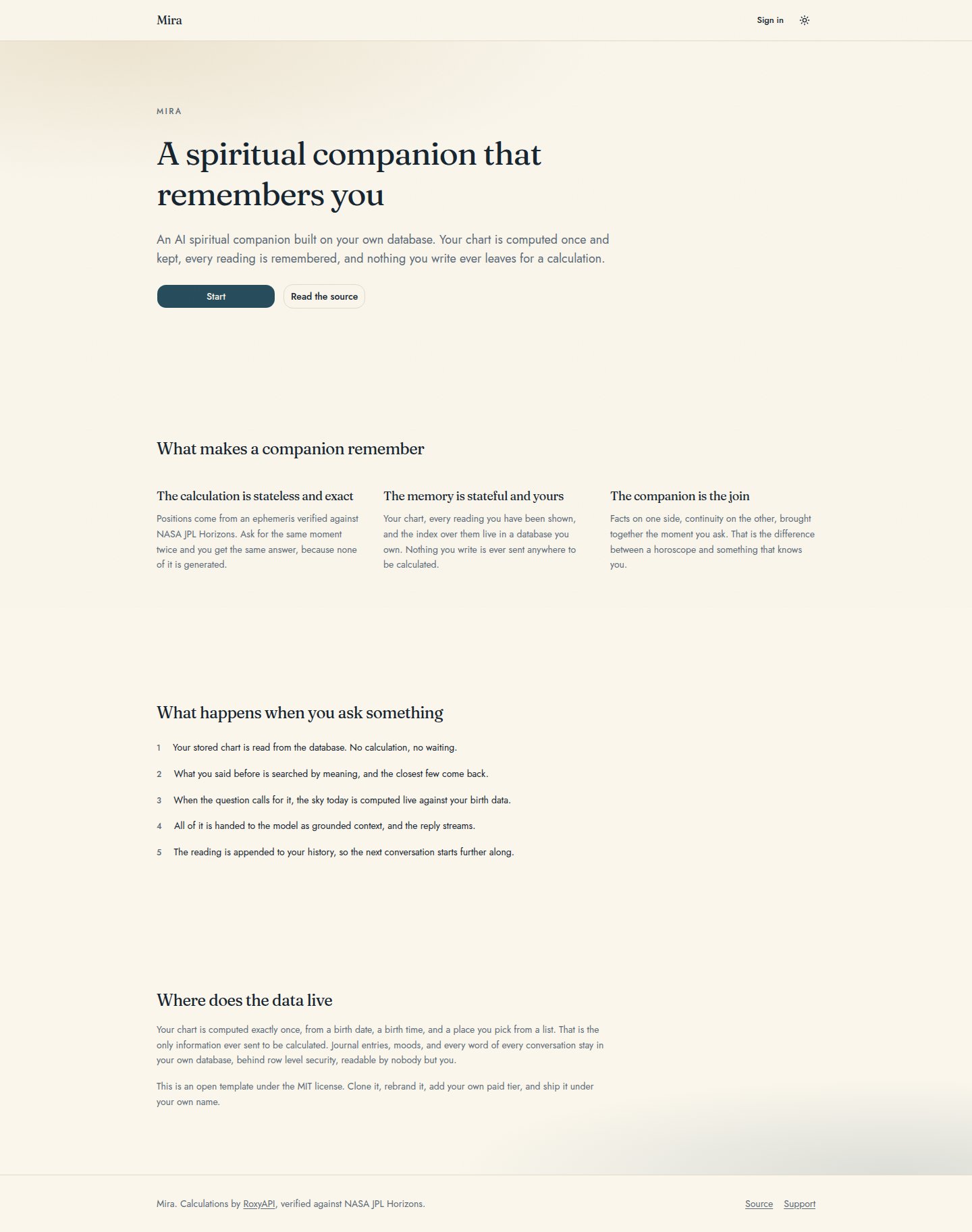 | 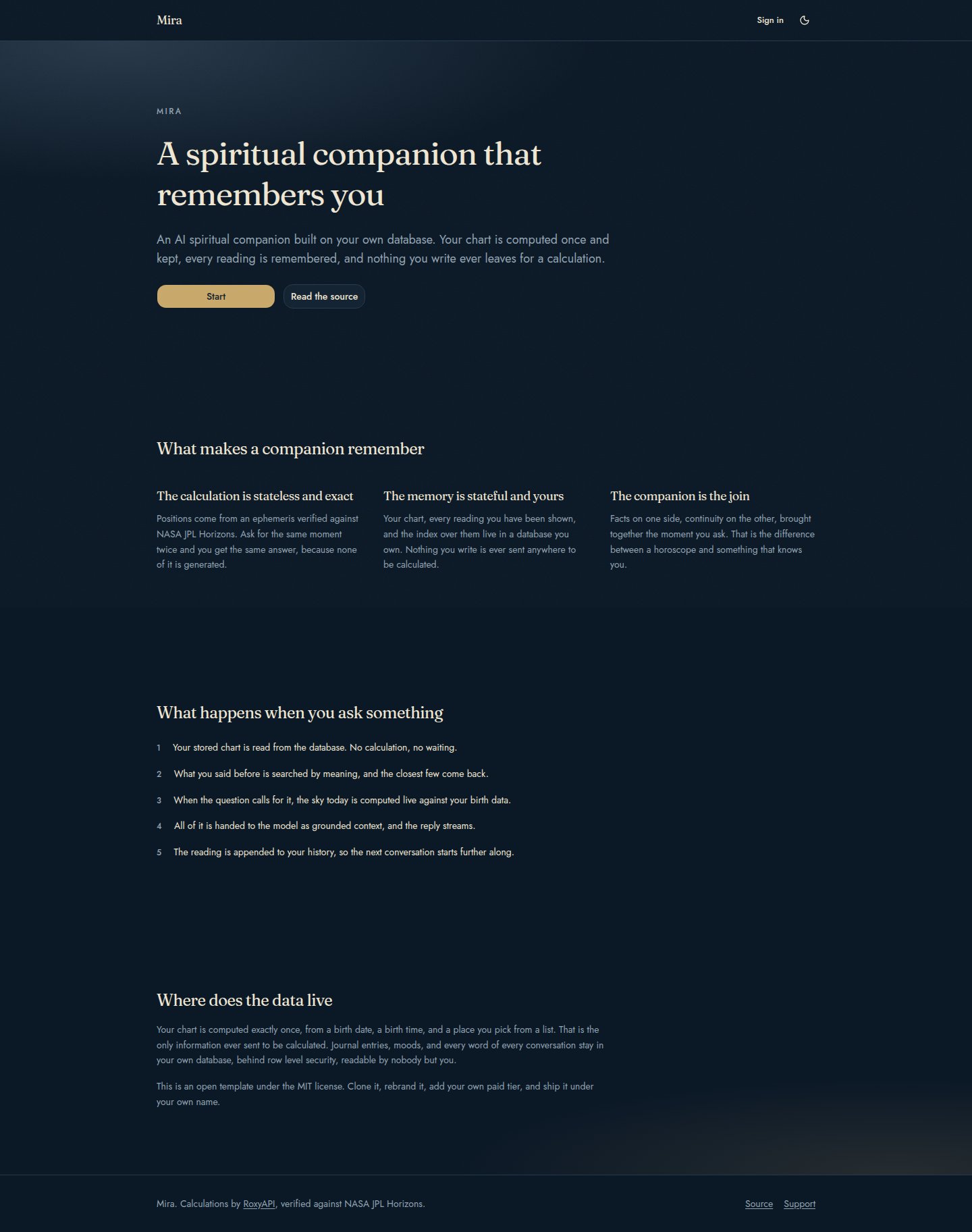 |
Every screen is captured on a phone as well, in both themes, in public/screenshots.
The problems this solves
A horoscope app has nothing to come back for. It computes the same thing for everybody born under the same sign, shows it, and forgets. This template stores what it told each person and searches that history on the next turn, so the second conversation starts where the first one ended.
Charts get recomputed on every request. Birth data is immutable, so the chart derived from it is too. Computing it once and reading it from a table afterwards removes the largest repeated cost in this category of product, and the schema enforces it rather than trusting a code path.
Personal content ends up at a third party. Splitting the layers puts the calculation service on a diet of birth data and keeps everything a person writes in a database the operator controls, behind row level security.
Language models invent charts. Grounding every answer in a verified calculation, and giving the model tools rather than a memory of astronomy, is what keeps a reading factual. The chart, the recalled history and the tool results all reach the model before it answers.
Agent context fills up with tool definitions. Connecting fewer domains and requesting compact responses keeps the per turn cost down without giving up breadth, and both are one environment variable away from being changed.
Getting started
Seven steps, all local. No hosted account, no deployment, and two API keys, one of which has a free tier.
1. Clone and install
git clone https://github.com/RoxyAPI/ai-spiritual-companion
cd ai-spiritual-companion
npm install
2. Start the database (Docker must be running)
npx supabase start     # the first run pulls images, so give it a few minutes
npx supabase db reset  # applies supabase/migrations, including pgvector
supabase start prints four things you will use:
| It prints | For |
|---|---|
API URL, usually http://127.0.0.1:54321 | NEXT_PUBLIC_SUPABASE_URL |
Publishable key, also shown as anon key | NEXT_PUBLIC_SUPABASE_PUBLISHABLE_KEY |
Studio URL, usually http://127.0.0.1:54323 | Browsing the tables and watching the memory land |
Inbucket URL or Mailpit URL, usually http://127.0.0.1:54324 | Reading your sign in email. No mail leaves your machine |
3. Add your keys
cp .env.example .env.local.env.example documents every variable, what it is for, and where to get it. Four values are required:
| Variable | Where it comes from |
|---|---|
ROXYAPI_KEY | https://roxyapi.com/pricing |
GOOGLE_GENERATIVE_AI_API_KEY | https://aistudio.google.com/apikey, free tier available |
NEXT_PUBLIC_SUPABASE_URL | step 2 |
NEXT_PUBLIC_SUPABASE_PUBLISHABLE_KEY | step 2 |
Everything else is optional and already has a working default. LLM_PROVIDER is google unless you set it. ROXYAPI_MCP_PRODUCTS chooses which calculation domains the companion can reach, and ROXYAPI_MCP_TOOLS widens or narrows the tools inside them. The Anthropic and OpenAI keys matter only if you switch LLM_PROVIDER to one of those.
4. Run it
npm run dev5. Create an account. Open http://localhost:3000, press Start, and enter any email address. It does not have to be real, and nothing leaves your machine. Open the local mail viewer at http://127.0.0.1:54324, open the message that just arrived, and click Sign in. That link creates the account and signs you in.
Working over SSH, a container, or a cloud editor with port forwarding? Forward three ports and you are done: 3000 for the app, 54324 for the mail viewer holding your sign in link, and 54323 for Supabase Studio, which the next section uses to show you the stored memory. Sign in, sign out, and the emailed link all run through the app on the server, so the Supabase API port on 54321 never needs to be reachable from your browser.
6. Onboard. Three steps: why the chart is computed once, your birth date and time and city, and the voice you want. The last step makes the one real calculation call this template ever makes for that account, a single natal chart request against your key, counted as one request on whichever plan you are on. It never runs again, and everything after it reads the stored chart out of your own database.
7. Verify the memory. The next section.
Verify the memory yourself
The claim this template makes is that the companion remembers. Proving it takes about three minutes.
1. Tell it something specific. Something it could not guess in a first conversation: a decision you are weighing, a name, a plan. Let it answer.
2. Watch the memory land. Open Supabase Studio at http://127.0.0.1:54323, go to the table editor, and look at three tables.
| Table | What you should see |
|---|---|
charts | Exactly one row, holding the whole natal chart as JSON. It never grows, however long you talk. |
readings | One row per turn, holding the text you were shown and the calculations that answer was grounded in, by tool name and arguments. |
memories | One row per turn, with a content column and a 768 dimension vector in embedding. That vector is what makes recall work by meaning. |
3. Leave properly. Press Sign out and close the tab. The session ends, and nothing is being held in the browser.
4. Come back and ask. Sign in again through the mail viewer and ask something oblique: what have I been weighing up, or what did we talk about last time. The transcript on screen is empty and the answer still lands, because it comes from the tables rather than from a conversation buffer.
5. Watch it recall. The panel beside the conversation lists what it has stored, with dates, and says whether it is recalling by meaning or by recency. On a phone the same line sits above the transcript.
Two honest notes. Free embedding tiers rate limit hard, so sending several messages quickly can drop recall from meaning to recency for a minute; the reading is still stored and the server logs one line saying so. And Anthropic has no embedding endpoint, so configuring it as the provider means recall is by recency by design.
When the first run goes wrong
npx supabase start cannot reach Docker. The local stack is a set of Docker containers, so the Docker daemon has to be running first. Start Docker, then run the command again.
A port is already taken. Another Supabase project is running on this machine. Stop it with npx supabase stop, or change the ports in supabase/config.toml, then start again.
A supabase command says it cannot be found. Prefix it with npx, which is how every Supabase command in this README is written. The CLI is fetched on demand rather than installed globally.
No email arrives at the sign in screen. Nothing is actually sent in local development, so no inbox of yours will ever show it. The message is captured on your own machine and is already waiting at http://127.0.0.1:54324. If that page is empty, check that NEXT_PUBLIC_SUPABASE_URL in .env.local matches the API URL that npx supabase start printed.
The link lands on "That link did not work". Each link works once and expires, so one you have already opened ends here. Ask for a fresh one. If every link ends here, open the app on http://localhost:3000 rather than http://127.0.0.1:3000, because the sign in link is issued for the first of those.
Onboarding ends with an error instead of the companion. The last step makes the one real calculation call, so this is almost always the key. The message on screen names the cause. Add ROXYAPI_KEY to .env.local and restart npm run dev, because environment variables are read once at startup.
The companion answers but never seems to remember. Open readings in Supabase Studio. Rows there and nothing in memories means the embedding call is failing, and the server log says so in one line. Free embedding tiers rate limit hard, and recall falls back to recency rather than failing, so the answer still arrives.
The reply never starts. Check the model key. LLM_PROVIDER and the matching provider key have to agree, and the server log carries the provider error.
Is this a ChatGPT for astrology?
Same conversational shape, with two differences that decide the answer quality.
A general chatbot answers about astrology from what a model absorbed while training, and it meets you as a stranger every session. This one answers from calculations and starts every session already knowing you. Positions come from an ephemeris verified against NASA JPL Horizons rather than from anything generated, so the same moment asked twice returns the same answer, and a placement is never improvised.
The second difference is where the past lives. The chat history, every reading shown, and the vectors that index them sit in a database the operator runs, which is what makes this an AI companion with memory rather than a chat window that forgets between visits. Ask it in March what you were weighing up in January and it answers from stored rows, not from a context window.
So: a ChatGPT for astrology that remembers you, grounded in verified calculations, with the memory owned by whoever deploys it.
How does the AI companion remember users
It stores three things per account and reads them back on every turn.
The natal chart goes into a charts table once, as structured JSON. Every reading shown goes into a readings table with a timestamp and the calculations behind it. Each turn is also embedded and stored in a memories table as a 768 dimension vector.
On the next turn, the question is embedded and matched against those vectors under cosine distance, and the closest few come back as context before the model is asked anything. There is no conversation buffer and no session state: sign out, come back a week later, and the recall works the same, because it was never in memory to begin with.
How do I add semantic memory to an AI chatbot with Supabase pgvector
Four pieces, all of them in supabase/migrations in this repository.
Enable the extension, add a vector(768) column, index it with HNSW under cosine distance, and write a SQL function that takes a query embedding and returns the closest rows. Then embed each stored turn on the way in and embed the question on the way out.
Two details are worth copying exactly. The search function is declared security invoker, so row level security still applies inside it; a security definer function would run as its owner and hand every caller the whole table. And the embedding failure path falls back to returning the most recent rows instead of raising, because a rate limited embedding provider should cost the quality of one recall and never somebody an answer.
How much does the spiritual data cost per user
One chart calculation for the lifetime of the account, plus whatever the conversation actually asks for.
The natal chart is the expensive immutable thing, and it is computed once and cached. After that, a turn costs a calculation only when the question needs one: asking how somebody is feeling calls nothing, and asking for today transits calls one tool. The model decides, and the tools it may reach are a curated set rather than everything available.
RoxyAPI plans are request based and start free. Details at https://roxyapi.com/pricing
Can I add paid plans to this
Yes, and it is the expected thing to do with it.
Memory is the natural premium feature in a companion product: a free tier that answers from the chart and today, and a paid tier that remembers. The seam is already isolated, so gating is a subscription flag on profiles and a check in front of two functions. The conversation code does not change, and the free experience degrades to a capable stateless assistant rather than breaking.
Everything here is MIT, including anything you build on top.
How do I switch LLM providers
One environment variable. LLM_PROVIDER takes google, anthropic, or openai, and you set the matching key.
Google is the default because the same key covers both the conversation and the embeddings, which keeps a first run to two keys in total. Adding a fourth provider is its AI SDK package plus one branch in src/lib/ai.ts; if it has no embedding endpoint, recall falls back to recency by itself with no other change.
Is user data sent to the astrology API
Only birth data: a date, a time, coordinates, and a timezone.
Journal entries, moods, questions, and every word of every reply stay in the Supabase project you control, behind row level security keyed to each user. Nothing in the readings or memories tables is ever sent to be calculated, and the codebase is small enough to check that claim yourself: two SDK calls and one MCP tool layer, all in src/lib.
The conversation text does reach whichever model provider you configure, because that is what answers it. That provider is your choice and your key.
How does Remote MCP work here
The calculation layer is split by one question: does exactly one call have to happen?
Where the answer is yes, the application makes the call itself through the typed SDK. That is the birth city autocomplete and the natal chart, and neither is left to a model.
Everything else is reached by the model over Remote MCP at https://roxyapi.com/mcp/{domain}, using Streamable HTTP with no local process to run. Tools inside a connected domain are discovered automatically, so new endpoints appear without a code change, and a whole new domain needs only its slug added to ROXYAPI_MCP_PRODUCTS.
The default connects a few domains rather than all 14+, because every connected tool is a definition placed in front of the model on every turn and vendors document selection accuracy falling as that list grows. That is standard agent engineering and not a limit of the platform: register the domains your agent needs. Widening it is one comma, and the reasoning with sources is in docs/companion.md.
How is model and API spend protected
Every chat turn is rate limited per user: a per minute cap and a per day cap, both tunable through CHAT_TURNS_PER_MINUTE and CHAT_TURNS_PER_DAY, both checked before any model or calculation call is made. A person over the limit receives a polite 429 and costs nothing. Setting either variable to 0 pauses the chat entirely.
Will rate limiting work on Vercel and other serverless hosts
Yes, and that is a deliberate design choice. Serverless platforms run many short lived instances, so an in memory counter would multiply by instance count and reset on every cold start. The limits here are counted against the readings table in your own Postgres, the same table every turn already writes to, so they are exact across any number of instances, with no extra store, no new dependency, and one indexed query per turn.
Does recall stay accurate as history grows
Yes. Vector indexes find nearest neighbours before the per user filter applies, so on a naive setup recall quietly thins as other rows crowd the index. The match_memories function runs with hnsw.iterative_scan set to strict order, so the scan keeps walking the index until the requested number of this user's rows survive the filter, in exact distance order.
Stack
| Layer | Choice | Version |
|---|---|---|
| Framework | Next.js App Router, TypeScript strict | 16 |
| UI | Tailwind CSS and shadcn components | Tailwind 4 |
| Identity and database | Supabase Auth magic links, Postgres | supabase-js 2 |
| Vector memory | pgvector, HNSW index, cosine distance, 768 dimensions | Postgres extension |
| Conversation | Vercel AI SDK, streaming, three providers | AI SDK 7 |
| Live calculations | Remote MCP over Streamable HTTP | @ai-sdk/mcp 2 |
| Owned calculations | @roxyapi/sdk, typed, server side only | 1.x |
| Quality gate | Biome, ESLint, Vitest, lefthook | 6 test suites |
Endpoints and tools
The application calls two endpoints itself, both places where exactly one call must happen.
| Endpoint | What it gets | How often |
|---|---|---|
GET /location/search | Coordinates and the IANA timezone for a birth city | While somebody types their city, at sign up |
POST /astrology/natal-chart | The full natal chart: placements, houses, aspects, patterns | Once per account, for the life of the account |
Everything the conversation needs comes from Remote MCP instead. The default connects Western astrology, tarot, and location, and hands the model 16 of the 52 tools those offer: the sky now and ahead, the moon, horoscopes by period, the solar return and progressions, synastry, three tarot draws, and city search. One tool is withheld under every configuration, the natal chart, because the application owns that call.
Make it yours
Name and copy: one file, src/config/companion.config.ts.
Colours and type: two blocks in src/app/globals.css, light and dark. A test fails if you finish one and forget the other.
The personality: src/lib/prompt.ts holds four voices and the rules that survive all of them. Adding a fifth is three steps, and the suite tells you if you miss one.
Which domains it can reach: ROXYAPI_MCP_PRODUCTS. Every available slug is listed in .env.example.
Family and friend profiles: the companion keeps one chart, the chart of the account holder, and reads for anybody else live from the details given in the conversation. If you want those people remembered too, add a people table with its own row level security keyed to the owner, store a name and birth details per row, and pass the matching row into the turn the same way the profile is passed today. The compatibility, horoscope, transit and tarot tools already work for a third person, so this is storage rather than new calculation work.
Everything else: the docs/ folder is a specification rather than an afterthought, and docs/memory.md is the one to read first.
Deploy it
Nothing above needs a deployment. When you want one, press the deploy button at the top, then point it at a hosted Supabase project:
npx supabase link --project-ref <your-project-ref>
npx supabase db push
Set the environment variables in the project, add your deployed domain to the Supabase redirect allow list, and set siteUrl in the config. Full notes in docs/integrations.md.
The build itself needs no keys at all, and continuous integration proves that on every commit.
Built with RoxyAPI
Every calculation here comes from RoxyAPI, the insight API covering Western astrology, Vedic astrology, forecasting, human design, Chinese astrology, feng shui, numerology, tarot, biorhythm, I Ching, crystals, dreams, and angel numbers. One key, 14+ domains, typed SDKs in 5+ languages, Remote MCP for agents, and drop in UI components.
License
MIT. Clone it, rebrand it, ship it under your own name, and charge for what you build on it.
Paid plans are expected and welcome. Memory is the natural premium feature in a companion product, and the seam for gating it is already isolated, so a free tier and a paid tier are a flag and a check apart. Whatever you build on top is yours.
See LICENSE.