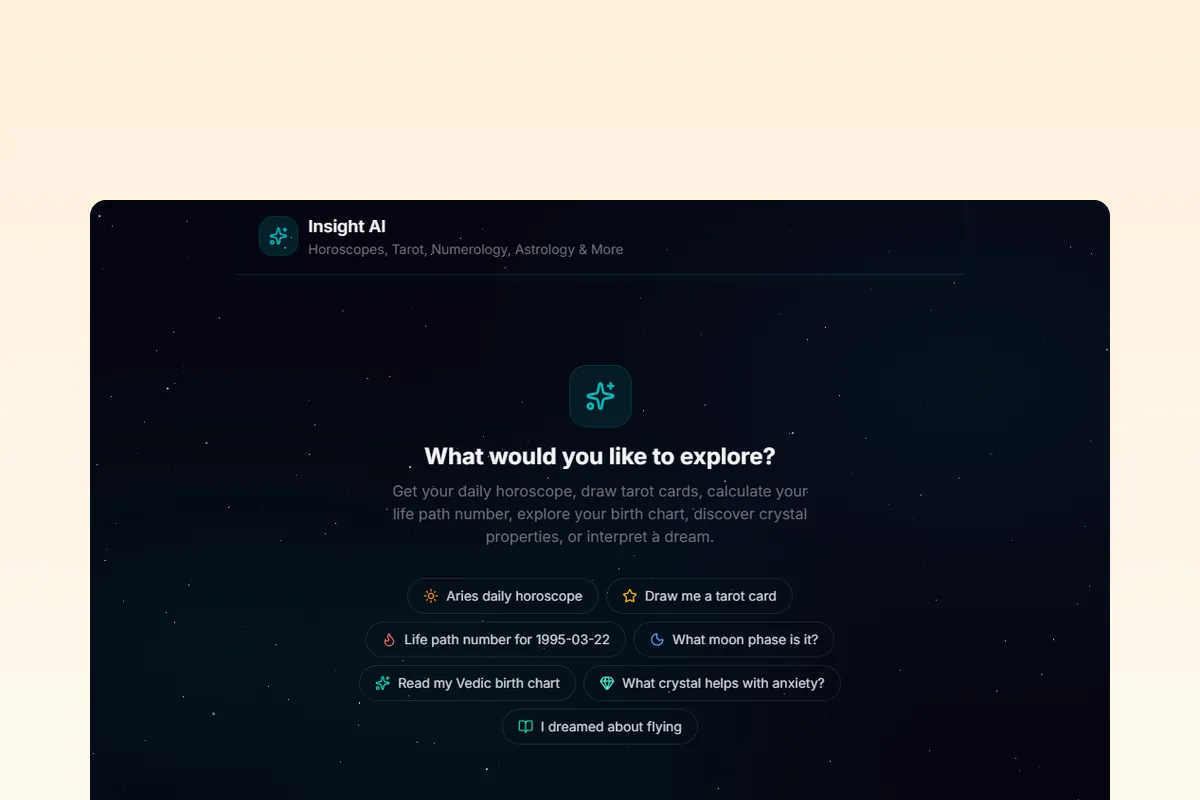
AI Astrology Chatbot: Western, Vedic, Tarot & More
Open source AI chatbot that runs real Western astrology, Vedic kundli, numerology, tarot, Human Design, forecast timelines, biorhythm, I Ching, crystals, dreams, and angel numbers calculations. Powered by RoxyAPI, not LLM hallucinations.







Ships with auto-discovered remote MCP tools, multi-provider LLM support (Gemini, Claude, GPT), and a space-themed UI.
Clone. Add keys. Deploy. Live AI astrology chatbot in 30 minutes.
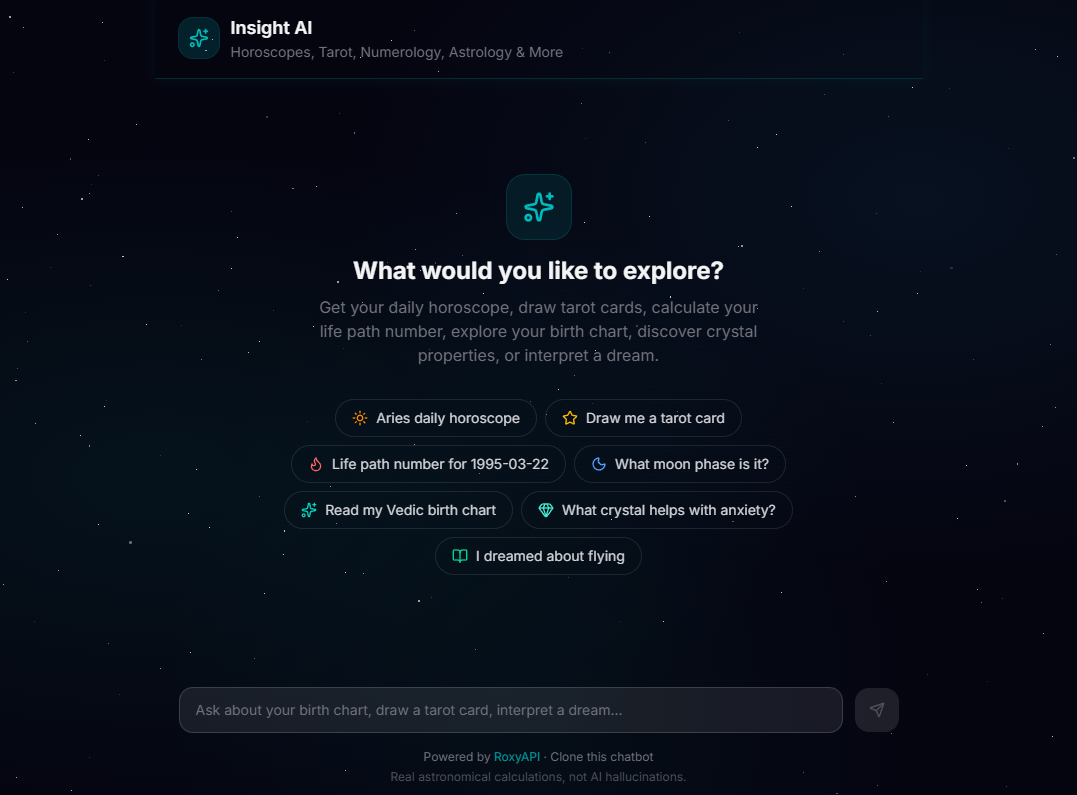
Why This Exists
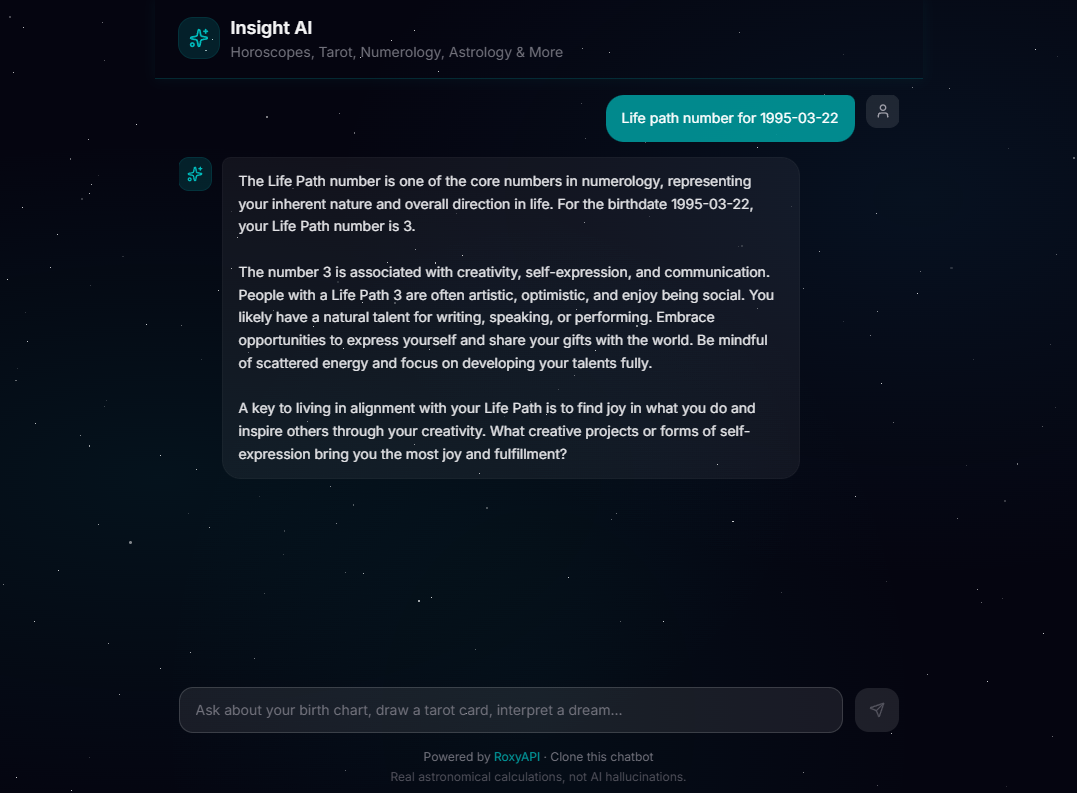
Most AI astrology chatbots hallucinate planet positions, make up tarot spreads, and invent numerology results. This one calls RoxyAPI's 200+ verified tools via MCP (Model Context Protocol), gets real computed data from astronomical ephemeris engines and mathematical models, then has the LLM interpret it. Every birth chart, every tarot draw, every Life Path calculation is backed by actual computation.
13 spiritual domains plus location geocoding. Auto-discovered tools via MCP. Multilingual. Any LLM.
| Domain | What You Can Ask |
|---|---|
| Western Astrology | Natal chart, daily/weekly/monthly horoscopes, transits, synastry, compatibility score, moon phases |
| Vedic Astrology | Janam Kundli, Vimshottari Dasha, Gun Milan, detailed Panchang, Manglik/Kalsarpa/Sadhesati doshas, KP system, Navamsa |
| Numerology | Life Path, Expression, Soul Urge, Personal Year, full chart, compatibility |
| Tarot | Three-card spreads, Celtic Cross, love spread, daily card, yes/no oracle |
| Human Design | Full bodygraph, energy type, strategy, authority, profile, centers, channels, gate activations, two-person connection, transit overlay |
| Forecast | Cross-domain timeline merging Western transits, Vedic dasha periods, and biorhythm critical days, with significance-scored key dates |
| Biorhythm | Physical, emotional, intellectual cycle charts, multi-day forecasts, critical-day alerts |
| I Ching | Hexagram readings, daily cast, full 64-hexagram catalog with changing lines |
| Crystals | Stones by zodiac, by chakra, birthstones by month, healing properties |
| Dreams | 2,000+ dream symbols, recurring patterns, archetypes |
| Angel Numbers | Spiritual meaning of 111, 222, 333, 444, 1111, and any positive integer via digit-root fallback |
| Location | City autocomplete with latitude, longitude, IANA timezone: turns "born in Mumbai" into chart-ready coordinates so users never type lat/long |
Responds in the user's language automatically: Hindi, Spanish, French, German, Japanese, and more.
Quick Start
git clone https://github.com/RoxyAPI/astrology-ai-chatbot.git
cd astrology-ai-chatbot
npm install
cp .env.example .env.local
# Add your keys to .env.local
npm run dev
Open localhost:3000 and start chatting.
You need two keys:
| Key | Where to get it |
|---|---|
| RoxyAPI | roxyapi.com/pricing, powers all readings and calculations |
| LLM | Google, Anthropic, or OpenAI, interprets the data (see below) |
Choose Your LLM
Swap providers with one env var. All three use Vercel AI SDK's unified interface, same code, different model:
| Provider | Env Var | Model | Cost / 1M tokens |
|---|---|---|---|
| Google Gemini (default) | GOOGLE_GENERATIVE_AI_API_KEY | Gemini 2.5 Flash | $0.30 / $2.50, has free tier |
| Anthropic | ANTHROPIC_API_KEY | Claude Haiku 4.5 | $1.00 / $5.00 |
| OpenAI | OPENAI_API_KEY | GPT-5 mini | $0.13 / $1.00 |
LLM_PROVIDER=gemini
GOOGLE_GENERATIVE_AI_API_KEY=your_key
How It Works
User message → LLM picks a tool → MCP calls RoxyAPI → Real data returned → LLM interprets → Streams to user- User asks a question ("What does my Saturn placement mean?")
- The LLM selects the right tool from 160+ auto-discovered MCP tools
- RoxyAPI computes the answer from verified astronomical/mathematical engines
- The LLM interprets the structured data into a natural, personalized response
- Response streams back in real-time with markdown formatting
No prompt-stuffing. No fake data. No hardcoded horoscopes.
MCP Tool Discovery
This chatbot uses Model Context Protocol (MCP) to automatically discover all available tools from RoxyAPI at runtime. No manual endpoint wiring, all 200+ tools across 13 spiritual domains plus location geocoding are ready to use out of the box.
How MCP connections work
MCP connections are initialized once and cached automatically. The first request after a deploy takes ~1-2 seconds to set up; every request after that reuses the cached tools instantly.
Choosing which products to enable
By default all 14 RoxyAPI products are enabled (~200 tools across 13 spiritual domains plus location for geocoding). To use a subset, set the ROXYAPI_PRODUCTS env var:
# Enable only tarot and astrology (fewer tools = faster model selection)
# Tip: keep `location` enabled whenever you enable a chart product (astrology, vedic-astrology).
# It is what lets the LLM resolve "born in Mumbai" to coordinates before calling the chart.
ROXYAPI_PRODUCTS=tarot,astrology,location
Available product slugs: astrology, vedic-astrology, forecast, human-design, chinese-astrology, feng-shui, numerology, tarot, biorhythm, iching, crystals, dreams, angel-numbers, location. Legacy -api suffixed slugs (e.g. tarot-api) still work for backwards compat. The list that ships is DEFAULT_PRODUCTS in src/lib/mcp.ts, so check there when a new RoxyAPI domain appears.
Tool count recommendations
| Tool Count | LLM Behavior | Recommendation |
|---|---|---|
| 10-30 tools | Fast, accurate tool selection | Best for focused use cases (e.g. tarot + astrology only) |
| 30-80 tools | Good with capable models (Gemini 2.5 Flash, GPT-5 mini, Claude Haiku 4.5) | Good balance for most deployments |
| 80-150 tools | Works but slower; model may occasionally pick the wrong tool | Increase MAX_TOOL_STEPS if needed |
| 200+ tools | Where the full default catalogue sits, all 14 products enabled. Capable models handle it; smaller ones start picking the wrong tool as descriptions compete for context | Trim ROXYAPI_PRODUCTS to the domains you actually need |
Tip: If you're building a focused product (e.g. a tarot-only app), set
ROXYAPI_PRODUCTS=tarotto give the LLM fewer options and faster, more accurate tool selection.
Architecture
src/
├── app/
│   ├── api/chat/route.ts    # Chat endpoint, streamText + MCP tools
│   ├── layout.tsx            # Root layout, metadata, JSON-LD SEO
│   ├── page.tsx              # Home page with structured data
│   └── globals.css           # Space theme, star animations, glass UI
├── components/
│   ├── chat/
│   │   ├── ChatPanel.tsx     # Main chat container with useChat
│   │   ├── MessageList.tsx   # Messages, typing indicator, suggestions
│   │   ├── MessageBubble.tsx # Markdown rendering for assistant messages
│   │   └── MessageInput.tsx  # Input field + send/stop button
│   └── StarField.tsx         # Animated star background (CSS)
└── lib/
    ├── ai.ts                 # Multi-provider LLM config (Gemini/Claude/GPT)
    ├── mcp.ts                # MCP client, connects to RoxyAPI and caches all tools
    └── prompts.ts            # System prompt, personality, capabilities, multilingual
Key design decisions:
- MCP over REST: tools are auto-discovered from RoxyAPI's MCP servers. No manual endpoint definitions needed.
- Persistent MCP connections: connections are initialized once and cached. No per-request overhead.
- Server-side only: all API keys stay in the Next.js API route. Nothing leaks to the client bundle.
- Model agnostic: Vercel AI SDK v6 abstracts the LLM. Swap Gemini for Claude or GPT with one env var.
- SSR + JSON-LD: structured data and meta tags render server-side for search engine visibility.
Features
- Markdown responses: assistant messages render with full markdown support (headings, bold, lists, code blocks, tables, links)
- Typing indicator: animated dots show during the submitted and streaming phases until text arrives
- Stop button: cancel a long-running response mid-stream
- Sticky input: chat input stays pinned at the bottom; only the message body scrolls
- Rate limiting: built-in per-IP rate limiter (20 req/min) to protect LLM API credits
- Input validation: request body validation with message count cap to prevent abuse
- Security headers: X-Content-Type-Options, X-Frame-Options, Referrer-Policy
- Accessible: ARIA labels on interactive elements,
role="log"on the message list
Stack
| Layer | Tech |
|---|---|
| Framework | Next.js 16 (App Router, React 19) |
| AI | Vercel AI SDK v6, streaming, tool calling, multi-provider |
| Data | RoxyAPI: 200+ tools, 13 spiritual domains plus location, native MCP |
| Tool Discovery | MCP via @ai-sdk/mcp, auto-discovers tools at runtime |
| UI | Tailwind CSS v4 + shadcn/ui + custom space theme |
| SEO | Server-rendered JSON-LD (schema.org), Open Graph, keyword meta tags |
Customize
AI personality: edit src/lib/prompts.ts. Make it mystical, clinical, casual, or match your brand.
Which domains: set the ROXYAPI_PRODUCTS env var, or edit the product list in src/lib/mcp.ts.
UI theme: components are in src/components/chat/. Star field, colors, and glass effects are in globals.css. Everything is Tailwind, no CSS-in-JS.
Tool step limit: set MAX_TOOL_STEPS in your env to control how many tool-call round-trips the LLM can make per message (default: 5).
Environment Variables
| Variable | Required | Default | Description |
|---|---|---|---|
ROXYAPI_KEY | Yes | none | Your RoxyAPI API key (get one) |
LLM_PROVIDER | No | gemini | LLM provider: gemini, anthropic, or openai |
GOOGLE_GENERATIVE_AI_API_KEY | If Gemini | none | Google AI API key |
ANTHROPIC_API_KEY | If Anthropic | none | Anthropic API key |
OPENAI_API_KEY | If OpenAI | none | OpenAI API key |
ROXYAPI_MCP_URL | No | https://roxyapi.com/mcp | Base URL for MCP endpoints |
ROXYAPI_PRODUCTS | No | All 14 products | Comma-separated list of product slugs to enable |
MAX_TOOL_STEPS | No | 5 | Max tool-call round-trips per message |
Deploy
One-click deploy to Vercel:
Or deploy anywhere that runs Node.js:
npm run build && npm startSecurity
- API keys are server-side only, never exposed to the browser
- All RoxyAPI calls happen in the Next.js API route via MCP, not the client
- Per-IP rate limiting on the chat endpoint (20 requests/minute)
- Request body validation with message count limits
- Security headers (X-Content-Type-Options, X-Frame-Options, Referrer-Policy)
- Markdown rendered safely via
react-markdown(nodangerouslySetInnerHTML, HTML is escaped) - External links use
rel="noopener noreferrer"to prevent tab-nabbing
FAQ
How many tools can the LLM handle?
The default setup exposes ~200 tools from 14 RoxyAPI products (13 spiritual domains plus location for geocoding). Modern models like Gemini 2.5 Flash, GPT-5 mini, and Claude Haiku 4.5 handle this well. If you see the model picking the wrong tool or making excessive tool calls, reduce the product count via ROXYAPI_PRODUCTS, fewer tools means faster, more accurate selection.
The chatbot is unstable / sometimes doesn't respond
This is almost always caused by MCP initialization timing out. The default maxDuration is 60 seconds, which should be enough. If you're on Vercel's Hobby plan (10s limit), upgrade to Pro or reduce the number of products. Also check that your ROXYAPI_KEY is valid.
Do MCP connections stay open forever?
MCP connections persist for the lifetime of your server process. On Vercel, they're automatically refreshed when your function recycles after a period of inactivity. You don't need to manage connection lifecycle manually.
Why is the first message slow?
The first request after a deploy (or after your server has been idle for a while) initializes all MCP connections and fetches tool definitions (~1-2 seconds). Every request after that is instant.
How do I change the AI personality?
Edit the system prompt in src/lib/prompts.ts. The default personality is a warm, knowledgeable spiritual advisor. You can make it more mystical, clinical, casual, or match your brand voice.
Can I disable specific product domains?
Yes. Set ROXYAPI_PRODUCTS in your environment to only include the slugs you want:
ROXYAPI_PRODUCTS=tarot,numerologyIs this free to use?
The code is free and open source. You'll need a RoxyAPI key (you can request a free test key to try it out) and an LLM provider key (Gemini has a free tier).
Links
| Resource | URL |
|---|---|
| RoxyAPI Homepage | roxyapi.com |
| Quickstart | roxyapi.com/docs/quickstart |
| Live API Reference | roxyapi.com/api-reference |
| MCP Integration | roxyapi.com/docs/mcp |
| Methodology (NASA JPL verified) | roxyapi.com/methodology |
| Pricing | roxyapi.com/pricing |
| All Products | roxyapi.com/products |
| Starter Apps | roxyapi.com/starters |
Built with RoxyAPI, the data engine behind real astrology, tarot, and numerology calculations.