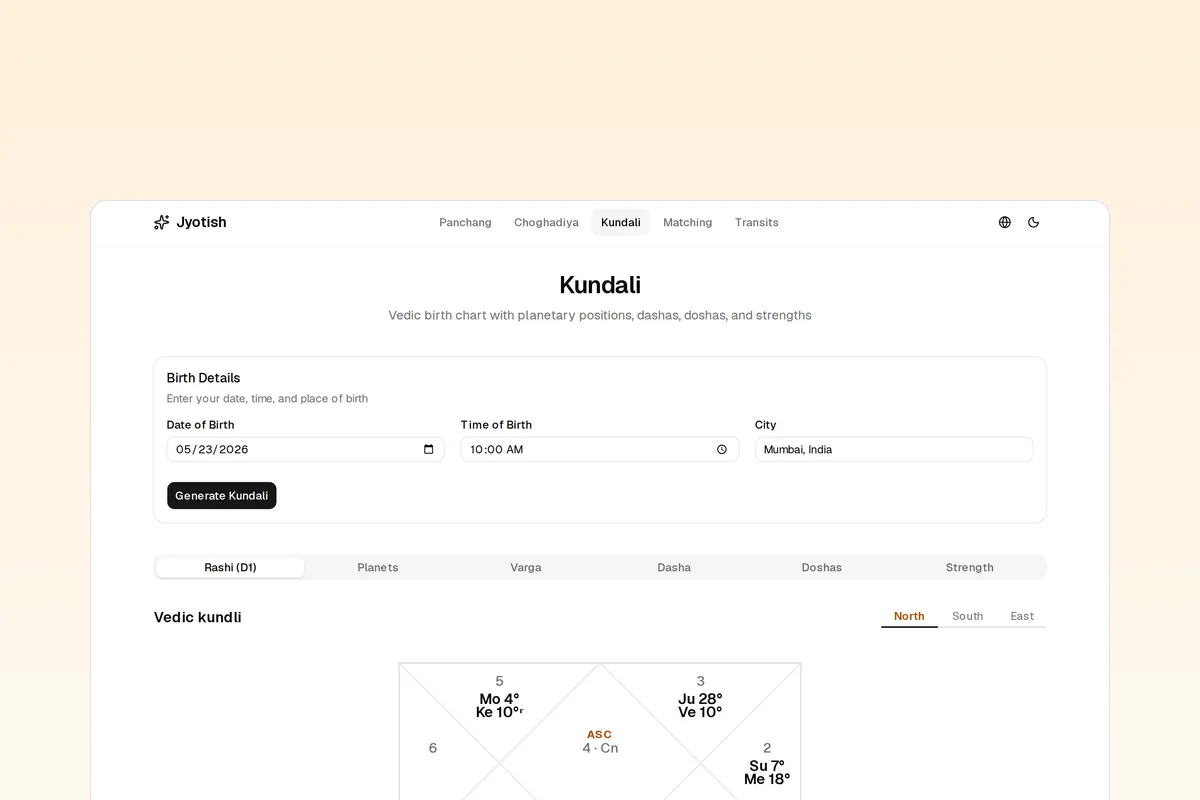




Open-source Next.js template for a Vedic astrology app: kundli generation, daily Panchang, Vimshottari Dasha, Ashtakoot Gun Milan matching, dosha detection, and planetary transits. Built on the Roxy Vedic Astrology API and rendered with Roxy UI. One API key, 40+ Jyotish endpoints, full control over your UI and data.
Fork it, set one environment variable, and ship.
Kundali
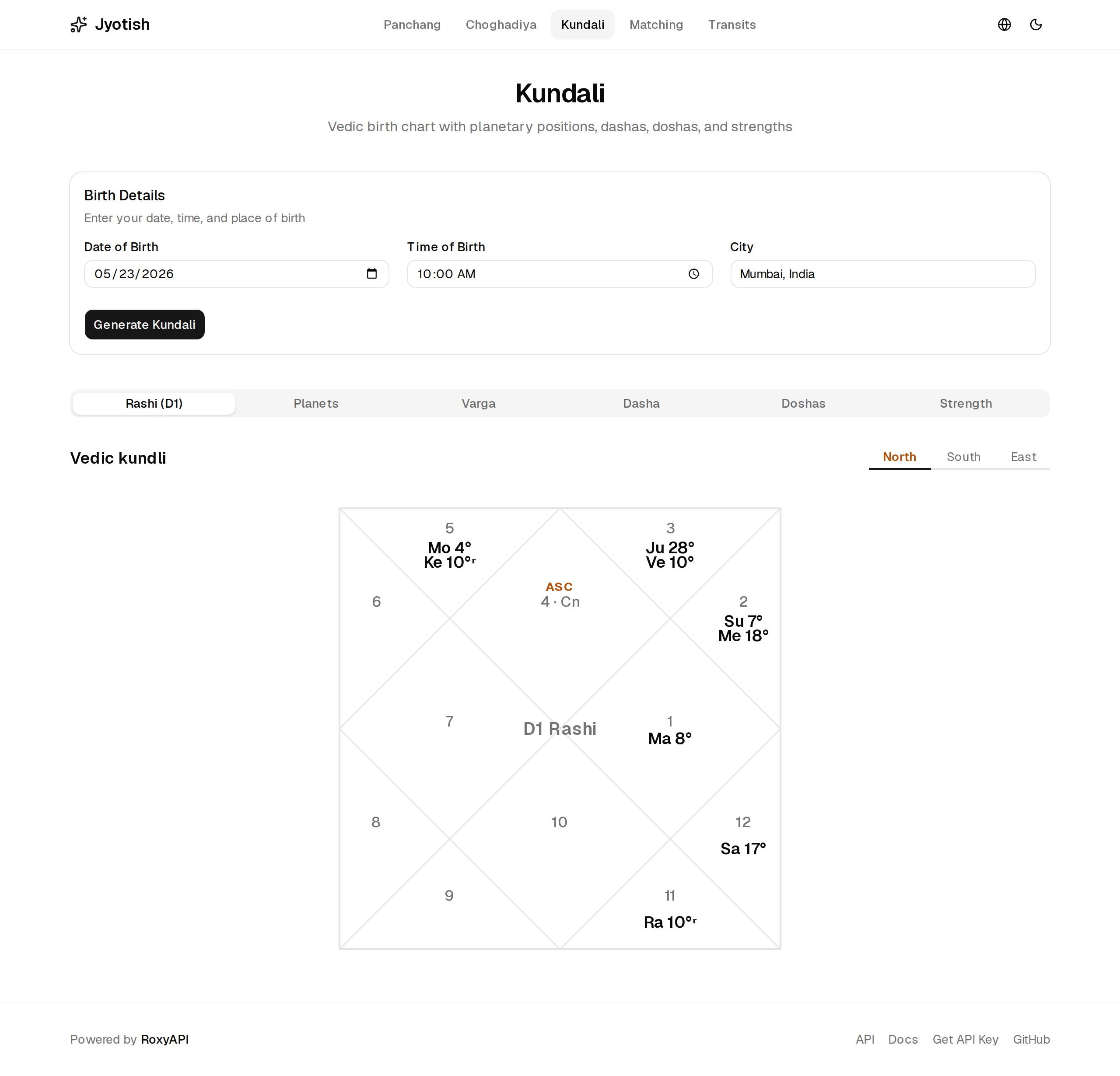
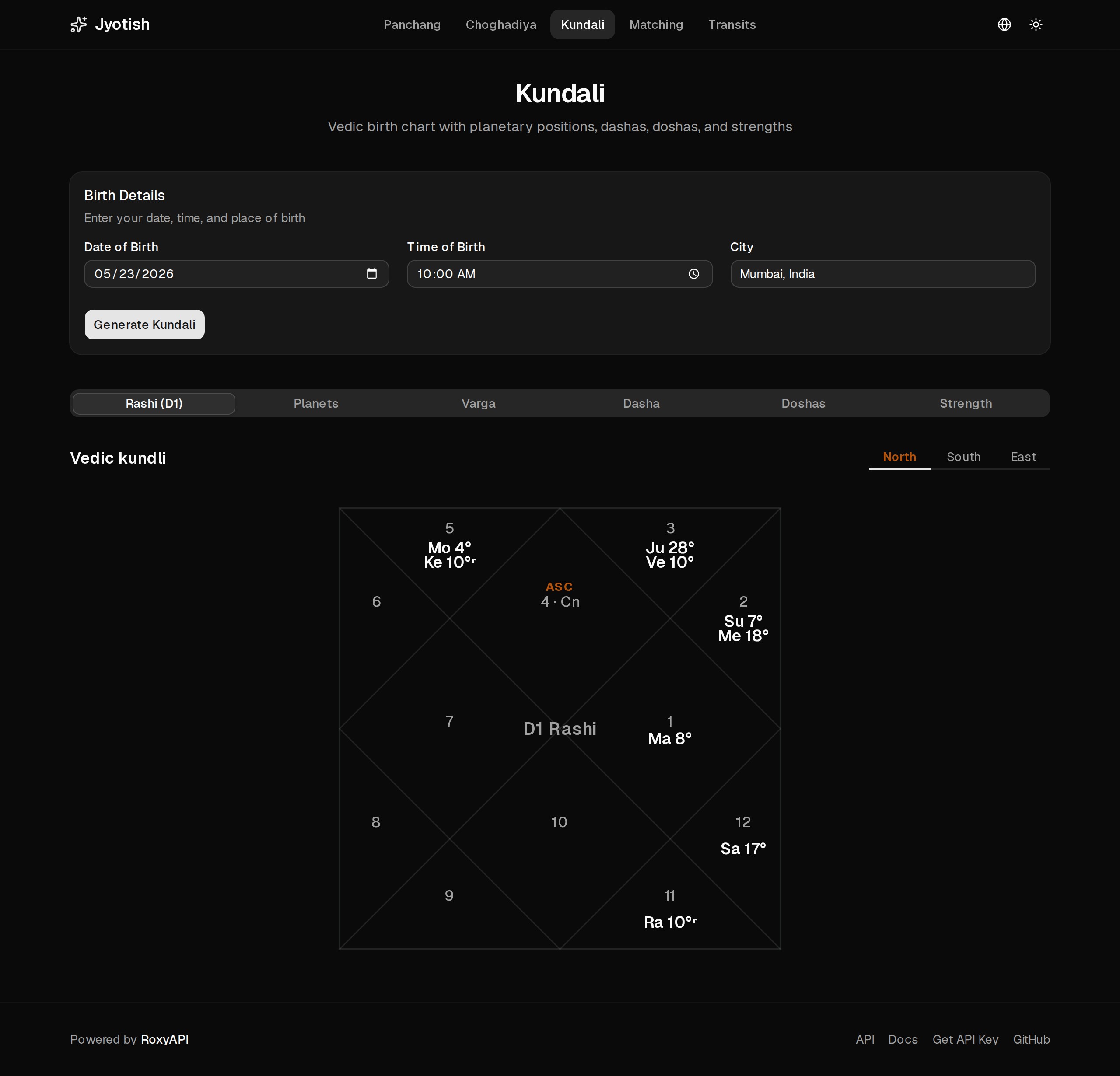
The D1 Rashi chart, all nine Navagraha plus Lagna, rendered with RoxyVedicKundli.
| Light | Dark |
|---|---|
 |  |
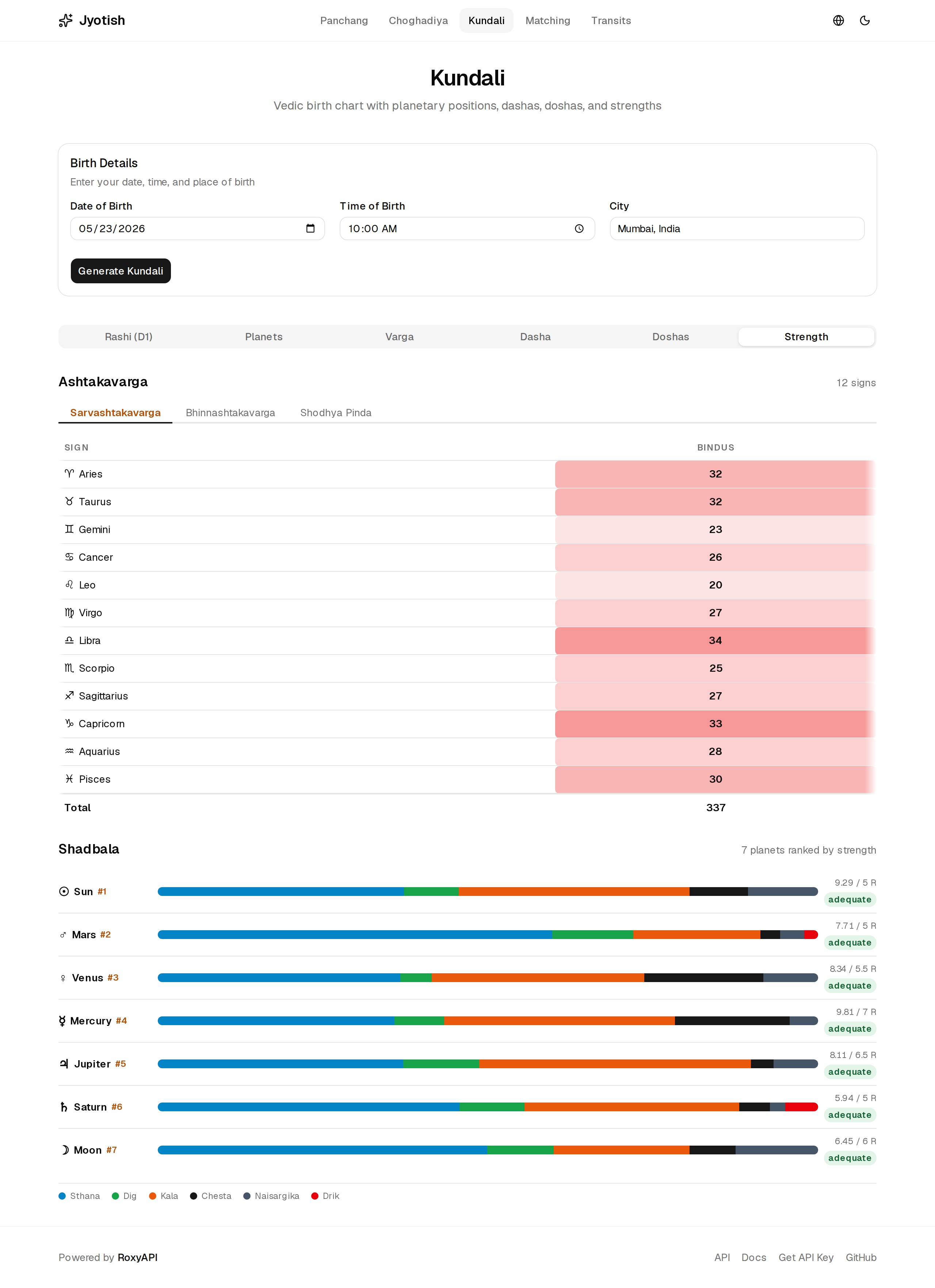
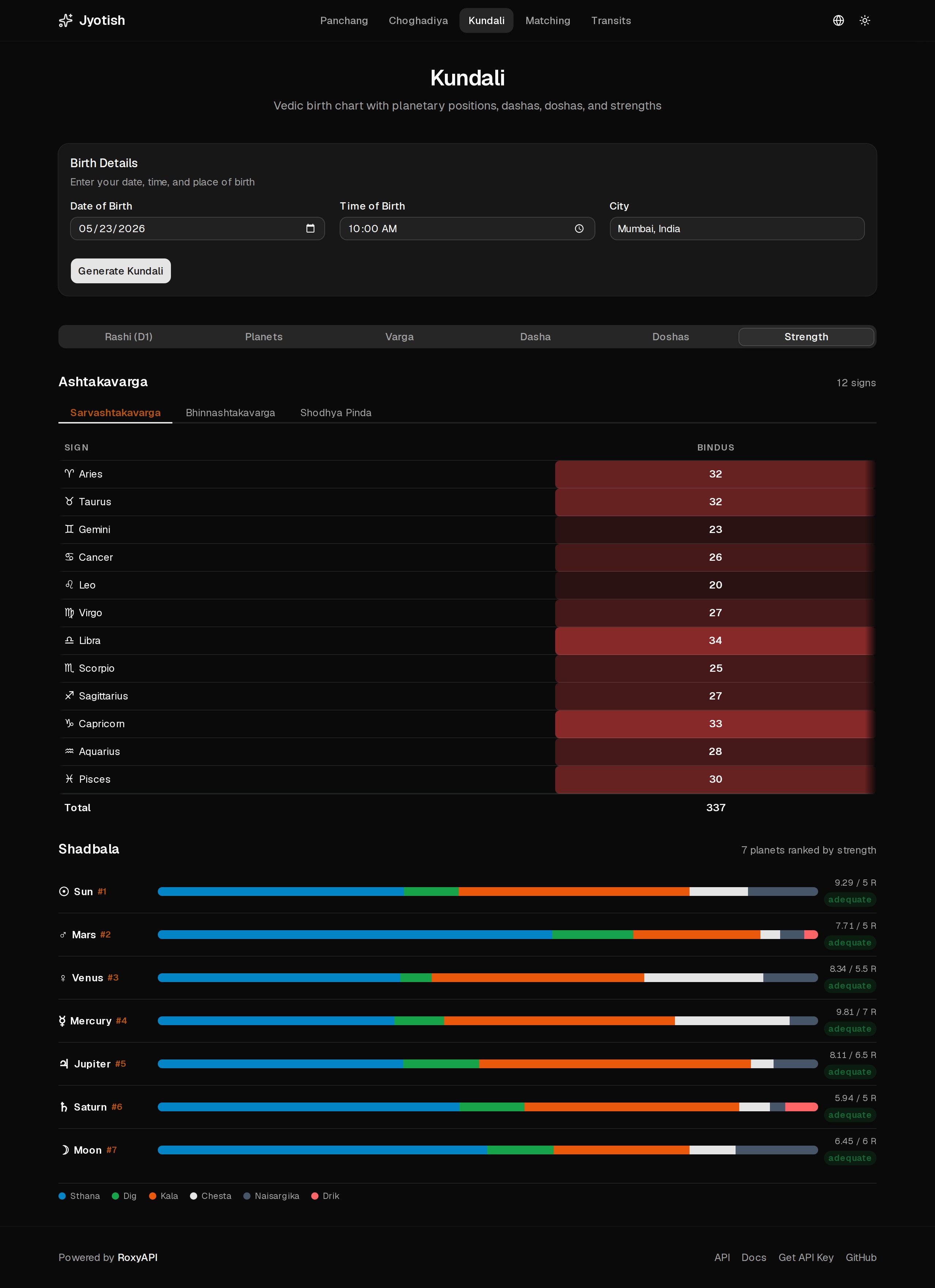
Strength analysis: the Ashtakavarga bindu grid with RoxyAshtakavargaGrid and the Shadbala ranking with RoxyShadbalaTable.
| Light | Dark |
|---|---|
 |  |
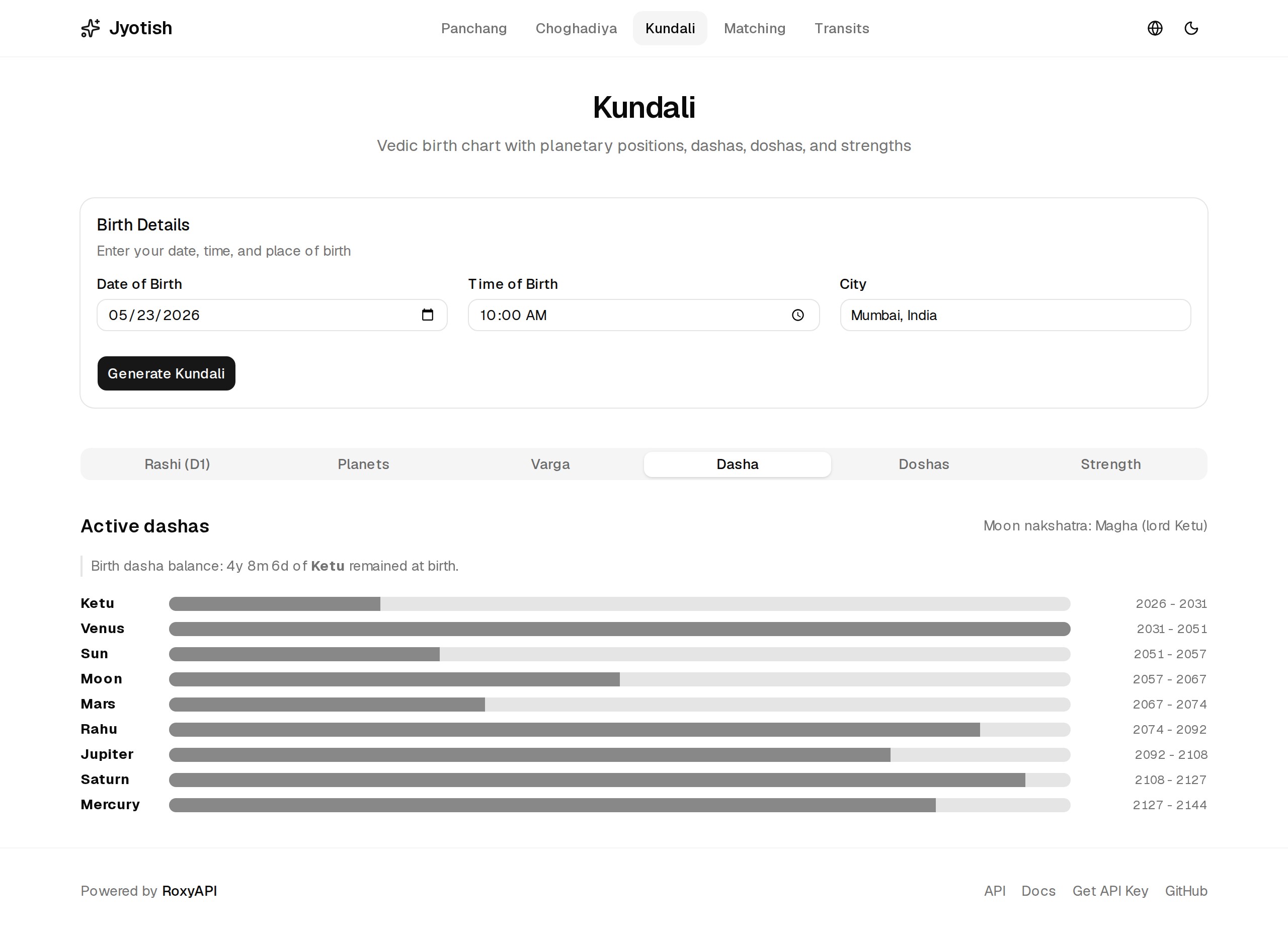
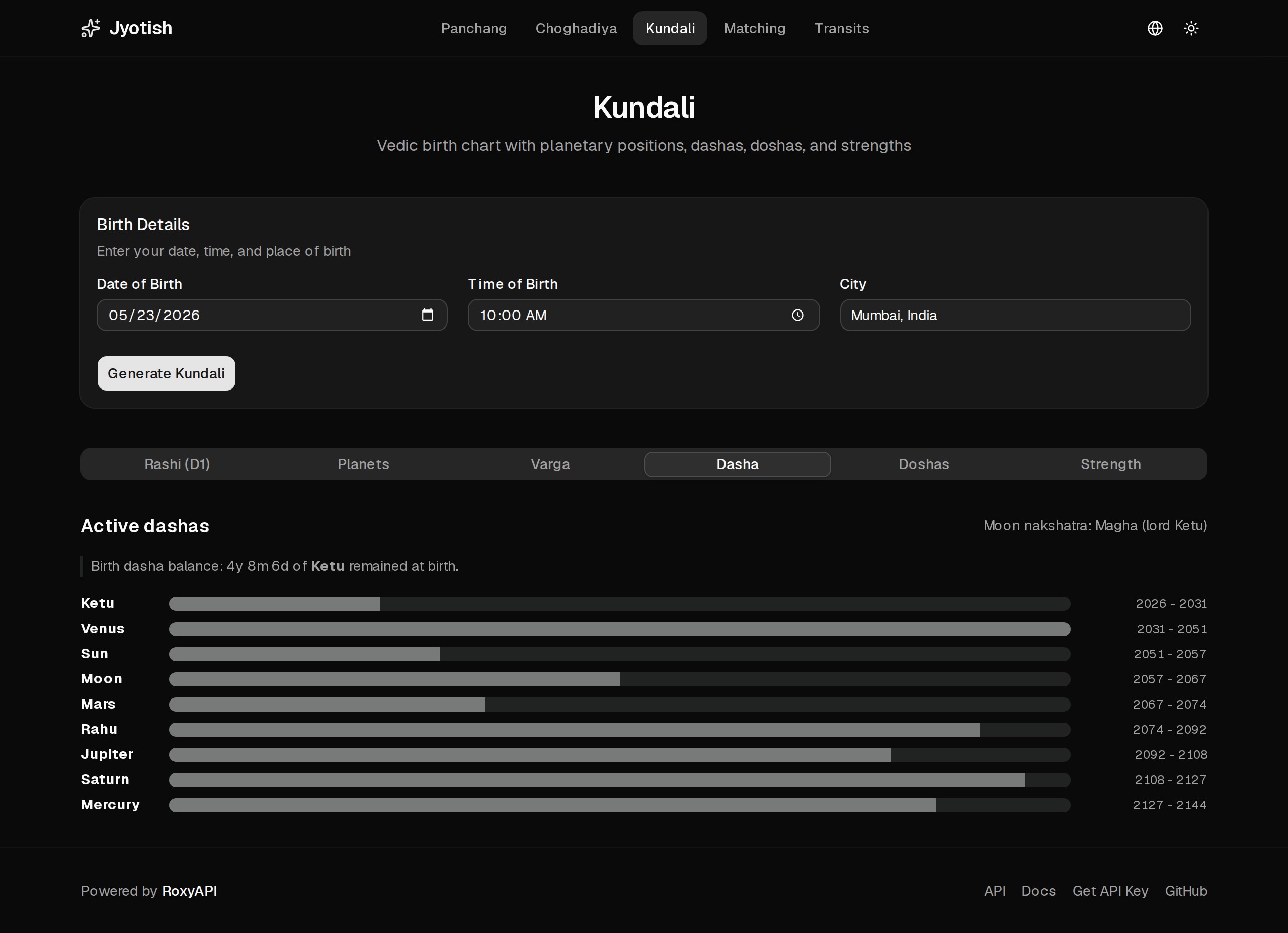
Vimshottari Dasha timeline with RoxyDashaTimeline, the active mahadasha highlighted.
| Light | Dark |
|---|---|
 |  |
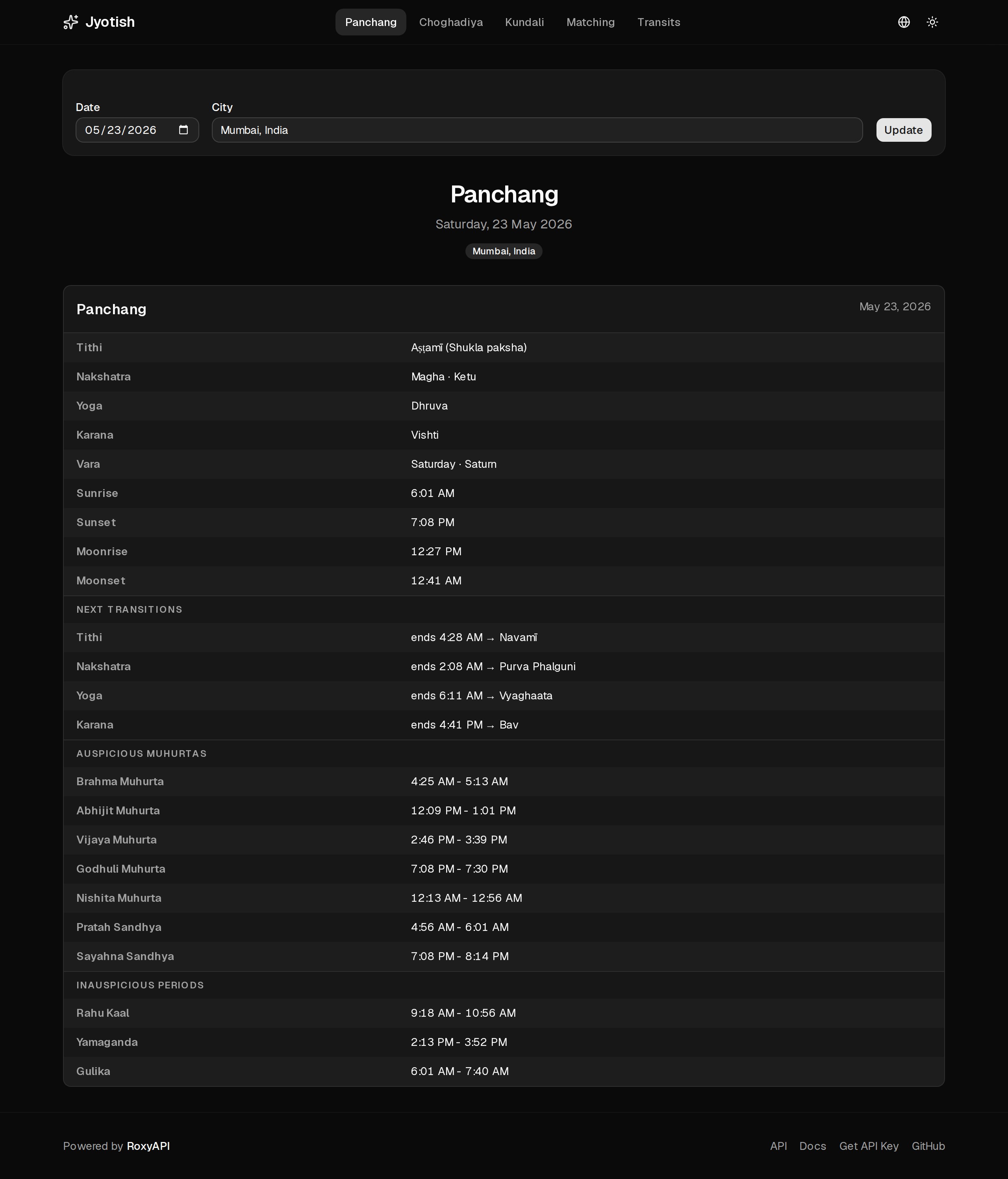
Panchang
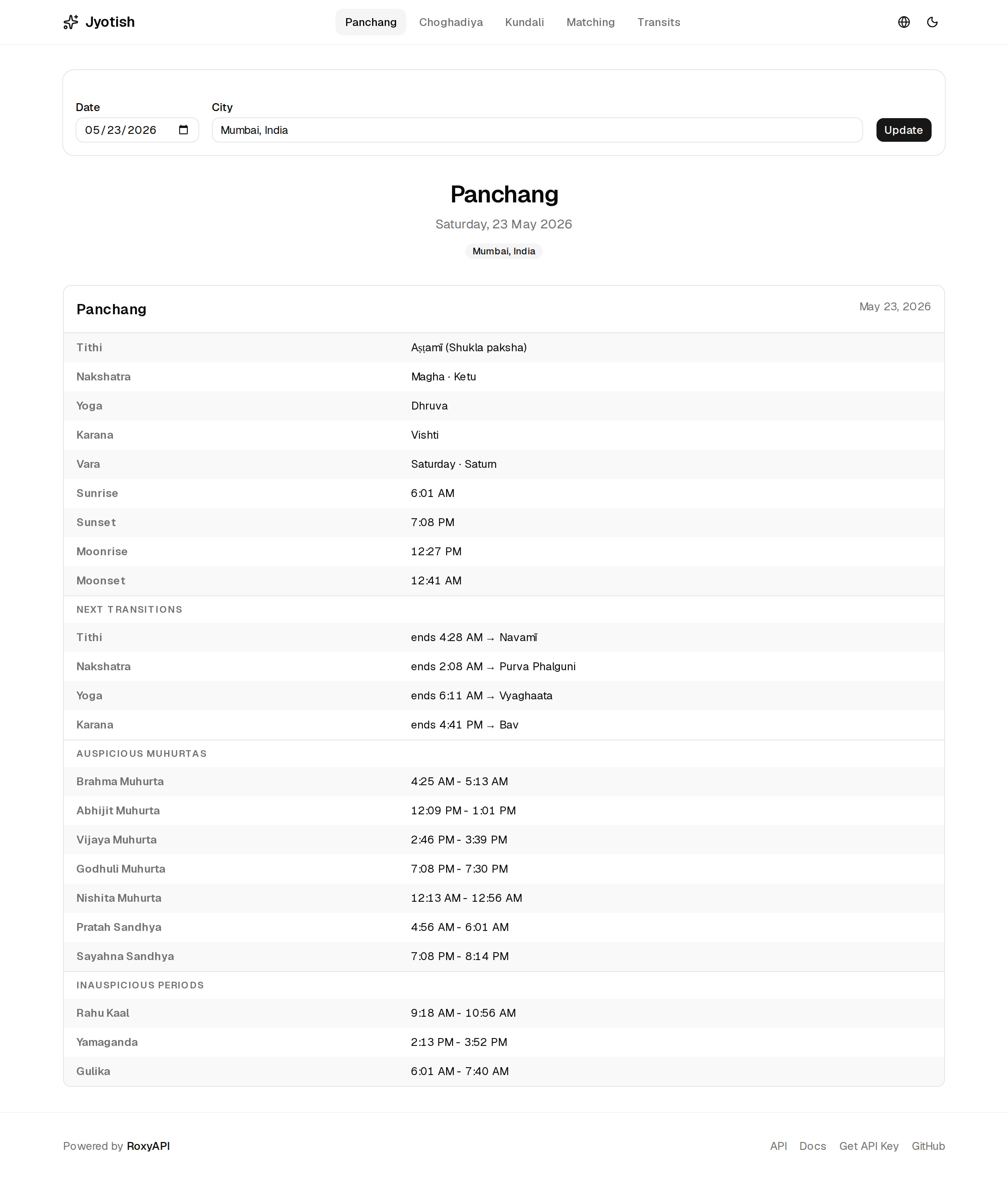
Daily tithi, nakshatra, yoga, karana, vara, and the auspicious and inauspicious muhurta windows.
| Light | Dark |
|---|---|
 |  |
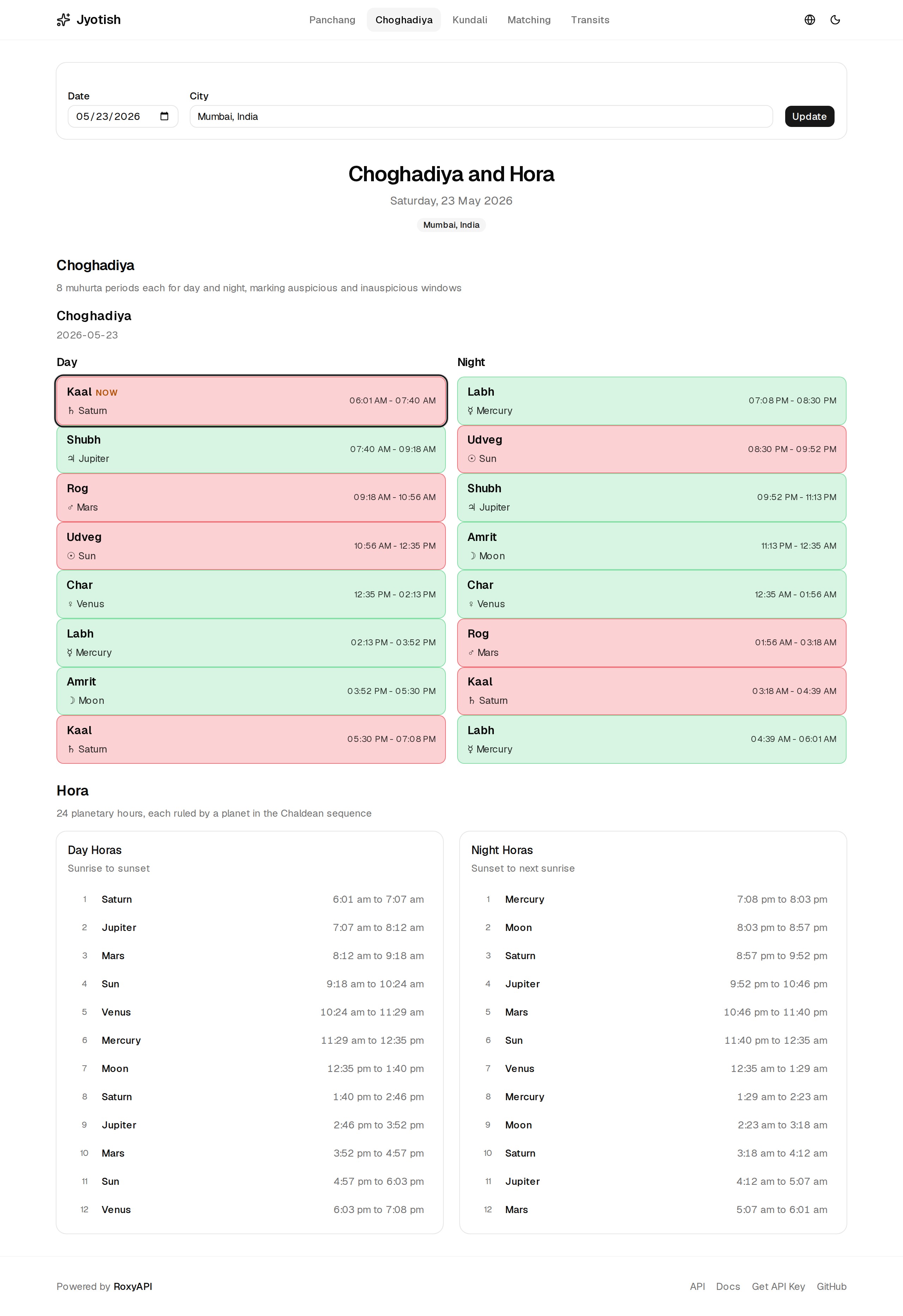
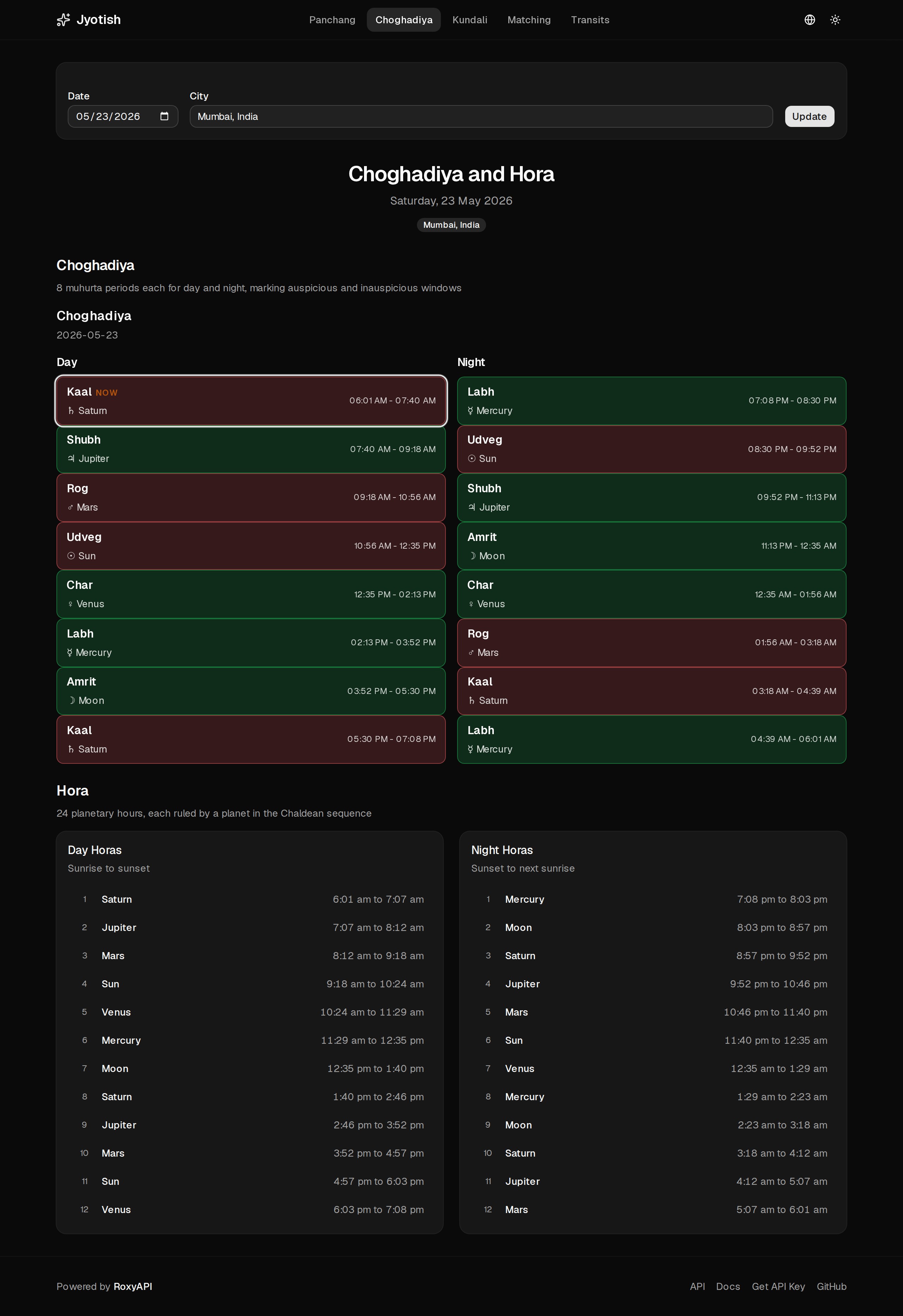
Choghadiya
Day and night Choghadiya muhurta grid with RoxyChoghadiyaGrid, plus the 24 planetary Hora hours.
| Light | Dark |
|---|---|
 |  |
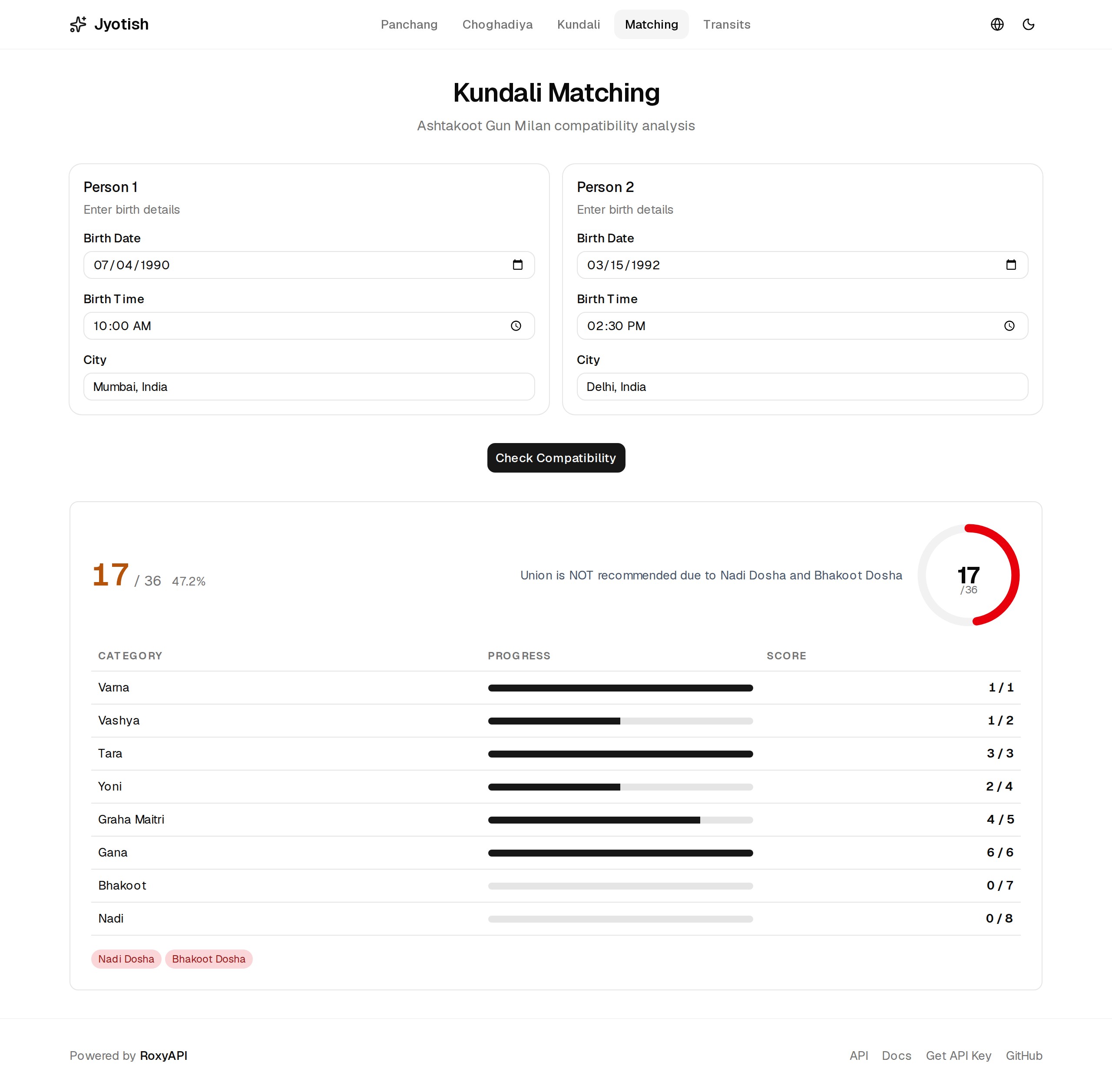
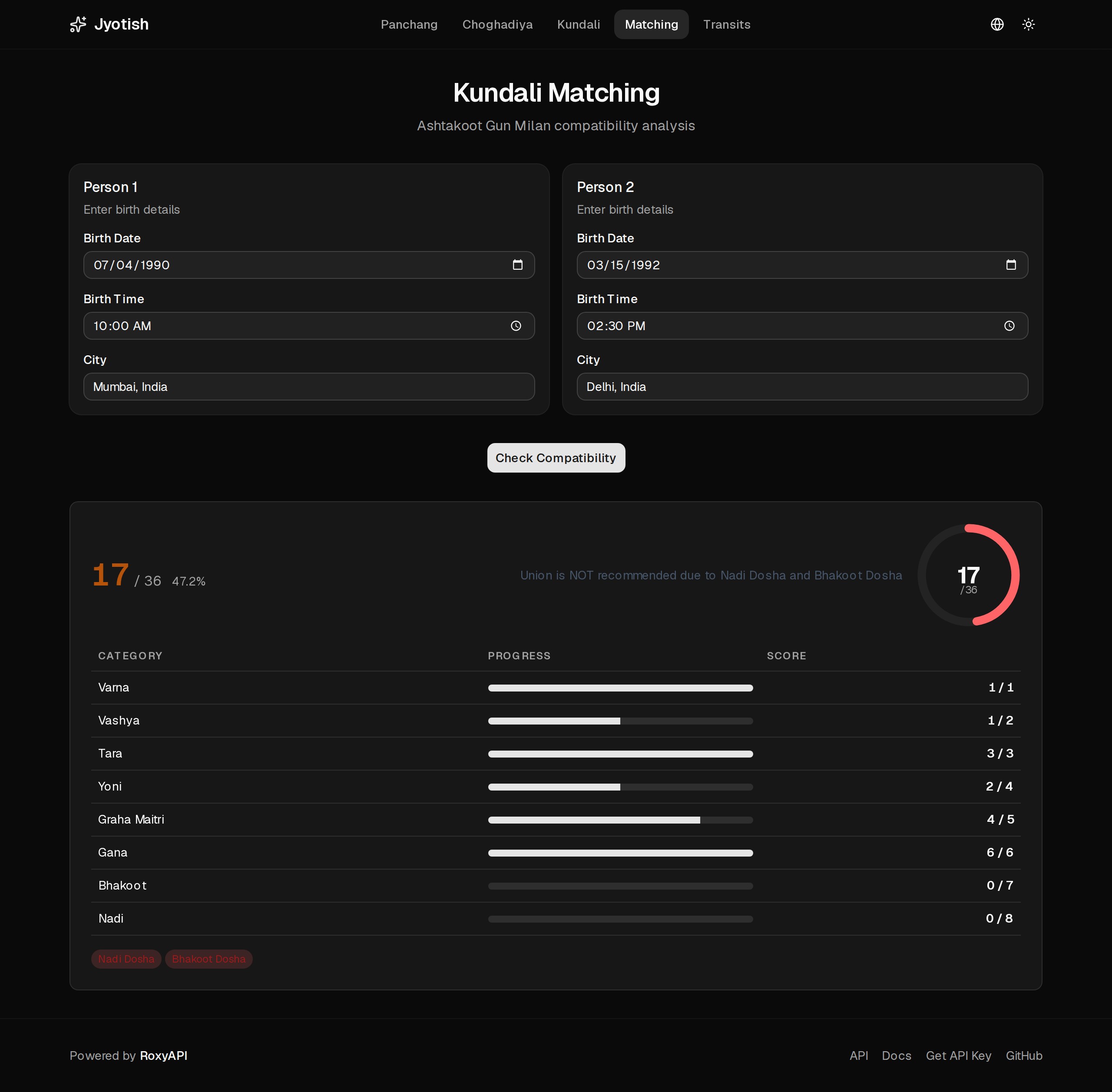
Matching
Ashtakoot Gun Milan with RoxyGunaMilan: the 36-point score, eight koota breakdown, and dosha analysis.
| Light | Dark |
|---|---|
 |  |
Transits
Monthly Gochar with sign-change events and planetary aspects for all nine planets.
| Light | Dark |
|---|---|
 |  |
What you get
- Janam Kundli rendered with
RoxyVedicKundli: D1 Rashi chart, all 9 Navagraha plus Lagna, nakshatra and pada, retrograde and combustion, with the planetary positions table from the same response. - Divisional charts (D2 to D60) via
RoxyDivisionalChart, defaulting to D9 Navamsa. - Vimshottari Dasha timeline with
RoxyDashaTimeline, the active mahadasha highlighted. - Dosha detection with
RoxyDoshaCard: Manglik, Kalsarpa, and Sade Sati, each with presence, severity, and remedies. - Strength analysis with
RoxyAshtakavargaGridandRoxyShadbalaTable. - Ashtakoot Gun Milan matching with
RoxyGunaMilan: the 36-point score, eight koota breakdown, and dosha analysis. - Daily Panchang with
RoxyPanchangTable: tithi, nakshatra, yoga, karana, vara, and the auspicious and inauspicious muhurta windows. - Choghadiya with
RoxyChoghadiyaGrid, plus a small Hora (planetary hours) table. - Monthly transits (Gochar) with sign-change events and planetary aspects.
- City autocomplete from the Location API, geocoded server-side so the key never reaches the browser.
- Eight languages, server-driven: the language selector sets a cookie, the Server Components re-fetch interpretations in that language. Supported: English, Hindi, Turkish, Spanish, German, Portuguese, French, Russian.
- Dark mode with next-themes, zero white flash, and the Roxy UI components re-theme with the page.
Stack
| Technology | Purpose |
|---|---|
| Next.js 16 | App Router, Server Components, Server Actions, Turbopack |
| @roxyapi/sdk | Fully typed RoxyAPI client. One key, every domain. |
| @roxyapi/ui-react | Pre-built chart, table, and card components for every endpoint |
| shadcn/ui | App-shell primitives with Tailwind CSS v4 theming |
| next-themes | Dark mode with zero white flash |
| Roxy Vedic Astrology API | 40+ Jyotish endpoints, verified against NASA JPL Horizons |
| Roxy Location API | City autocomplete with coordinates and timezone |
Quick start
1. Clone and install
git clone https://github.com/RoxyAPI/jyotish-vedic-astrology-app.git
cd jyotish-vedic-astrology-app
npm install
2. Get your API key
Get instant access at roxyapi.com/pricing. One key unlocks every Vedic astrology and location endpoint. Add it to .env.local:
ROXYAPI_KEY=your-api-key-hereYour key stays server-side only, never exposed to the browser. If the key is missing, the app shows a branded setup page with instructions.
3. Run
npm run devOpen http://localhost:3000. Your kundli app is live.
How it works
The SDK is the only data layer. There is no generated schema file to keep in sync: @roxyapi/sdk ships its own types, and @roxyapi/ui-react consumes the exact same spec-derived shapes, so an SDK response flows straight into a component with no glue code.
One typed client, guarded once
// src/lib/roxy/client.ts
import 'server-only';
import { createRoxy } from '@roxyapi/sdk';

const key = process.env.ROXYAPI_KEY;
export const roxy = createRoxy(key ?? '');
export const hasApiKey = Boolean(key);
Every Server Component and Server Action calls unwrap() (or its non-throwing twin tryUnwrap()) instead of repeating the same error handling. The helper switches on the stable error.code from the SDK and throws a clear message.
Server Components fetch, Roxy UI renders
The read pages (Panchang, Choghadiya, Transits) fetch in a Server Component. The two form flows (Kundali, Matching) use a Server Action. Either way, the unwrapped response is passed straight to a Roxy UI component:
// Server Component
const panchang = await tryUnwrap(
  roxy.vedicAstrology.getDetailedPanchang({ query: { lang }, body: { date, latitude, longitude } }),
);
return 'error' in panchang ? <DataError message={panchang.error} /> : <PanchangView data={panchang.data} />;
// Client boundary (Roxy UI components mount custom elements, so the file is 'use client')
'use client';
import { RoxyPanchangTable, type RoxyPanchangTableProps } from '@roxyapi/ui-react';
export function PanchangView({ data }: { data: RoxyPanchangTableProps['data'] }) {
return <RoxyPanchangTable data={data} />;
}Geocode first
Every chart and panchang endpoint needs latitude, longitude, and timezone. The CitySearch component fetches matching cities through the server /api/cities route, then feeds the coordinates into the chart call. Never ask users to type coordinates.
Featured endpoints
The highest-demand Vedic endpoints, in the order you are most likely to ship them. Every method name and field below comes from the OpenAPI spec.
import { createRoxy } from '@roxyapi/sdk';

const roxy = createRoxy(process.env.ROXYAPI_KEY!);

// Geocode the birth city first (required for every chart endpoint).
const { data: cities } = await roxy.location.searchCities({ query: { q: 'Mumbai' } });
const { latitude, longitude, utcOffset: timezone } = cities!.cities[0];

// 1. Kundli (Vedic birth chart). The entry point for every Jyotish product.
const { data: kundli } = await roxy.vedicAstrology.generateBirthChart({
  body: { date: '1990-01-15', time: '14:30:00', latitude, longitude, timezone },
});

// 2. Detailed Panchang. Tithi, nakshatra, yoga, karana, rahu kaal, abhijit muhurta in one call.
const { data: panchang } = await roxy.vedicAstrology.getDetailedPanchang({
  body: { date: '2026-04-22', latitude, longitude },
});

// 3. Vimshottari Mahadasha. The 120-year planetary period timeline.
const { data: dashas } = await roxy.vedicAstrology.getMajorDashas({
  body: { date: '1990-01-15', time: '14:30:00', latitude, longitude, timezone },
});

// 4. Guna Milan. 36-point Ashtakoota matrimonial compatibility.
const { data: milan } = await roxy.vedicAstrology.calculateGunMilan({
  body: {
    person1: { date: '1990-01-15', time: '14:30:00', latitude, longitude },
    person2: { date: '1992-07-22', time: '09:00:00', latitude: 19.07, longitude: 72.87 },
  },
});

// 5. KP chart. Sub-lord stellar hierarchy on every cusp for horary timing.
const { data: kp } = await roxy.vedicAstrology.generateKpChart({
  body: { date: '1990-01-15', time: '14:30:00', latitude, longitude, timezone },
});
Each response pairs with a Roxy UI component: RoxyVedicKundli, RoxyPanchangTable, RoxyDashaTimeline, RoxyGunaMilan, RoxyKpChart. See the component catalog.
This template uses 10 of the 40+ Vedic endpoints. Browse the rest in the API reference.
Theming
Roxy UI components read their colors from --roxy-* CSS custom properties. src/app/globals.css maps them to this app's shadcn tokens, so every chart and table follows your theme and dark mode automatically:
:root {
  --roxy-bg: var(--card);
  --roxy-fg: var(--foreground);
  --roxy-accent: var(--primary);
  --roxy-border: var(--border);
}
next-themes toggles a .dark class on <html>, which both the app and the Roxy UI components honor. To rebrand, change the shadcn tokens in globals.css; the Roxy components inherit.
Roxy UI loads its component bundle from the jsDelivr CDN at runtime. If your site uses a Content Security Policy, allow
script-src https://cdn.jsdelivr.net.
Project structure
src/
├── app/
│   ├── actions/lang.ts        # Server Action: persist the language cookie
│   ├── api/cities/route.ts    # Server-side city search proxy (keeps the key off the browser)
│   ├── page.tsx               # Panchang (Server Component)
│   ├── choghadiya/page.tsx    # Choghadiya + Hora (Server Component)
│   ├── transits/page.tsx      # Monthly transits (Server Component)
│   ├── kundali/               # Kundali: page (RSC) + client form + Server Action
│   ├── matching/              # Gun Milan: page (RSC) + client form + Server Action
│   └── layout.tsx             # Reads the language cookie, renders the shell
├── components/
│   ├── roxy/                  # 'use client' boundaries for Roxy UI components
│   ├── city-search.tsx        # Debounced city autocomplete
│   ├── language-switcher.tsx  # Sets the lang cookie, refreshes the route
│   ├── navbar.tsx, footer.tsx, theme-toggle.tsx
│   ├── api-key-missing.tsx, data-error.tsx, page-header.tsx
│   ├── hora-table.tsx, transits-view.tsx  # bespoke tables (no Roxy component for these)
│   └── ui/                    # shadcn/ui app-shell primitives
└── lib/
    ├── roxy/client.ts         # The one server-only SDK client
    ├── roxy/guard.ts          # unwrap / tryUnwrap error helpers
    ├── lang.ts, lang.server.ts # Cookie-driven i18n
    ├── location.ts            # City type, defaults, search-param parsing
    └── format.ts              # Date and time formatting
Customize
- Add a feature. Pick an endpoint, add an
unwrap()call in a Server Component or Action, render the matching Roxy UI component. The SDK and component types regenerate from the spec, so new endpoints flow through with no manual typing. - Swap a component. Every chart, table, and card is a Roxy UI element. Use the shadcn registry to fork any component source into your repo and own it.
- Rebrand. Edit the shadcn tokens in
src/app/globals.css; both the app shell and the Roxy components follow.
Deploy
One-click deploy on Vercel. Set ROXYAPI_KEY in environment variables.
Why Roxy
- Breadth. 40+ Vedic endpoints plus Western astrology, forecast, human design, Chinese astrology, feng shui, numerology, tarot, biorhythm, I Ching, crystals, dreams, and angel numbers under one key.
- Type-safe. The SDK and UI types come from one OpenAPI pipeline, so response shapes cannot drift from what the API returns.
- City search. Built-in location API with coordinates and DST-aware timezone offsets.
- KP astrology. Full Krishnamurti Paddhati (Placidus cusps, sub-lords, significators) alongside Parashari.
- Remote MCP. Connect AI agents to every endpoint at
roxyapi.com/mcp/vedic-astrology, no local setup.
Links
- Vedic Astrology API
- Roxy UI components
- API reference and playground
- Get API key
- All templates
- Connect AI agents via MCP
License
MIT