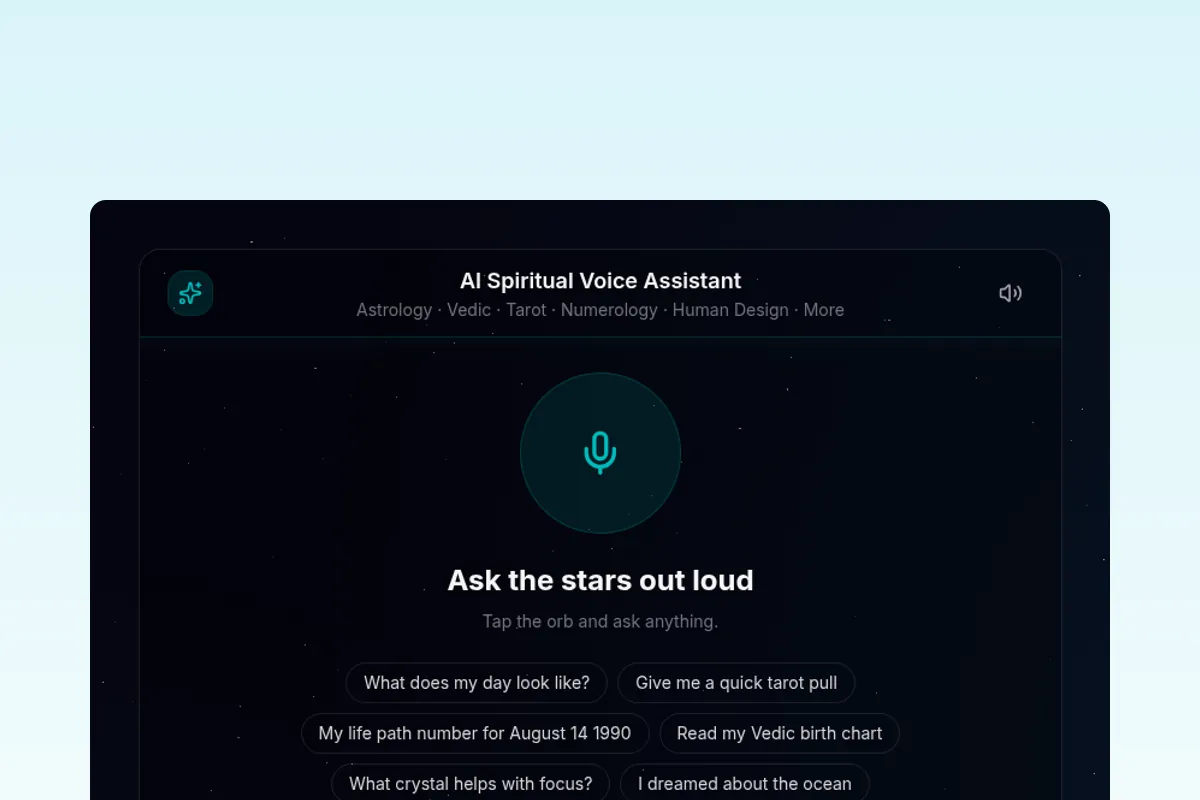
AI Spiritual Voice Assistant: Astrology, Tarot, Numerology and More
Open source AI voice assistant you talk to out loud. It answers with real Western astrology, Vedic astrology, numerology, tarot, human design, forecast timelines, biorhythm, I Ching, crystals, dreams, and angel numbers, grounded in RoxyAPI Remote MCP, not language model guesses. Ships an embeddable voice widget you can drop on any site in one line.






Browser native speech in, spoken reading out. Auto-discovered Remote MCP tools, multi-provider LLM support (Gemini, Claude, GPT), and a one-line embeddable widget.
Clone. Add keys. Deploy. A live spiritual voice assistant in 30 minutes.
Why This Exists
AI voice readings are only as trustworthy as the data behind them. This Template grounds every spoken answer in real, verified calculations. Speech to text and text to speech run for free in the browser, and every reading is computed by RoxyAPI tools through Remote MCP, then read aloud. You bring your own language model, so the voice and personality are yours, and the calculations are verified against NASA JPL Horizons before a single word is spoken.
Eleven spiritual domains plus location geocoding. Auto-discovered tools. Multilingual. Any LLM. No extra voice account.
| Domain | What You Can Ask Out Loud |
|---|---|
| Western Astrology | Natal chart, daily, weekly, and monthly horoscopes, transits, synastry, compatibility, moon phases |
| Vedic Astrology | Janam Kundli, Vimshottari Dasha, Gun Milan, Panchang, Manglik, Kalsarpa and Sadhesati doshas, KP, Navamsa |
| Numerology | Life Path, Expression, Soul Urge, Personal Year, compatibility |
| Tarot | Three card spreads, daily card, yes or no oracle |
| Human Design | Energy type, strategy, authority, profile, centers, channels, gates |
| Forecast | Cross domain timeline of significance scored key dates |
| Biorhythm | Physical, emotional, and intellectual cycles with critical day alerts |
| I Ching | Hexagram readings, daily cast, changing lines |
| Crystals | Stones by zodiac and chakra, birthstones, healing properties |
| Dreams | Symbol interpretation across thousands of symbols |
| Angel Numbers | Meaning of 111, 222, 444, 1111, and any recurring number |
It detects the language you speak and replies in the same one.
Two Ways To Ship
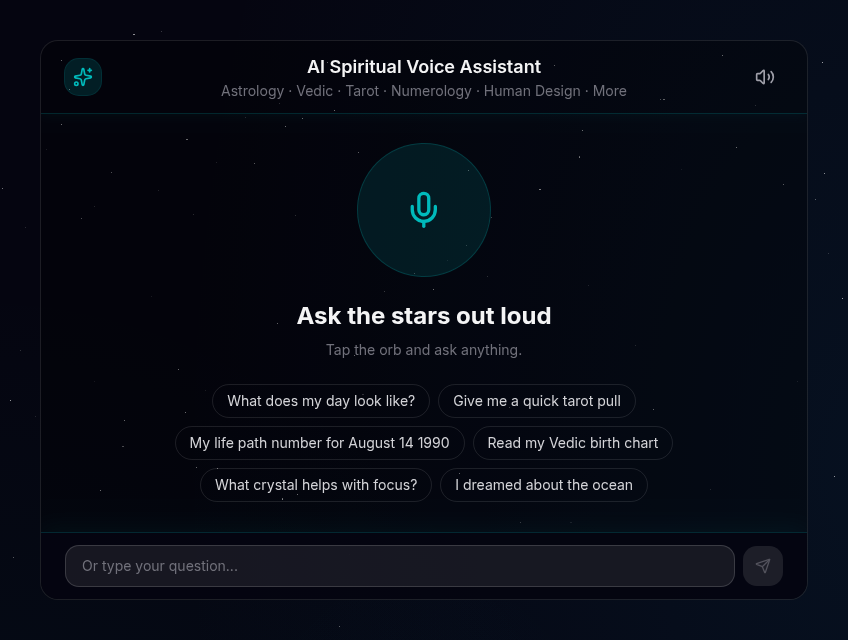
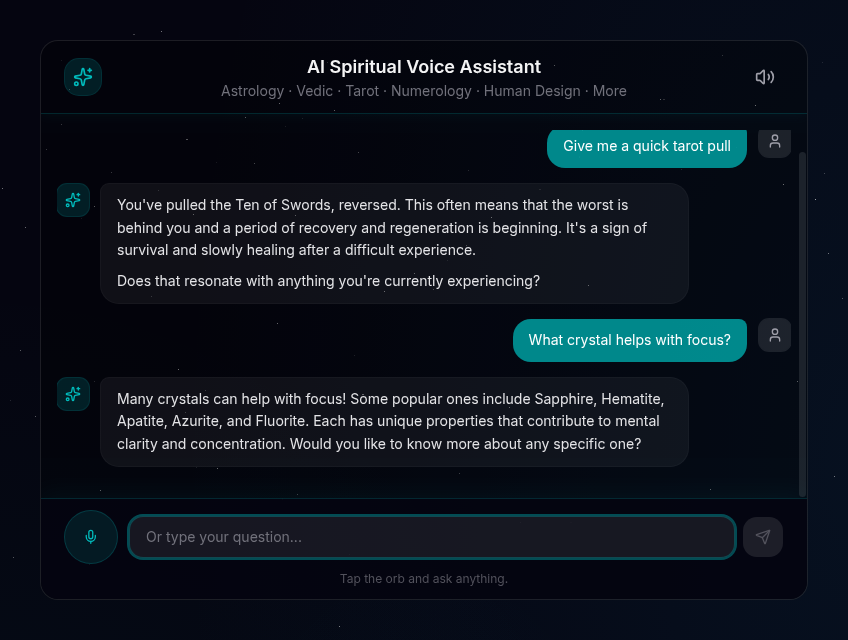
1. A full voice site. The home page is a complete, brandable voice assistant experience with a transcript, ready to deploy as is.
2. An embeddable widget. Add one line to any website and a tap to talk launcher appears in the corner:
<script src="https://your-deploy.vercel.app/embed.js" async></script>The launcher opens the assistant inside an isolated iframe that points back at your own deployment, so your API keys stay on your server and never reach the host page. The loader is served by a Next.js route handler at /embed.js, not a bundled file. Restrict which sites may embed it with the WIDGET_ALLOWED_ORIGINS environment variable. See it running on a sample page at /embed-demo.
Prefer no JavaScript? Skip the launcher and embed the assistant inline with a plain iframe (always visible, no script):
<iframe src="https://your-deploy.vercel.app/widget" allow="microphone" title="Spiritual voice assistant" style="border:0;width:100%;height:600px"></iframe>The host page must allow microphone access (the allow="microphone" attribute, and no blocking Permissions-Policy) for voice input; without it the assistant falls back to its text input.
Optional attributes on the script tag:
<script
  src="https://your-deploy.vercel.app/embed.js"
  data-position="bottom-left"
  data-accent="#14b8a6"
  data-label="Ask the stars"
  async
></script>
Quick Start
git clone https://github.com/RoxyAPI/spiritual-ai-voice-assistant.git
cd spiritual-ai-voice-assistant
npm install
cp .env.example .env.local
# Add your keys to .env.local
npm run dev
Open localhost:3000 and start talking.
You need two keys:
| Key | Where to get it |
|---|---|
| RoxyAPI | roxyapi.com/pricing, powers all readings and calculations |
| LLM | Google, Anthropic, or OpenAI, interprets the data and speaks (see below) |
Choose Your LLM
Swap providers with one environment variable. All three use the Vercel AI SDK unified interface, same code, different model:
| Provider | Env Var | Model | Notes |
|---|---|---|---|
| Google Gemini (default) | GOOGLE_GENERATIVE_AI_API_KEY | Gemini 2.5 Flash | Has a free tier |
| Anthropic | ANTHROPIC_API_KEY | Claude Haiku 4.5 | Best quality interpretations |
| OpenAI | OPENAI_API_KEY | GPT-5 mini | Most popular |
LLM_PROVIDER=gemini
GOOGLE_GENERATIVE_AI_API_KEY=your_key
How It Works
You speak -> browser transcribes -> LLM picks a tool -> Remote MCP calls RoxyAPI -> real data -> LLM interprets -> read aloud- You tap the orb and ask a question out loud
- The browser transcribes your speech (no audio leaves for a third party voice service)
- The LLM selects the right tool from 160+ auto-discovered Remote MCP tools
- RoxyAPI computes the answer from verified engines, verified against NASA JPL Horizons
- The LLM interprets the structured data and the reply is spoken back in your language
No prompt stuffing. No fake data. No per minute voice bill.
How The Voice Works
Speech recognition and speech synthesis use the browser Web Speech API. That means no extra account, no key, and no per minute fee for voice itself: you only pay for your LLM and your RoxyAPI plan.
- Works in Chrome, Edge, and Safari. In browsers without speech recognition (such as Firefox) the assistant automatically falls back to the built in text input, so every visitor can still use it.
- Replies are kept short and plain so they sound natural when read aloud. The transcript still shows the full formatted text.
- Tapping the orb while it is speaking interrupts playback and starts listening again.
Remote MCP Tool Discovery
This assistant uses Model Context Protocol to discover every available tool from RoxyAPI at runtime. No manual endpoint wiring: all tools across 11 spiritual domains plus location geocoding are ready out of the box. Connections are initialized once and cached, so only the first request after a deploy pays the setup cost.
Enable a subset with the ROXYAPI_PRODUCTS environment variable (fewer tools means faster, more accurate tool selection):
# Keep location enabled alongside any chart product so spoken birthplaces resolve to coordinates.
ROXYAPI_PRODUCTS=astrology,tarot,location
Available slugs: astrology, vedic-astrology, tarot, numerology, human-design, forecast, biorhythm, crystals, angel-numbers, iching, dreams, location.
Architecture
src/
|- app/
|  |- api/chat/route.ts      # Streaming endpoint: streamText + Remote MCP tools
|  |- page.tsx               # Home: landing + inline voice assistant + JSON-LD SEO
|  |- widget/page.tsx        # Compact assistant rendered inside the embed iframe
|  |- embed-demo/page.tsx    # Sample host site that loads embed.js
|  |- layout.tsx             # Metadata, fonts, star background
|  \- globals.css            # Theme and animations
|- components/
|  |- voice/
|  |  |- VoiceAssistant.tsx  # Orchestrates useChat + speech hooks
|  |  |- VoiceOrb.tsx        # Tap to talk control with state animations
|  |  \- TranscriptView.tsx  # Conversation transcript
|  |- EmbedSnippet.tsx       # Copyable one-line embed code
|  \- SetupRequired.tsx      # First run key setup screen
|- lib/
|  |- ai.ts                  # Multi-provider LLM config (Gemini/Claude/GPT)
|  |- mcp.ts                 # Remote MCP discovery and tool caching
|  |- prompts.ts             # Spoken system prompt and tool-selection rules
|  \- voice/                 # Browser speech recognition, synthesis, helpers
\- app/embed.js/route.ts     # Route handler serving the widget loader for third-party sites
Key design decisions:
- Remote MCP over REST: tools are auto-discovered, no manual endpoint definitions.
- Browser native voice: no extra voice vendor, no key in the browser, no per minute fee.
- Server side keys only: the LLM key and RoxyAPI key live in the API route. The embedded iframe talks to your own server, so nothing secret reaches a host page.
- Bring your own LLM: the Vercel AI SDK abstracts the model. Swap Gemini for Claude or GPT with one variable.
- Stateless: no birth data is stored. The personalization and memory layer stays yours.
Stays In Sync On Autopilot
This Template is built to run with little upkeep:
- Runtime tool discovery means new RoxyAPI endpoints and domains appear automatically, with no code change.
- Dependabot opens grouped weekly dependency updates, and CI (
tsc, lint, tests, build) gates every one. Patch updates auto-merge once green. - A prompt contract test fails fast if a customized system prompt drops a connected domain or the location-first rule.
Environment Variables
| Variable | Required | Default | Description |
|---|---|---|---|
ROXYAPI_KEY | Yes | none | Your RoxyAPI key (get one) |
LLM_PROVIDER | No | gemini | gemini, anthropic, or openai |
GOOGLE_GENERATIVE_AI_API_KEY | If Gemini | none | Google AI key |
ANTHROPIC_API_KEY | If Anthropic | none | Anthropic key |
OPENAI_API_KEY | If OpenAI | none | OpenAI key |
ROXYAPI_MCP_URL | No | https://roxyapi.com/mcp | Base URL for Remote MCP endpoints |
ROXYAPI_PRODUCTS | No | all 12 | Comma-separated slugs to enable |
MAX_TOOL_STEPS | No | 5 | Max tool-call round trips per message |
WIDGET_ALLOWED_ORIGINS | No | any | Sites allowed to embed the widget |
Deploy
One-click deploy to Vercel:
Or deploy anywhere that runs Node.js:
npm run build && npm startSecurity
- API keys are server side only, never exposed to the browser or to a host page
- The embeddable widget loads in an isolated iframe and calls back only to your own deployment
WIDGET_ALLOWED_ORIGINSrestricts which sites may frame the widget- Per IP rate limiting on the chat endpoint (20 requests per minute)
- Request body validation with a message count cap
- Security headers (X-Content-Type-Options, X-Frame-Options, Referrer-Policy), with framing allowed only for the widget route
- Markdown is rendered safely with
react-markdown, external links userel="noopener noreferrer"
FAQ
Do I need a paid voice service?
No. Speech recognition and playback run natively in the browser, so there is no extra voice account or per minute fee. You only need a RoxyAPI key and one LLM provider key, and Gemini has a free tier.
How accurate are the readings?
Every chart, horoscope, and number is computed from verified astronomical and mathematical engines, verified against NASA JPL Horizons, then interpreted and spoken back. The math is real before a single word is said.
Can I really embed it on any website?
Yes. Add one script tag and a tap to talk launcher appears in the corner. The widget runs in an isolated frame and calls back to your deployment, so your keys stay on your server. Limit embedding to your own domains with WIDGET_ALLOWED_ORIGINS.
Which languages does it speak?
It detects the language you speak and replies in the same one, using your browser built in voices. Browser voice quality varies by operating system.
Why does Firefox only show a text box?
Firefox does not implement browser speech recognition. The assistant detects this and falls back to the text input so it still works everywhere. Voice playback still works where the browser supports it.
How do I change the personality?
Edit the system prompt in src/lib/prompts.ts. Keep the spoken style rules and the location-first tool guidance, or readings will sound wrong or fail for vague birthplaces.
Is it free to build on?
The code is MIT licensed and free. You bring a RoxyAPI key and an LLM key. Clone it, rebrand it, and ship it as your own product.
Links
| Resource | URL |
|---|---|
| RoxyAPI Homepage | roxyapi.com |
| Remote MCP Docs | roxyapi.com/docs/mcp |
| Live API Reference | roxyapi.com/api-reference |
| Methodology (NASA JPL verified) | roxyapi.com/methodology |
| Pricing | roxyapi.com/pricing |
| More Templates | roxyapi.com/starters |
License
MIT. Clone, modify, rebrand, and ship under your own brand. No royalty, no attribution requirement, no upstream lock-in. See LICENSE.
Built with RoxyAPI, the multi domain spiritual intelligence API behind real astrology, tarot, and numerology calculations.