Spiritual Practitioner Website Template: Astrology, Tarot, Numerology, Human Design
The white label website for astrologers, tarot readers, numerologists, and human design practitioners, and you own every line of it. Your visitors can pull a free birth chart, a three card tarot spread, a daily horoscope, a compatibility score, a life path number, and a full human design bodygraph, on your site, under your name. Booking, prices, testimonials, and a blog come with it. You edit one file and replace one photo. No page builder, no monthly website subscription, no lock-in.






Copy it. Change your name and prices. Publish. About an hour, and you never touch code.
🔮 What makes this different
- 🌙 Free birth charts, on your site. Visitors enter a birth date, time, and city, and get their full natal wheel. Real astronomy, verified against NASA JPL Horizons, not a canned paragraph.
- 🃏 Free tarot, and a card of the day. A three card spread on any question, plus one card drawn fresh every morning for the whole site. A reason to come back tomorrow.
- 💞 A compatibility score that gets shared. Two charts, one score, the breakdown behind it. The page people send to the person they are asking about.
- ✨ Human design, life path, and daily horoscopes too. Type, strategy, authority, and the full bodygraph. The numbers behind a birth date. A horoscope written new each day.
- 🗓️ Bookings that fill themselves. Cal.com or Calendly on your own page, free, and every reading ends by inviting the visitor to book while the result is still on their screen.
- 💐 Your prices, in the open. Sessions, lengths, and what they cost, stated plainly. Add your own payment link if you want to be paid up front.
- 🕯️ Four palettes, light and dark. Rosewater, eucalyptus, kiln, or moonlit. One word in the config recolours the entire site.
- 📖 A blog that is just files. Drop in a post; the index, the sitemap, and the social card update themselves.
- 🔍 Found on Google, quoted by AI. Titles, descriptions, structured data, sitemap, and social cards all generated from your details.
- 🗝️ One file to edit. No code. Your name, bio, prices, testimonials, FAQ, and colours all live in
site.config.ts. Change the words, and the site changes. - 🤍 Yours under MIT. Fork it, rebrand it, extend it, sell what you build on it. No monthly website fee, no platform that can switch you off.
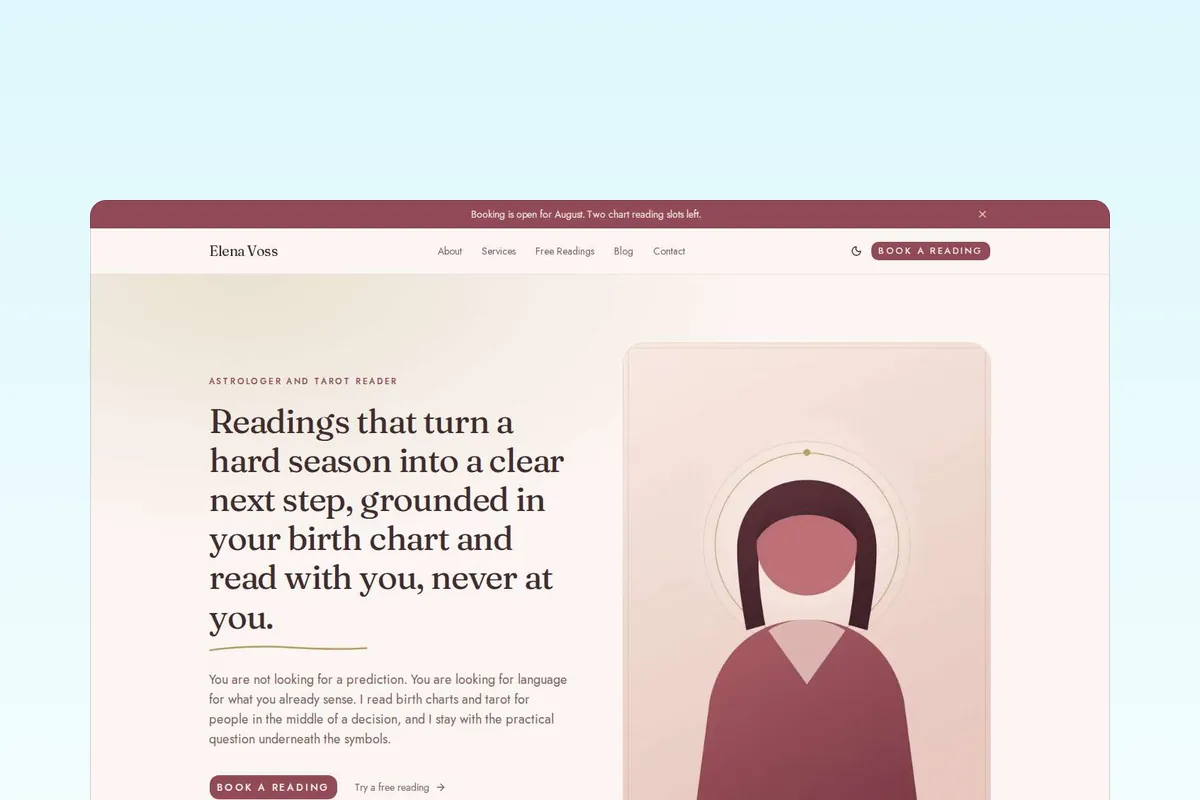
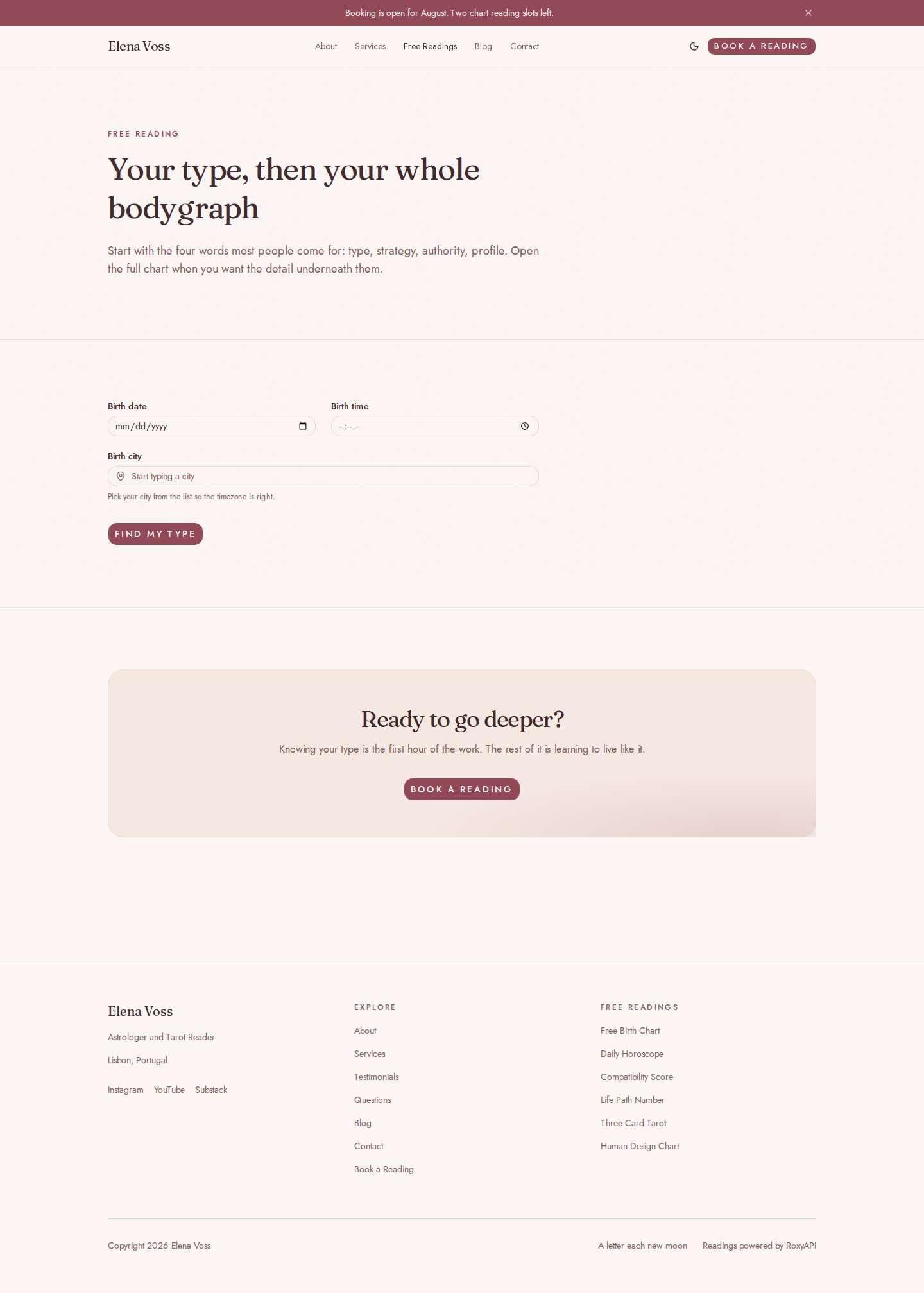
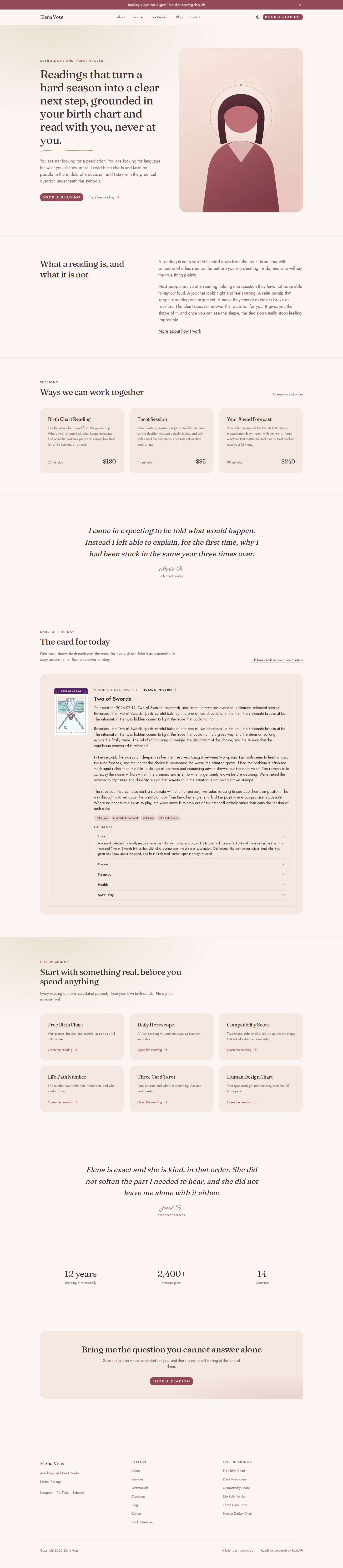
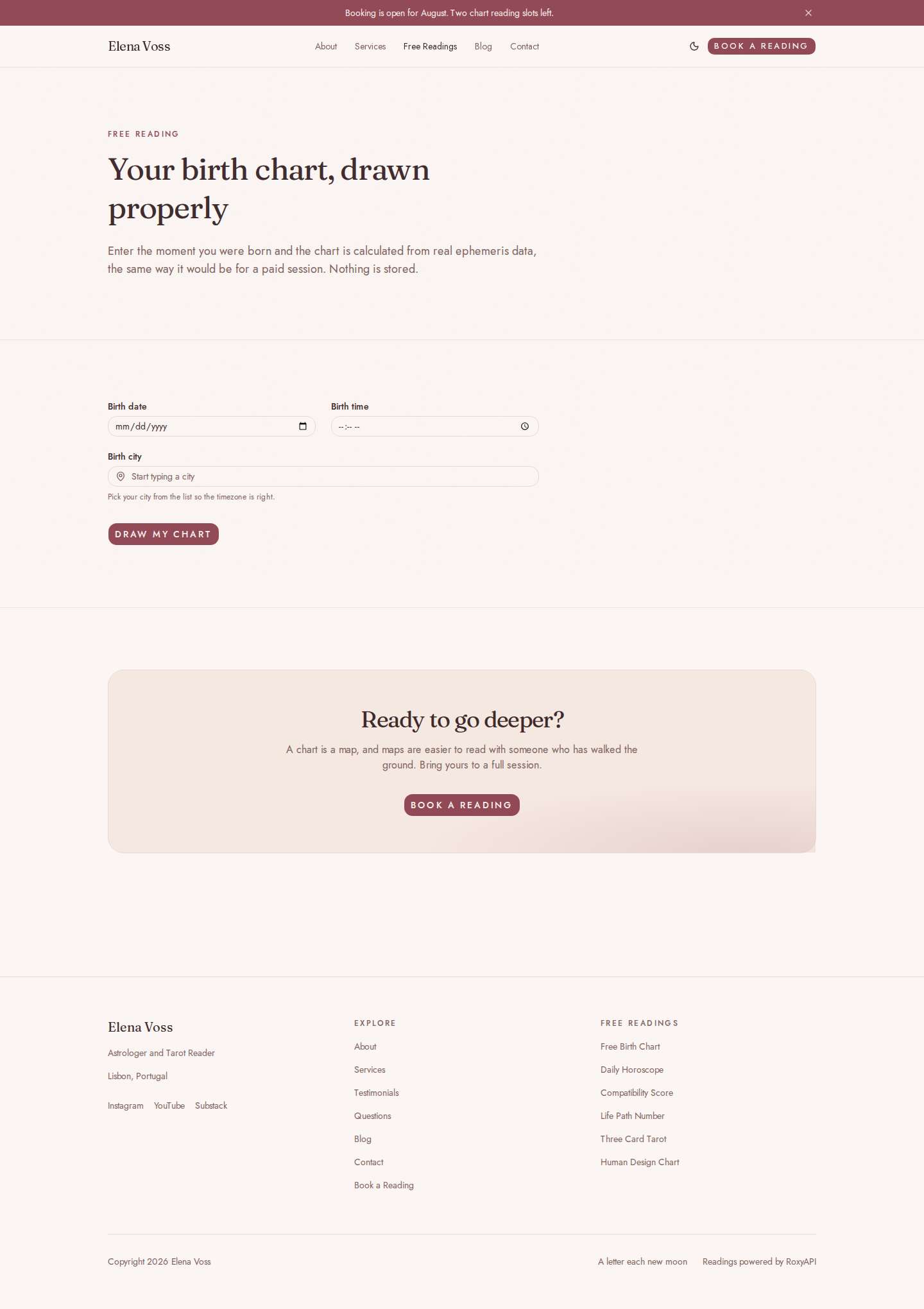
Screenshots
| Home | Free reading |
|---|---|
 |  |
| Services and prices | Blog |
|---|---|
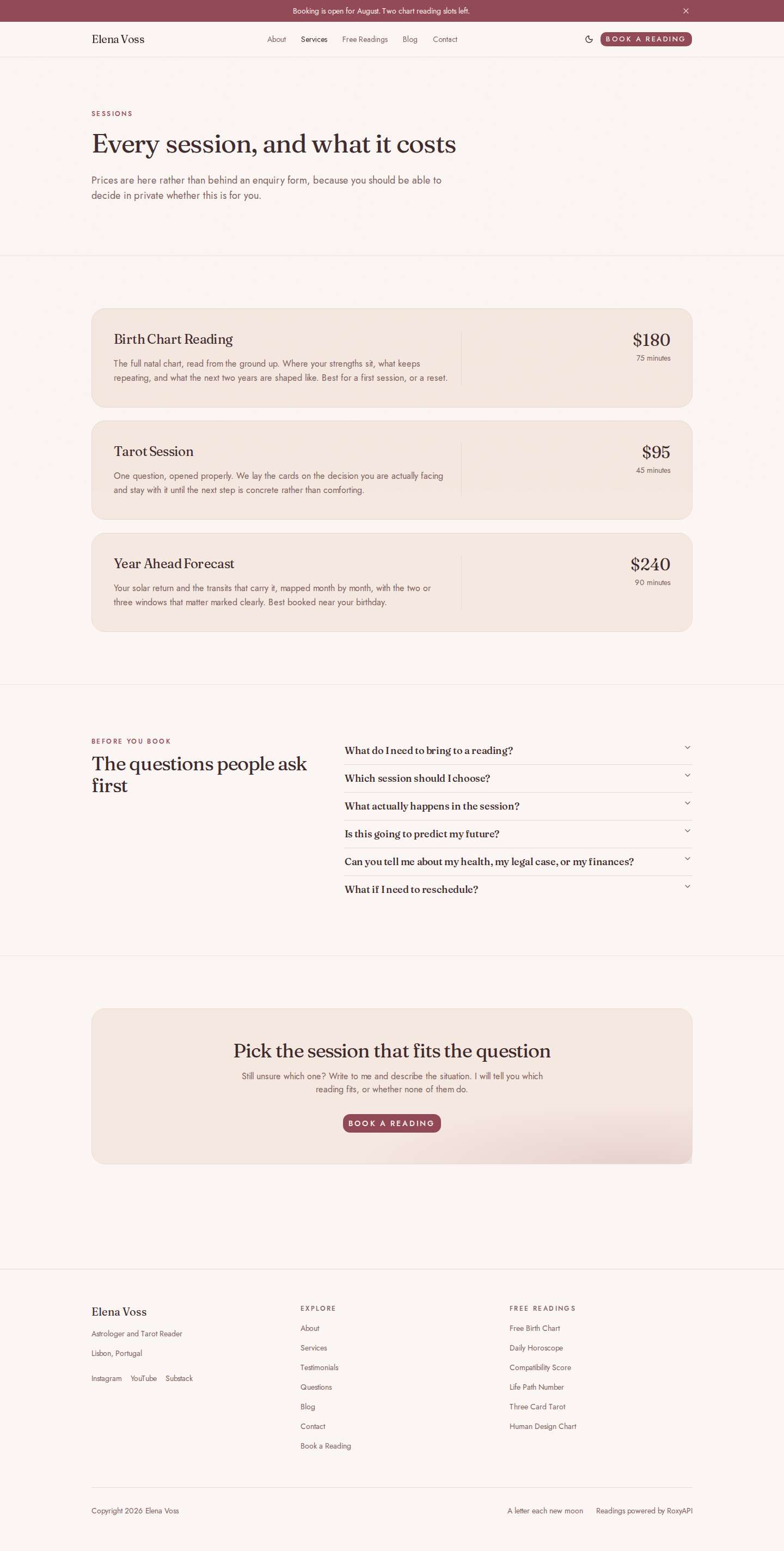 | 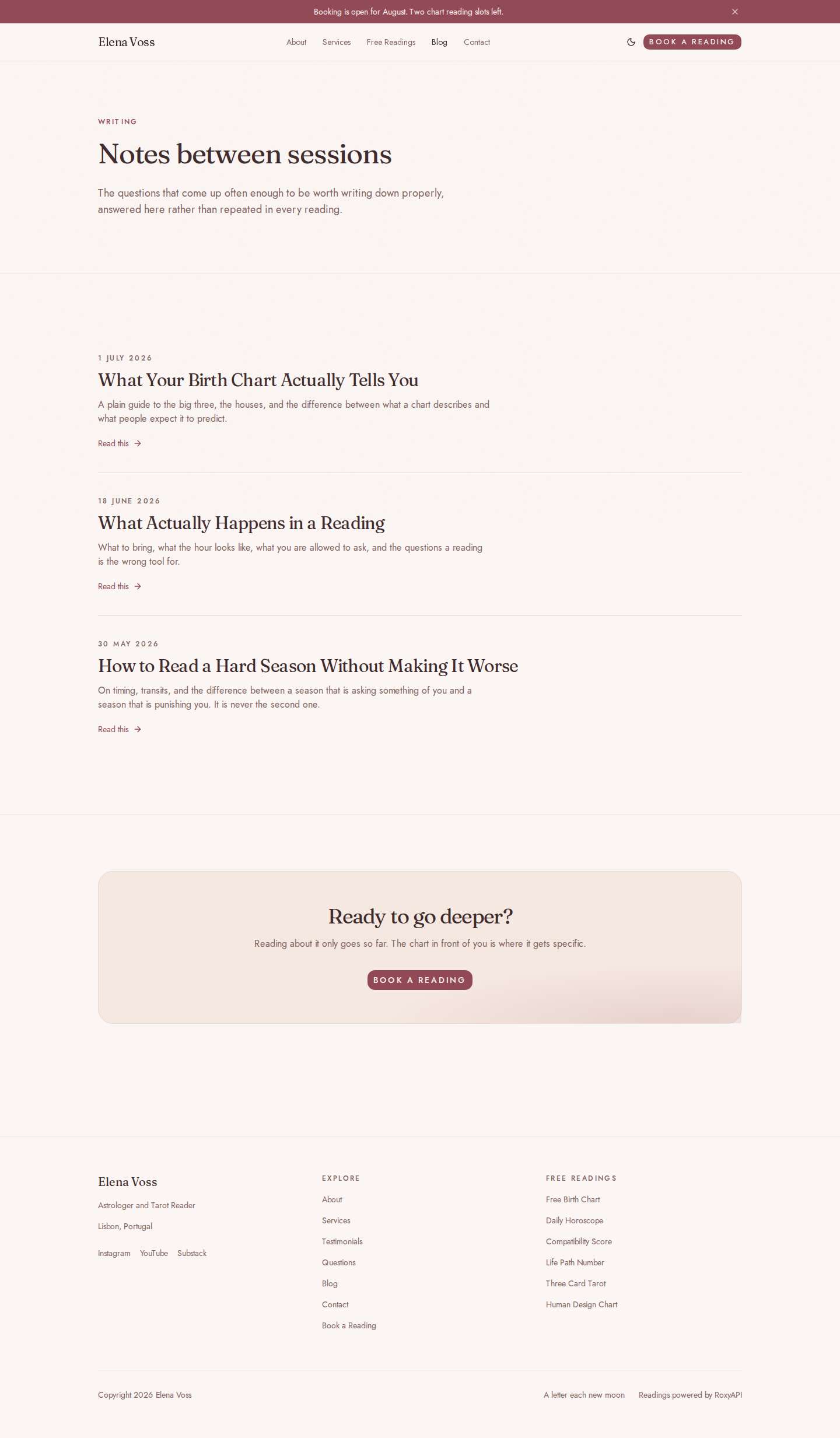 |
Dark mode ships with every palette: home, services, readings.
A Serious Practitioner Owns Their Codebase
If you rent your website, you do not have a business asset. You have a tenancy.
You cannot grow past what you were sold. A rented site is a brochure with a booking button bolted on. You cannot add a members area, a course, a subscription, a client portal, or an app. You certainly cannot turn it into a product other practitioners pay you for. The ceiling was set by somebody else, and you will hit it exactly when things start working.
Someone else decides whether you exist. Platforms deplatform. They suspend accounts, delete them, and change what a spiritual business is allowed to say, and they do it without a conversation and without an appeal that goes anywhere. If your bookings, your client list, and your entire web presence live inside an account that belongs to somebody else, they are not yours. They are on loan.
The price is not yours to set either. Monthly fees rise. Features you depend on move behind a higher tier. The plugin holding your site together gets abandoned, and you are the one who has to deal with it.
Own the code and none of that is your problem.
- It is yours, under MIT. Completely white label: no badge, no vendor branding, nothing on it that says who built it. Fork it, rebrand it, extend it, charge for it, sell what you build on it. Nobody can revoke it, price you out of it, or shut it down.
- It is modern code, not a theme. Next.js and TypeScript with a real test suite. Any developer, and any competent AI assistant, can add whatever your practice grows into: a shop, a course, a members area, a whole SaaS other readers subscribe to.
- No monthly fee for the website itself. Hosting has a free tier. There is no database and no backend to keep alive.
- You can always walk away with it. Your writing is plain files. Your bookings are in your own scheduling account. Your messages land in your own inbox.
And it does the one thing no page builder can do: it calculates real charts for your visitors, which is what actually brings people back.
Free Readings, on Your Site, Under Your Name
These are the reason a stranger stays, shares your link, and comes back next month. Every one of them is real astronomy, not a canned paragraph.
| The reading | What a visitor does with it |
|---|---|
| Free birth chart | They enter their birth date, time, and city, and get their full natal wheel: planets, houses, aspects |
| Three card tarot | They ask a real question and pull past, present, and direction, with the reading for each card |
| Daily horoscope | They pick their sign and get a fresh reading, written new each day. A reason to return tomorrow |
| Compatibility score | They compare two charts and get a score with the breakdown behind it. The most shared page on most practitioner sites |
| Life path number | One date in, their number and its meaning out |
| Human design chart | Their type, strategy, and authority, then the full bodygraph |
| Card of the day | One tarot card on your home page, drawn fresh every morning for every visitor |
No signup for them, no email wall, nothing stored. Each one ends by inviting the visitor to book a real session with you, while the result is still on their screen.
Do not offer one of these? Switch it off in the config and the page, and every link to it, disappears.
Getting Started
Follow these five steps in order. You do not need to know how to program. Everything happens in your browser, and you can stop after step 2 and still have a website.
Step 1. Make your own copy
Click Fork at the top right of this repository. GitHub asks you to sign in (it is free), then makes a private-to-you copy of every file. Nothing you do from now on affects the original.
A fork is your website. Every change you make in the next steps happens in your fork.
Step 2. Put it on the internet
Click the black Deploy button in the badges above. Vercel (free to sign up) asks:
- To connect your GitHub account. Say yes.
- For a value called
ROXYAPI_KEY. You can leave this empty for now, and the site still works: every page appears, and the free readings simply say they are not connected yet. Add the key later in step 4.
Click deploy, wait about a minute, and your site is live at an address like your-name.vercel.app. That address is real, shareable, and free.
A note on Vercel plans. The free Hobby plan at Vercel is for personal, non-commercial use. If you are selling readings through the site, use their Pro plan, or any other host that runs Next.js. That is a rule set by Vercel, not by this template.
Step 3. Make it yours
Everything you change lives in one file: src/config/site.config.ts. You can edit it directly on GitHub: open your fork, click the file, then click the pencil icon.
Do not be put off by the file extension. It is a list of your details, and you only change the words between the quote marks:
name: 'Elena Voss',                    // <- your name
title: 'Astrologer and Tarot Reader',  // <- what you call yourself
tagline: 'Readings that turn a hard season into a clear next step.',
email: 'hello@example.com',
location: 'Lisbon, Portugal',
Scroll on and you will find your services and prices, your testimonials, your FAQ, your social links, and your colour palette. Each one has a comment above it explaining what it does. Change the words, keep the punctuation as it is, then click Commit changes.
Your live site updates itself within a minute. There is nothing to upload.
Two more things to make it feel like yours:
- Your photo. Replace the file
public/portrait.jpgwith a photo of yourself. Portrait shape, ideally 1200 by 1600 pixels. Keep the same filename. - Your colours. Change one word in the config:
rosewater(blush and gold),eucalyptus(sage and clay),kiln(terracotta), ormoonlit(ink and gold). The whole site follows, in light and dark mode.
Full field-by-field reference: docs/config.md. Colours: docs/design.md.
Step 4. Turn on the free readings
The free readings (birth chart, tarot, and the rest) are what make visitors stay and book. They need a key:
- Get one at roxyapi.com/pricing. One key covers every reading on the site.
- In Vercel, open your project, go to Settings, then Environment Variables.
- Add a variable named
ROXYAPI_KEYand paste the key as its value. - Go to Deployments and click Redeploy.
The readings come alive. Until you do this, the site works perfectly well without them.
Step 5. Take bookings and messages
Two free accounts, five minutes each.
Bookings. Sign up at Cal.com (free) or Calendly (free). Create an event, for example "Birth Chart Reading, 75 minutes". Copy your public booking link and paste it into the config:
booking: {
  provider: 'calcom',                          // or 'calendly'
  url: 'https://cal.com/your-name/reading',    // your link
},
Your booking page now shows a real calendar. Until you add the link, it politely shows a setup card instead.
Contact form. Sign up at Web3Forms (free). Enter your email address and they send you an access key. Paste it into the config:
contact: {
  web3formsKey: 'paste-your-key-here',
},
Messages from your contact form now arrive in your inbox. Nothing is stored on the website.
Taking payment. The site never handles money, which means there is nothing for you to set up and nothing that can go wrong with it. If you want to be paid up front, add your own payment link (a Stripe payment link, a PayPal.Me address, anything you already use) to any service:
{
  name: 'Birth Chart Reading',
  price: '$180',
  paymentLink: 'https://buy.stripe.com/your-link',   // optional
},
Cal.com can also collect payment inside the booking itself, on their free plan.
Provider comparison and alternatives: docs/integrations.md.
Writing on Your Blog
Blog posts are files in the content/blog/ folder. To publish a post:
- Open
content/blog/in your fork on GitHub. - Open any existing post, select all, and copy it. Then click Add file, then Create new file.
- Name your file something like
my-first-post.mdx(the name becomes the web address, so use dashes, not spaces). - Paste, then change the top block and write your post underneath it:
---
title: What Your Birth Chart Actually Tells You
description: A plain guide to the big three, the houses, and what a reading covers.
date: 2026-07-01
---

Write here. Leave a blank line between paragraphs.

## A heading looks like this

And keep writing.- Click Commit changes.
The post appears on your blog, in your sitemap, and on social media cards. Three example posts ship with the site. Read them, then replace them with your own voice. Writing guidance: docs/blog.md.
What You Get
| Free birth chart, tarot, horoscope, compatibility, life path, and human design readings | Real calculations, run by your visitors, on your site. Each one ends by inviting them to book. |
| A card of the day | One tarot card, drawn fresh each morning for the whole site. |
| Booking | Cal.com or Calendly, on your own page, on their free plans. |
| Prices in the open | Your sessions and what they cost, stated plainly rather than hidden behind an enquiry form. |
| A contact form | Straight to your inbox. No backend, spam protected. |
| A blog | Drop in a file. The index, the sitemap, and the social card update themselves. |
| Found on Google | Titles, descriptions, structured data, sitemap, and social cards all generated from your config. |
| Light and dark mode | Follows the preference each visitor has set on their own device. |
| Four colour palettes | One word in the config changes the whole site. |
Every reading is calculated by RoxyAPI and verified against NASA JPL Horizons. Nothing is invented by a language model, and nothing about your visitors is stored.
Your Visitors and Their Privacy
- Bookings live with your booking provider, in your account.
- Contact messages go to your inbox. Nothing is stored on the site.
- Birth details typed into a free reading are sent to the readings API at that moment and kept by nobody. There is no database in this website to keep them in.
For Developers (and AI Assistants)
If you or your assistant want to go further than the config file:
git clone https://github.com/RoxyAPI/spiritual-practitioner-website-template.git
cd spiritual-practitioner-website-template
npm install
cp .env.example .env.local     # then add your ROXYAPI_KEY
npm run dev
npm run verify runs the same checks as CI: format, lint, types, tests, and a build with no API key.
The full specification lives in docs/, and AGENTS.md points a coding assistant at the right file for any task.
| Layer | Choice |
|---|---|
| Framework | Next.js 16, App Router, Server Components |
| Styling | Tailwind CSS v4 and shadcn/ui |
| Readings | @roxyapi/sdk on the server, @roxyapi/ui-react to render |
| Content | MDX files. No CMS, no database |
| Tests | Vitest |
| Hosting | Anything that runs Next.js. Vercel in one click |
Questions
Do I need to know how to code? No. Steps 1 to 5 above are all done in your browser, and the only file you edit is a list of your own details.
How is this different from Squarespace, Wix, or a WordPress theme? You own it. This is a real codebase under an MIT licence, so it cannot be taken away, priced up, or discontinued, and there is no monthly fee for the website itself. It also does something a page builder cannot: it calculates real birth charts, tarot spreads, and human design bodygraphs for your visitors. And because it is modern code rather than a theme, any developer or AI assistant can extend it as your practice grows.
How much does this cost to run? The website itself is free and the code is yours. GitHub, Vercel, Cal.com, Calendly, and Web3Forms all have free plans, though Vercel asks for a paid plan if you sell through the site. The free readings need a RoxyAPI key: see roxyapi.com/pricing.
Can I use my own domain name?
Yes. Buy one anywhere, then add it in Vercel under Settings, then Domains. Update siteUrl in the config to match, so your sitemap and social cards point at the right place.
What happens if I do not add an API key? The whole site works. Every page, the booking, the blog, the contact form. Only the free readings say they are not connected yet. You can add the key any time.
Can I remove a reading I do not offer?
Yes. Set it to false in the config and it disappears from the site completely, including from what Google sees.
Can I change the colours beyond the four palettes?
Yes, but that one is a code change rather than a config change. The colour tokens and the procedure are in docs/design.md. Hand it to an AI assistant along with that file.
Do my visitors need an account to use the free readings? No. No signup, no email wall. That is the point: they get something real, and then they see your booking button.
Will this show up on Google? The groundwork is done: every page has its title, description, structured data, and a social card, and the sitemap updates itself. What Google needs from you is the writing. Publish posts that answer what your clients actually ask.
Is this white label? Can I sell what I build with it? Yes to both. It is fully white label and MIT licensed: rebrand it as your own, charge for it, build a business on it, or run it for clients. The small credit line in the footer is optional; delete it if you prefer.
Something is broken. Where do I ask? Open an issue on this repository. If it is about the readings or your key, contact RoxyAPI.
Built with RoxyAPI
One key, every domain. Get a key, or try the API in your browser first, no signup needed. Accuracy is verified against NASA JPL Horizons. More templates to fork: roxyapi.com/starters.
License
MIT. Use it commercially, rebrand it, sell what you build with it.