Arabic Parts API
seven Hermetic parts including Part of Fortune and Spirit
Included with every plan (at no extra cost)
Calculate the seven Hermetic lots (Arabic parts) for any birth moment. The lots are the Part of Fortune, Part of Spirit, Eros, Necessity, Courage, Victory, and Nemesis. Each lot is a sensitive point projected by arc from the Ascendant, with the day or night formula applied automatically from the chart sect. Returns the zodiac sign, degree, exact longitude, the arc used, and a plain language interpretation per lot, for Hellenistic and traditional astrology apps. Built on accurate tropical chart positions, no astronomy expertise needed.
Location first, chart second
The Arabic Parts API needs latitude, longitude, and timezone. Never ask users to type coordinates. Resolve a city with the Location endpoint first, then feed the result into the request. Timezone accepts a decimal offset or an IANA name.
1 Resolve the location
curl "https://roxyapi.com/api/v2/location/search?q=New York" \
  -H "X-API-Key: YOUR_KEY"
# -> cities[0]: { latitude, longitude, timezone: "America/New_York" }
2 Call the Arabic Parts endpoint
# feed latitude, longitude and timezone from step 1
POST https://roxyapi.com/api/v2/astrology/arabic-lots
Request
POST /api/v2/astrology/arabic-lots
Parameters
| Parameter | Type | Description |
|---|---|---|
| langquery | string enum | Response language (BCP 47). Supported: en, tr, de, es, hi, pt, fr, ru, zh-Hans, zh-Hant. Defaults to en. Coverage varies by domain, and a field with no translation in the requested language returns English. Default en. |
Request body
| Field | Type | Description |
|---|---|---|
| date* | string (date) | Birth date in YYYY-MM-DD format. Determines planetary positions for the specific calendar day. |
| time* | string (time) | Birth time in 24-hour HH:MM:SS format. Determines the Ascendant (rising sign) and house cusps. Use 12:00:00 if unknown. |
| latitude* | number | Birth location latitude in decimal degrees (-90 to 90). Positive = North, negative = South. |
| longitude* | number | Birth location longitude in decimal degrees (-180 to 180). Positive = East, negative = West. |
| timezone* | number or string | Timezone: an IANA name (e.g. "America/New_York", "Europe/London", or `cities[0].timezone` from /location/search) or decimal hours from UTC (e.g. -5 for EST, 5.5 for IST). An IANA name is resolved to the offset in force at the given date and time. |
| nodeType | string enum | Lunar node convention. "mean" is the smoothed average node, which always moves retrograde; "true" is the osculating node, which tracks the real perturbed node, oscillates up to about 1.5 degrees either side of the mean on a 173-day cycle, and can briefly turn direct. Neither is more correct and they almost always fall in the same sign. Applies to the North and South Node. True is the osculating node and the default, because it is what most Western chart software reports; mean is the smoothed node preferred by several evolutionary schools, so pass "mean" to match one. Nothing else in the chart changes, and the two agree on the sign except when the node sits within about 1.8 degrees of a cusp. Defaults to "true". |
| houseSystem | string enum | House system used to place the Sun, which determines the chart sect (day when the Sun is above the horizon, night when below) and therefore which lot formula applies. Placidus (default), Whole Sign, Equal, or Koch. |
Example request
{
  "date": "1990-07-15",
  "time": "14:30:00",
  "latitude": 40.7128,
  "longitude": -74.006,
  "timezone": "America/New_York",
  "nodeType": "true",
  "houseSystem": "placidus"
}
Response
Structured JSON with documented fields, covered by 13,405 automated tests per deploy, 3,620 of them gold-standard tests verified against NASA JPL Horizons. Not hallucinated text.
{
  "birthDetails": {
    "date": "1990-07-15",
    "time": "14:30:00",
    "latitude": 40.7128,
    "longitude": -74.006,
    "timezone": -4,
    "nodeType": "true"
  },
  "sect": "day",
  "lots": [
    {
      "id": "fortune",
      "name": "Part of Fortune",
      "longitude": 131.0117864924864,
      "sign": "Leo",
      "degree": 11.011786492486408,
      "formula": "Ascendant + Moon - Sun",
      "interpretation": "Your Part of Fortune falls in Leo, marking the body, health, material wellbeing, and the flow of fortune through your life. Lots are sensitive points derived by arc from the Ascendant, Sun, Moon, and planets, with the formula reversed between day and night charts."
    },
    {
      "id": "spirit",
      "name": "Part of Spirit",
      "longitude": 302.88295020848636,
      "sign": "Aquarius",
      "degree": 2.8829502084863634,
      "formula": "Ascendant + Sun - Moon",
      "interpretation": "Your Part of Spirit falls in Aquarius, marking the mind, will, and deliberate action, what you set out to do and how you make your way. Lots are sensitive points derived by arc from the Ascendant, Sun, Moon, and planets, with the formula reversed between day and night charts."
    },
    {
      "id": "eros",
      "name": "Part of Eros",
      "longitude": 358.8005009055719,
      "sign": "Pisces",
      "degree": 28.80050090557188,
      "formula": "Ascendant + Venus - Part of Spirit",
      "interpretation": "Your Part of Eros falls in Pisces, marking desire, love, longing, and what you are drawn toward. Lots are sensitive points derived by arc from the Ascendant, Sun, Moon, and planets, with the formula reversed between day and night charts."
    },
    {
      "id": "necessity",
      "name": "Part of Necessity",
      "longitude": 220.67870649176717,
      "sign": "Scorpio",
      "degree": 10.678706491767173,
      "formula": "Ascendant + Part of Fortune - Mercury",
      "interpretation": "Your Part of Necessity falls in Scorpio, marking constraint, obligation, and the circumstances you cannot easily change. Lots are sensitive points derived by arc from the Ascendant, Sun, Moon, and planets, with the formula reversed between day and night charts."
    },
    {
      "id": "courage",
      "name": "Part of Courage",
      "longitude": 315.8357255850125,
      "sign": "Aquarius",
      "degree": 15.835725585012483,
      "formula": "Ascendant + Part of Fortune - Mars",
      "interpretation": "Your Part of Courage falls in Aquarius, marking boldness, daring, and decisive action under pressure. Lots are sensitive points derived by arc from the Ascendant, Sun, Moon, and planets, with the formula reversed between day and night charts."
    },
    {
      "id": "victory",
      "name": "Part of Victory",
      "longitude": 47.22037284214923,
      "sign": "Taurus",
      "degree": 17.22037284214923,
      "formula": "Ascendant + Part of Spirit - Jupiter",
      "interpretation": "Your Part of Victory falls in Taurus, marking success, faith, ambition, and where you press toward winning. Lots are sensitive points derived by arc from the Ascendant, Sun, Moon, and planets, with the formula reversed between day and night charts."
    },
    {
      "id": "nemesis",
      "name": "Part of Nemesis",
      "longitude": 56.01561531041892,
      "sign": "Taurus",
      "degree": 26.015615310418923,
      "formula": "Ascendant + Part of Fortune - Saturn",
      "interpretation": "Your Part of Nemesis falls in Taurus, marking limitation, hidden weakness, endings, and the karmic account. Lots are sensitive points derived by arc from the Ascendant, Sun, Moon, and planets, with the formula reversed between day and night charts."
    }
  ],
  "summary": "Seven Hermetic lots for 1990-07-15: Fortune, Spirit, Eros, Necessity, Courage, Victory, and Nemesis, each projected by arc from the Ascendant, Sun, and Moon, with the formula reversed between day and night charts."
}
Response fields
| Field | Type | Description |
|---|---|---|
| birthDetails* | object | Echo of the birth moment and place used to compute every lot. |
| birthDetails.date* | string (date) | Birth date in YYYY-MM-DD format. Determines planetary positions for the specific calendar day. |
| birthDetails.time* | string (time) | Birth time in 24-hour HH:MM:SS format. Determines the Ascendant (rising sign) and house cusps. Use 12:00:00 if unknown. |
| birthDetails.latitude* | number | Birth location latitude in decimal degrees (-90 to 90). Positive = North, negative = South. |
| birthDetails.longitude* | number | Birth location longitude in decimal degrees (-180 to 180). Positive = East, negative = West. |
| birthDetails.timezone* | number | Timezone offset from UTC in decimal hours, resolved for the birth date. Examples: New York = -5 in winter and -4 in summer, London = 0, India = 5.5, Tokyo = 9. |
| sect* | string enum | Chart sect that selected each formula. Day (diurnal) when the Sun is above the horizon, night (nocturnal) when below. Every lot swaps its two non-Ascendant terms between day and night. |
| lots* | array of object | The seven Hermetic lots in canonical order: Part of Fortune and Part of Spirit from the luminaries, then Eros, Necessity, Courage, Victory, and Nemesis from a planet paired with Fortune or Spirit. |
| lots[].id* | string | Stable machine identifier for the lot (fortune, spirit, eros, necessity, courage, victory, nemesis). Use this for lookups. |
| lots[].name* | string | Name of the lot. Always English, whatever the lang parameter says, so it stays safe to compare against in code. Use nameLocalized for anything a reader sees. |
| lots[].nameLocalized | string | Lot name in the requested language, for display only. Present only when lang is set to a language other than English, since in English it would repeat its canonical partner field exactly. Never compare against this value, compare against the canonical field beside it. |
| lots[].longitude* | number | Absolute tropical ecliptic longitude of the lot in degrees (0 to 360). |
| lots[].sign* | string | Tropical zodiac sign the lot falls in. |
| lots[].degree* | number | Degree of the lot within its zodiac sign (0 to 29.999). |
Show all fieldsShow fewer fields
| Field | Type | Description |
|---|---|---|
| lots[].formula* | string | Human readable arc used for this chart, with the day or night term order already applied by sect. |
| lots[].interpretation* | string | Plain language meaning of this lot in its sign, suitable for chart reports and AI agents. Localized to the requested language. |
| summary* | string | Short overview of the lot set for previews and report intros. |
Supported options
lang
nodeType
houseSystem
Call it in your language.
Every snippet is generated from the live OpenAPI spec, so method names, parameters, and fields always match production.
import { createRoxy } from '@roxyapi/sdk'

const roxy = createRoxy(process.env.ROXY_API_KEY!)
const { data } = await roxy.astrology.calculateArabicLots({ body: { date: '1990-07-15', time: '14:30:00', latitude: 40.7128, longitude: -74.006, timezone: 'America/New_York' } })
Install: npm install @roxyapi/sdk
from roxy_sdk import create_roxy

roxy = create_roxy("YOUR_API_KEY")
result = roxy.astrology.calculate_arabic_lots(date='1990-07-15', time='14:30:00', latitude=40.7128, longitude=-74.006, timezone='America/New_York')
Install: pip install roxy-sdk
use function RoxyAPI\Sdk\createRoxy;

$roxy = createRoxy(getenv('ROXY_API_KEY'));
$result = $roxy->astrology->calculateArabicLots(date: '1990-07-15', time: '14:30:00', latitude: 40.7128, longitude: -74.006, timezone: 'America/New_York');
Install: composer require roxyapi/sdk
using RoxyApi;

var roxy = new RoxyClient(Environment.GetEnvironmentVariable("ROXY_API_KEY")!);
var result = await roxy.Astrology.ArabicLots.PostAsync(new() { /* request fields above */ });
Install: dotnet add package RoxyApi.Sdk
import roxyapi "github.com/RoxyAPI/sdk-go"

roxy, _ := roxyapi.NewRoxy(os.Getenv("ROXY_API_KEY"))
resp, _ := roxy.Astrology.CalculateArabicLots(ctx, nil, roxyapi.CalculateArabicLotsJSONRequestBody{ /* request fields above */ })
Install: go get github.com/RoxyAPI/sdk-go
curl -X POST "https://roxyapi.com/api/v2/astrology/arabic-lots" \
  -H "X-API-Key: YOUR_KEY" \
  -H "Content-Type: application/json" \
  -d '{"date":"1990-07-15","time":"14:30:00","latitude":40.7128,"longitude":-74.006,"timezone":"America/New_York"}'
Prefer to try before you write code? Run this Western Astrology endpoint live in the API playground and inspect a real production response.
Remote MCP for AI agents
Every Western Astrology endpoint is a callable tool on the Remote MCP server over Streamable HTTP. No local setup, no Docker. Claude, ChatGPT, Cursor, and any MCP client auto-discover the tools and ground their answers in verified data.
claude mcp add --transport http \
  roxy-astrology https://roxyapi.com/mcp/astrology \
  --header "X-API-Key: YOUR_KEY"
Tool name for POST /astrology/arabic-lots: post_astrology_arabic_lots. Full MCP setup guide
What you can build
Launch natal chart apps with professional-grade accuracy: birth charts, planet positions, house placements, aspects, and element analysis ready for your UI
Add zodiac compatibility scoring to dating apps: synastry analysis, composite charts, and compatibility scores with detailed relationship dynamics
Ship personalized horoscope platforms: editorial daily, weekly, monthly, and yearly columns with unique content per sign, the dated events each one rests on returned beside the prose for fact-checking, active transit metadata, Moon phase data, and any past or future period on request for editorial pre-publishing
Build AI astrology chatbots with MCP: your OpenAI, Claude, or Gemini agent auto-discovers and calls every astrology endpoint with zero integration code
Power wellness and lifestyle apps with real-time transits, moon phase calendars, solar returns, and planetary movement alerts for self-discovery features
Create astrology content engines: automated zodiac content with house-based uniqueness per sign, horoscope newsletters with real lunar event dates, transit alerts, and year-ahead pages built from every eclipse and every retrograde and direct station of the year with the house each one falls in for that sign
Drop-in UI components and no-code widgets.
Render Arabic Parts API responses without building charts yourself. Install the npm package and drop these into Next.js, React, Vue, Svelte, Angular, or plain HTML, or embed the very same component on Squarespace, Wix, or WordPress by pasting one snippet, with no backend and no build step. They belong to one library that covers the entire spiritual stack rather than astrology alone, MIT licensed and included in every plan at no extra cost, never a separate product and never an upsell. The Arabic Parts API calculations, the interface that renders them, and the Remote MCP your agent calls, all behind one key, end to end.
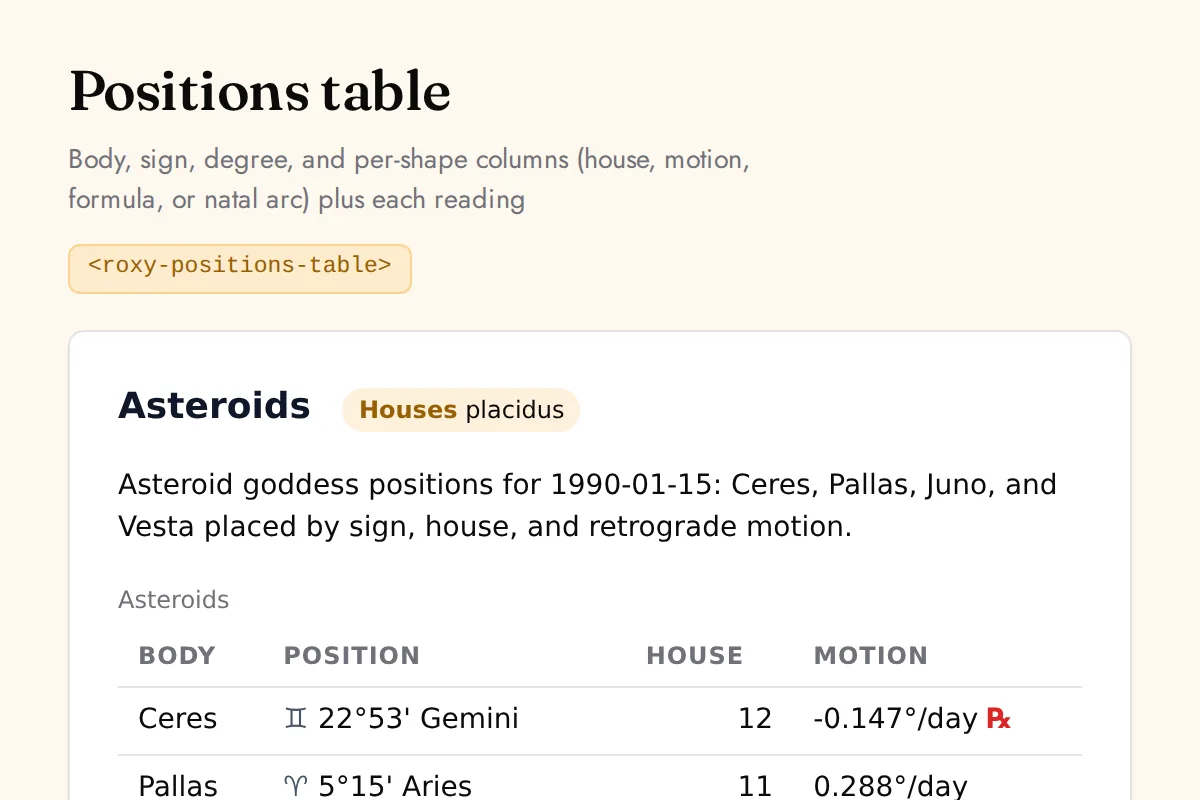
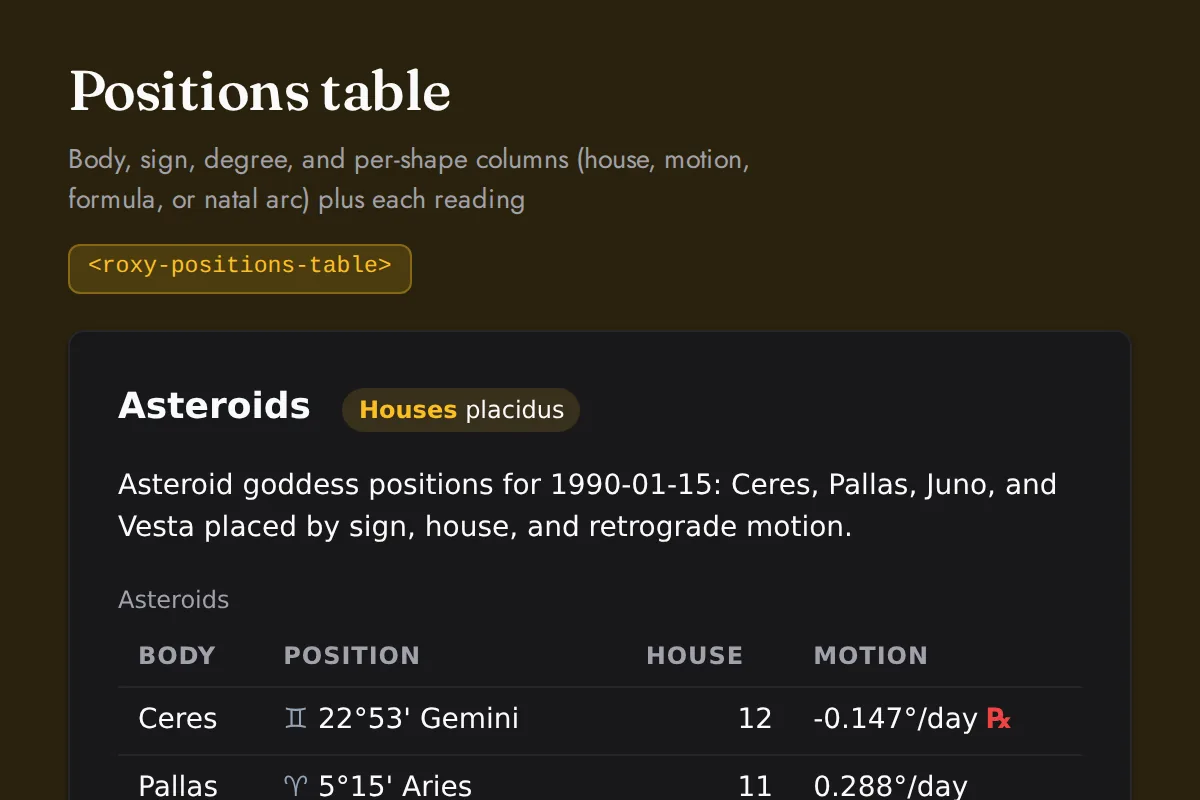
Show all Arabic Parts UI componentsShow fewer Arabic Parts UI components
| Element | Renders |
|---|---|
| <roxy-positions-table> | Body, sign, degree, and per-shape columns (house, motion, formula, or natal arc) plus each reading |
Related capabilities
Arabic Parts API FAQ
What does the Arabic Parts API return?
Calculate the seven Hermetic lots (Arabic parts) for any birth moment. Every response is structured JSON with documented fields, not free text, so you map it straight into your product.
How do I authenticate with the Arabic Parts API?
Pass your key in the X-API-Key header on every request. Keys are delivered instantly at checkout with no approval queue. Use a secret sk key server side, or mint a publishable pk key locked to your origins for browser and no-code use.
Does the Arabic Parts API support multiple languages?
Yes. Append the lang query parameter to any endpoint for responses in English, German, Spanish, French, Hindi, Portuguese, Russian and Turkish. The translated payload includes the full interpretation text, not just field labels.
Do I need coordinates to call the Arabic Parts API?
No. Call GET /location/search with a city name first, then pass latitude, longitude, and timezone from the first result into the request. Never ask users to type coordinates. Timezone accepts a decimal offset or an IANA name.
Is the Arabic Parts API available over Remote MCP for AI agents?
Yes. Every endpoint is exposed as a callable tool on the Remote MCP server at https://roxyapi.com/mcp/astrology over Streamable HTTP, so Claude, ChatGPT, Cursor, and any MCP client auto-discover it with no local setup or Docker.
How is the Arabic Parts API billed?
Flat pricing: 1 request equals 1 quota unit, REST and MCP identical, with no credit weighting or per-token markup. Every plan includes all 18 domains, so the Arabic Parts API is included at no extra cost.
What nodeType values does the Arabic Parts API accept?
The nodeType parameter accepts mean, true. Case-insensitive where it is a path value.
Start using Arabic Parts API today.
Birth charts checked cusp by cusp, and horoscopes that name the dated sky events behind each reading.
All 18 domains included with every plan. Every endpoint, MCP server, SDK, and templates.
Plans from $39/mo, starting at $1.80 per domain on annual billing. No credit card required for testing.
View Pricing & Get API Key