Webasyst astrology widget on Shop-Script and Site pages
Add a natal chart, a daily horoscope, a tarot reading or a transits table to any Webasyst site or Shop-Script store. Paste a widget into a page, or serve every widget file and reading from your own domain with one PHP file. Only a publishable key ever sits on the site.
Webasyst runs PHP on your own hosting, so it supports both widget paths. This page covers where the key goes, the plain widget snippet, and the self-hosted setup that serves the widget, the city search and every reading from your domain. The widgets guide covers every delivery mode for every platform.
What you can build
Natal chart page: the visitor enters birth date, time and city, and the wheel renders
Daily horoscope card bound to a zodiac sign on the store front page
Tarot reading or card of the day beside your tarot decks and crystals
Transits table that shows the planets right now with one click
Life Path and numerology calculator as a gift for every buyer
Vedic kundli page with nakshatra, Vimshottari Dasha and panchang
Step 1: mint a publishable key
A publishable key (pk_) is built for the browser. It cannot read your account, and you lock it to your own domain so no one else can spend your quota with it.
Under Allowed origins, add your store host, for example yourstore.com, and on a second line www.yourstore.com. Origins are matched by exact host with no wildcards, so list every host the store opens on.
Copy the pk_live_... value.
Never paste a secret key
Only a publishable pk_ key belongs on a Webasyst site: in a page, in a theme template, or in roxy.php. Page HTML and template code reach every visitor. A secret sk_ key is refused in the browser and stays on a server you control.
Step 2: paste a widget into a page
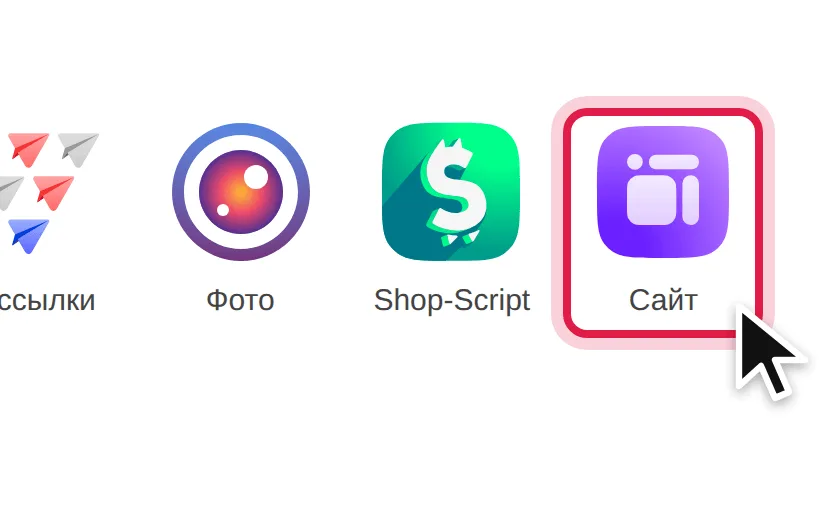
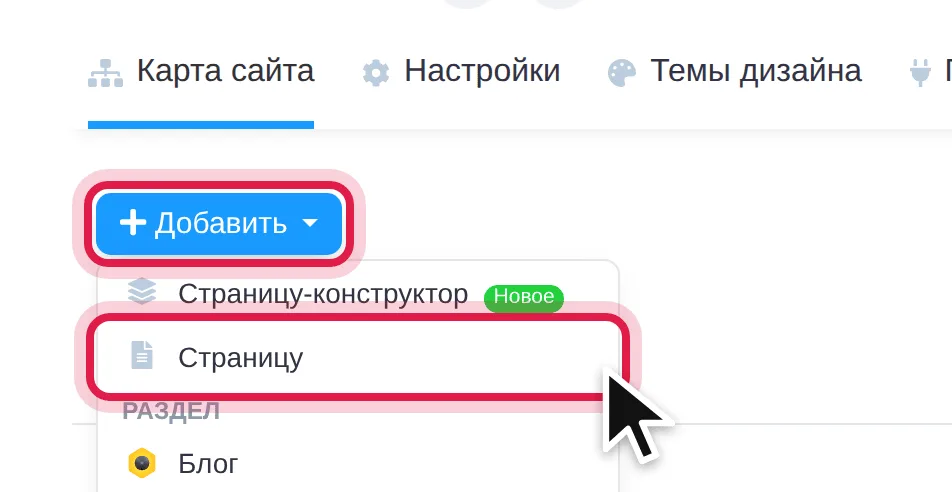
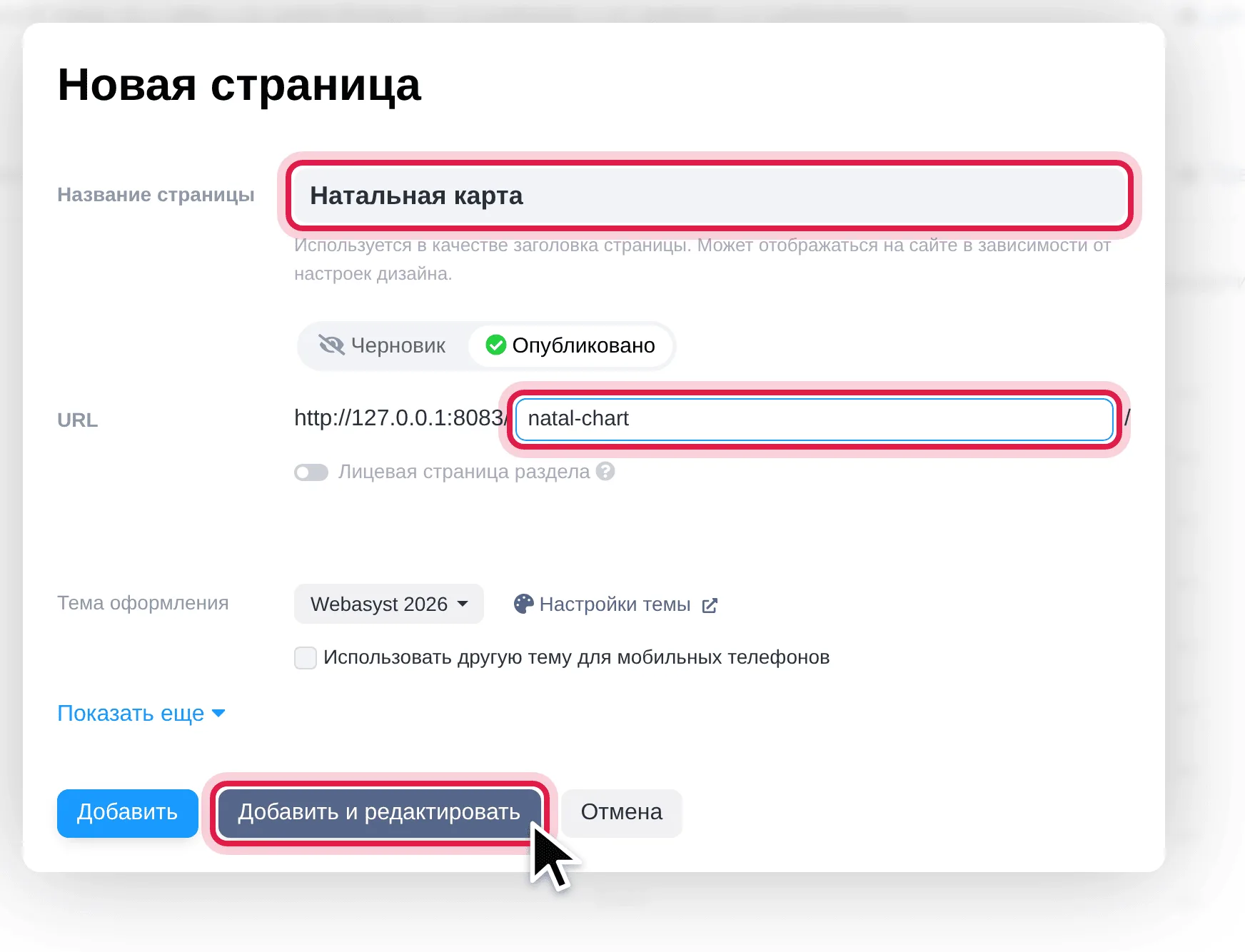
Start at the widgets gallery: paste your key there once, pick a widget, and copy the snippet. Then, in the Webasyst backend:
Swap natal-chart for any slug on the gallery: horoscope-card, tarot-spread, transits-table, numerology-card, vedic-kundli and more. Paste the snippet into the theme template instead of a page to show a widget across the whole store.
Step 3: serve everything from your own domain
For a store whose visitors should load nothing from other hosts, the open source Self-Hosted Widgets for PHP file does it. roxy.php sits next to index.php, keeps a copy of the widget files in a roxy folder on your server, and relays every reading and city search to RoxyAPI from the server. Visitors load the widget, the city search and every reading from your domain alone. New widgets and new releases arrive on their own, with nothing to update by hand.
Download roxy.php, open it in a text editor, paste your publishable key between the quotes on the $ROXY_KEY line, and save.
Upload it to the site root, the folder with index.php, wa-apps and wa-config in it, through the hosting file manager or SFTP. Nothing to register in the backend.
Open https://yourstore.com/roxy.php?check. Every line is green; a red line says what to fix under it.
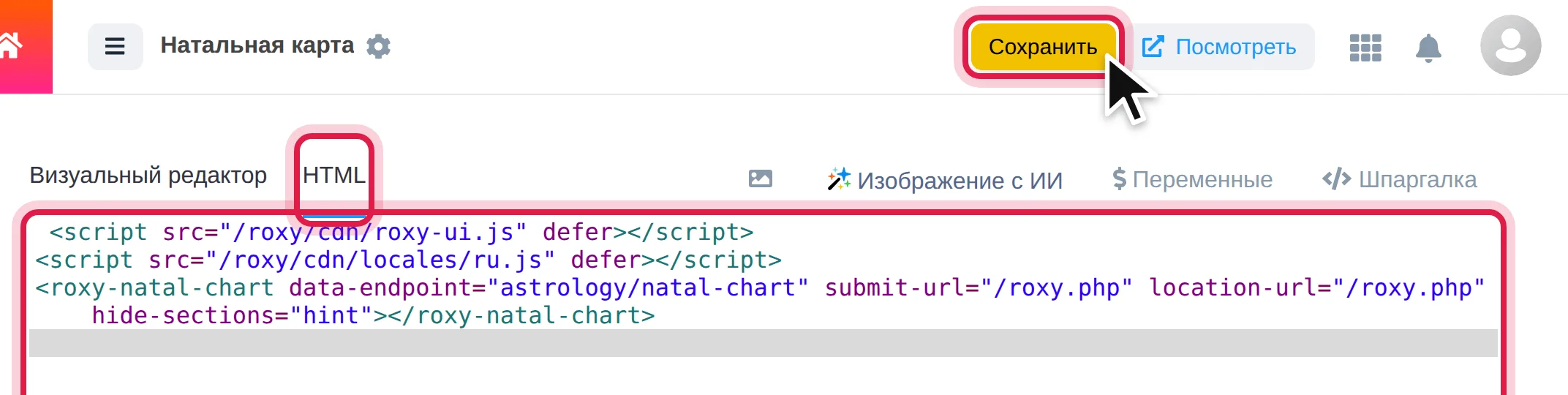
Add a page as in Step 2 and paste this snippet on the HTML tab:
Any other widget works the same way: copy its tag from the widgets gallery and replace publishable-key="pk_live_YOUR_KEY" with submit-url="/roxy.php" location-url="/roxy.php". The two script lines go on a page once. Swap ru in the second line for de, es, fr, hi, pt or tr, or drop it for English. The repository README walks every step with screenshots, in English and Russian.
Caching
Widget files are served by your web server from the roxy folder as plain static files, and roxy.php checks for a new widget release every few hours. Readings are never cached on the store: each one comes fresh from RoxyAPI.
Troubleshooting
The check page shows code starting with <?php. The server runs only index.php. On the nginx configuration Webasyst recommends, add one location = /roxy.php block beside the one for index.php with the same fastcgi_pass; the exact block is in the repository README. On Apache hosting it runs as is.
The city search finds nothing. Open roxy.php?check. A red Publishable key works for this site line means the key is incomplete or the store host is missing from Allowed origins: add the host with and without www..
The widget is in English on a Russian store. Keep the ru.js line, or add lang="ru" to the widget tag.
The store lives in a subfolder. Put roxy.php in that folder and prefix every path in the snippet with it, for example /shop/roxy.php.
Errors. A failure returns { error, code, doc_url }, and the widget shows the message in place. Retry 429 with code rate_limit_per_minute and 503 with code compute_saturated after the Retry-After seconds. Retry 500 with code internal_error with exponential backoff. A request that fails on our side with a 5xx does not count against your monthly allowance, so retrying it is free. A 429 with code rate_limit_exceeded means the monthly allowance is used up: retrying cannot help before the reset, and Retry-After gives the seconds to it. Fix the request for any other 4xx, because it will fail the same way until it changes. Every official SDK already retries these for you, twice and honouring Retry-After, so a call made through an SDK needs no second retry loop.
The widgets guide covers every delivery mode, languages and the error fix list.
The WordPress integration is the plugin route when a second store runs on WordPress.
Browse the API reference for every endpoint across 18+ domains.
FAQ
Does a Webasyst store need a plugin for RoxyAPI widgets?
No. A widget is a snippet pasted on the HTML tab of a Site app page or into the theme template. The self-hosted setup adds one PHP file next to index.php, with nothing to install or register in the backend.
Which key goes into roxy.php?
A publishable pk_ key with your store host in its Allowed origins. It only answers for the hosts you list and cannot read your account, so it is safe in a file on the site.
Do the widgets work in Russian?
Yes. Load the Russian label file beside the widget script and the forms, buttons and readings render in Russian. German, Spanish, French, Hindi, Portuguese and Turkish work the same way.
How do updates reach a self-hosted store?
On their own. roxy.php checks for a new widget release every few hours and replaces the roxy folder after verifying the download, so new widgets and fixes arrive with no change to the file or the snippet.
R
RosieYour AI guide to RoxyAPI
R
Hi, I am Rosie, your guide to the RoxyAPI insight tools.
Ask me to read your birth chart, pull a card, or map your numbers, and I will interpret what it means for you. Unlike most AIs, I never make the numbers up: every reading runs on real, verified calculations. Curious about the API, pricing, or docs instead? Ask me that too.