How to sell astrology readings as branded PDF reports
Sell personalised natal chart, kundli, human design, BaZi and numerology reports from the site you already have. Your client pays on your checkout, types their birth details and downloads a PDF with your name, logo and colours on every page. No code, no server.
This is the no-code path for practitioners, coaches and shops. You choose a report, brand it once, and paste one snippet on the page your checkout unlocks. Your own platform takes the payment; RoxyAPI never touches it. Every report is white-label on every plan. Preview a sample PDF of each one on white label astrology reports before you start.
A RoxyAPI plan. Pick a plan; every plan includes every report.
A site builder that lets you paste code or a link: Squarespace, Wix, WordPress, Shopify, or any page that takes an HTML block.
A way to take payment you already use: a product, a booking, a paid membership or a digital download on your platform, which sends the buyer to a page after checkout.
1. Pick the report
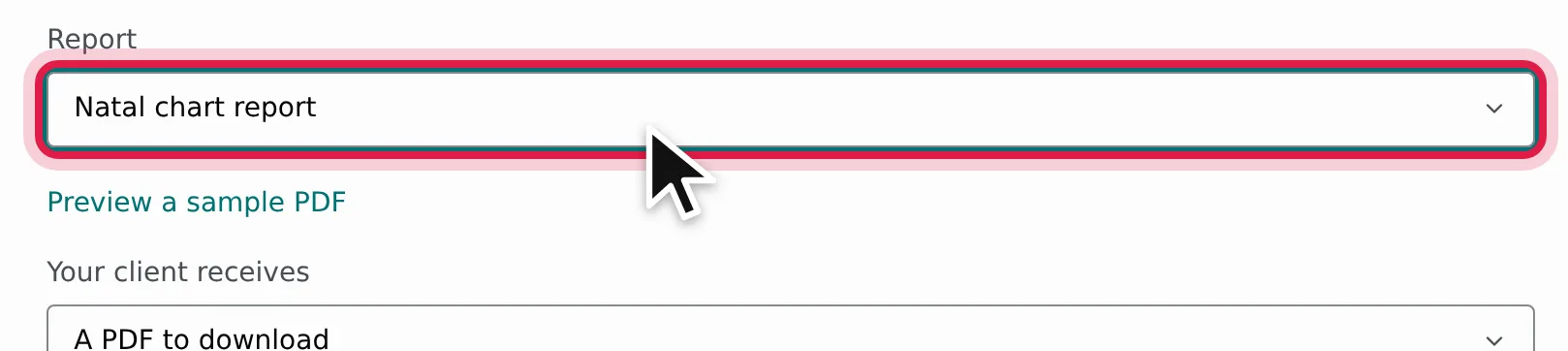
Open the report builder. Under Report, pick what you sell: a natal chart, synastry, kundli, kundli matching, tarot reading, numerology, Human Design, yearly forecast or BaZi report. Preview a sample PDF opens the finished document so you can see exactly what your client receives.
2. Choose how your client receives it
Under Your client receives, pick A PDF to download for a file your client keeps, or The report on your page to show the whole report in place, ready to read on screen.
3. Brand it
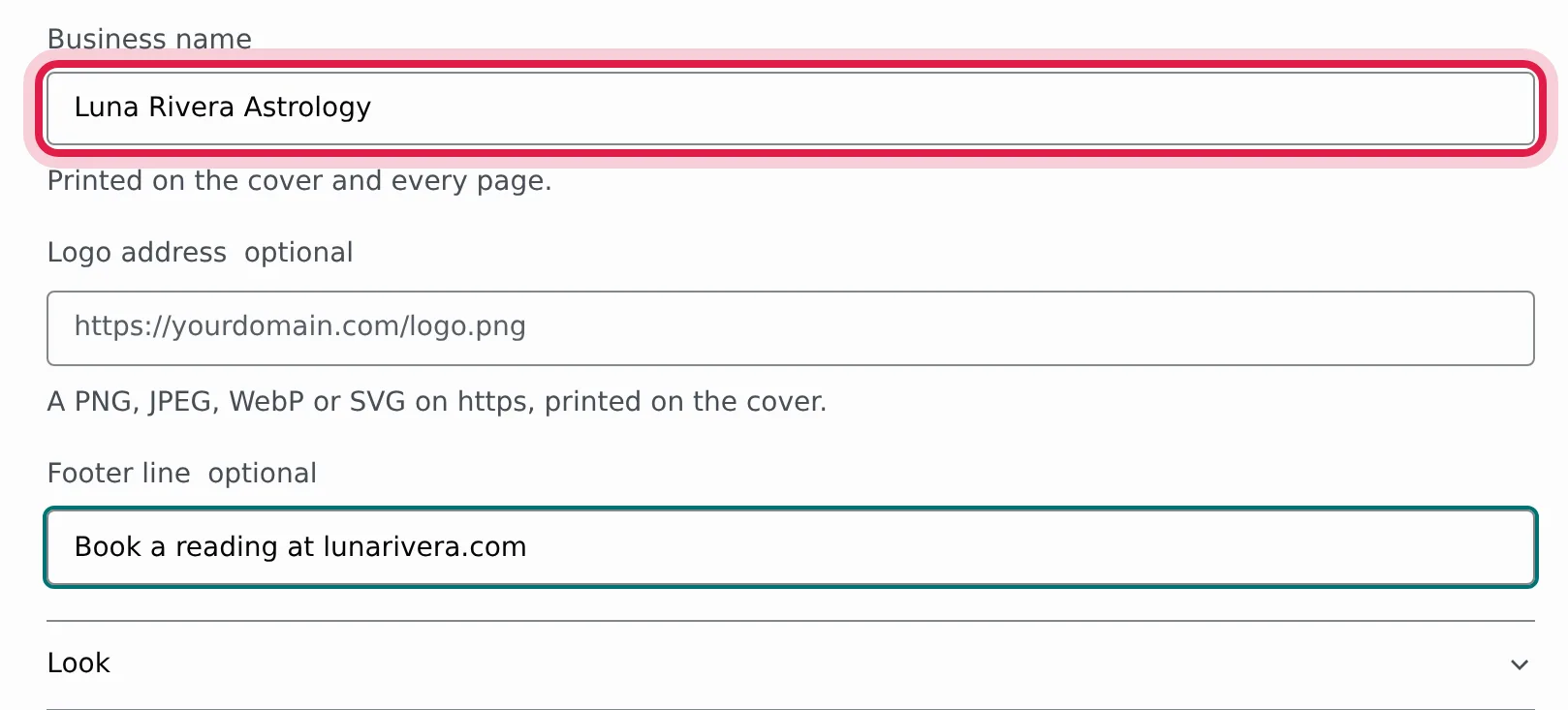
Fill in Business name: it is printed on the cover and every page. Add a Logo address (a PNG, JPEG, WebP or SVG on https, printed on the cover) and a Footer line such as a disclaimer or a booking note.
Then open Look:
Theme and Light or dark style the form on your page. Rosewater suits a practitioner site; Eucalyptus, Kiln, Moonlit and Celeste are the other presets. Auto follows each visitor device.
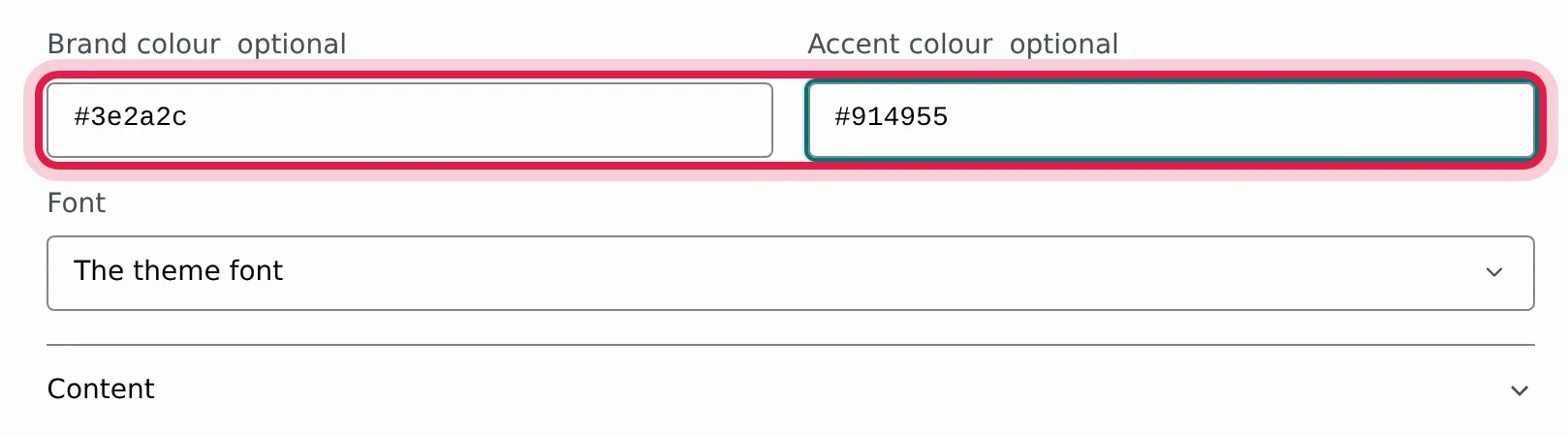
Brand colour and Accent colour take your two colours as six digit hex, such as #3e2a2c and #914955, on the form and in the report. Report headings take the brand colour, rules and highlights the accent.
Font sets the typeface of the form and the report. The theme font keeps the default.
Under Content, leave Language on Match the page and the report arrives in the language of your site, or pick one language for every client.
4. Get a key that lists your site
A widget runs in the browser of your visitor, so it uses a publishable key, which is safe in page source. Under Your website, click Get my widget key and name the website the report goes on, or create one yourself in your account API keys: click New key, choose Publishable and Live, and add your domain to its allowed origins. List every host the page is served from: the www. form, and a builder preview host such as your-site.squarespace.com or yoursite.wixsite.com. The widgets guide covers the key step by step.
Never paste a secret key into a page
A secret key (sk_) belongs on a server. The widget refuses one and shows an error instead of the form. Use the publishable key the builder gives you.
5. Paste it on the page your checkout unlocks
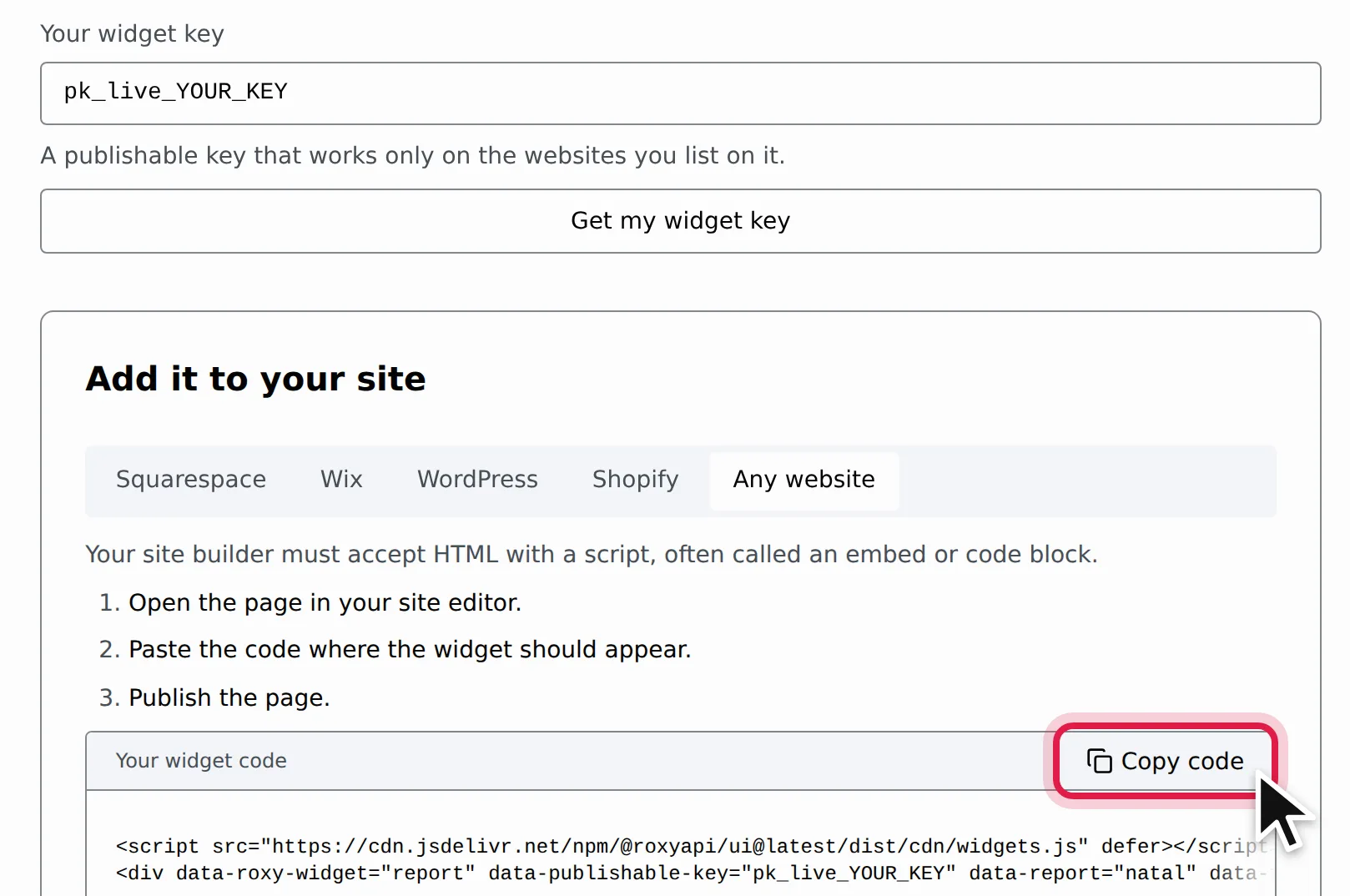
Pick your site builder under Add it to your site, follow its three steps, and press Copy code.
The code looks like this, with your settings filled in:
html
<script src="https://cdn.jsdelivr.net/npm/@roxyapi/ui@latest/dist/cdn/widgets.js" defer></script>
<div data-roxy-widget="report" data-publishable-key="pk_live_YOUR_KEY" data-report="natal" data-format="pdf" data-brand-name="Luna Rivera Astrology" data-brand-footer="Book a reading at lunarivera.com" data-brand-color="#3e2a2c" data-brand-accent="#914955" data-font="jost"></div>
Paste it on the page buyers reach only after paying: the thank-you page of the product, a members area, or the delivery page of a digital download. The report widget does not take payment and does not check who opens the page, so anyone who reaches that page can generate a report. Keep it behind the checkout your platform runs.
Squarespace, Shopify, WordPress and any other site: paste the snippet into an HTML or code block. On WordPress that is a Custom HTML block.
Wix: the Wix tab gives you a link instead of a snippet. In the editor click Add Elements → Embed Code → Popular Embeds, choose Embed a site, paste the link and give the box about 600px of height.
Publish the page and open it in a private window. Fill in a real birth date, time and city, and generate the report. You should get the PDF with your name on the cover, or the report on the page. Then check:
The widget says it is not authorized for this site: the page host is missing from the key. Add the exact host, www. form included.
The widget refuses the key: you pasted a secret key. Use a publishable one.
The logo is missing or the report fails: the logo address must be the image file itself on https, under 1 MB.
Every data endpoint is one request, and a report lists its cost up front. The cost table on /reports shows what each report draws from your monthly plan and how many each plan covers. No separate packs, no tier gate. Set your own price on your checkout.
FAQ
Do I need to know how to code to sell astrology reports?
No. Pick a report in the report builder, add your brand, copy one snippet and paste it on the page your checkout unlocks. Your client types their birth details and gets the branded report on that page.
Does RoxyAPI take payment from my clients?
No. Your own site builder or store takes the payment and sends the buyer to the page that holds the report widget. You set the price and keep the sale.
Will my clients see the RoxyAPI name on the report?
No. Every plan includes white-label reports: your business name, logo, colours, font and footer line, and nothing of ours on any page.
Can my clients get the report in their own language?
Yes. Leave the language on Match the page and the report follows the language of your site, or pick one language in the builder for every client.
Are my clients birth details stored?
No. The report is generated when your client asks for it and handed straight back. The birth details, the logo and the file are never stored.
R
RosieYour AI guide to RoxyAPI
R
Hi, I am Rosie, your guide to the RoxyAPI insight tools.
Ask me to read your birth chart, pull a card, or map your numbers, and I will interpret what it means for you. Unlike most AIs, I never make the numbers up: every reading runs on real, verified calculations. Curious about the API, pricing, or docs instead? Ask me that too.